
 Suro Senen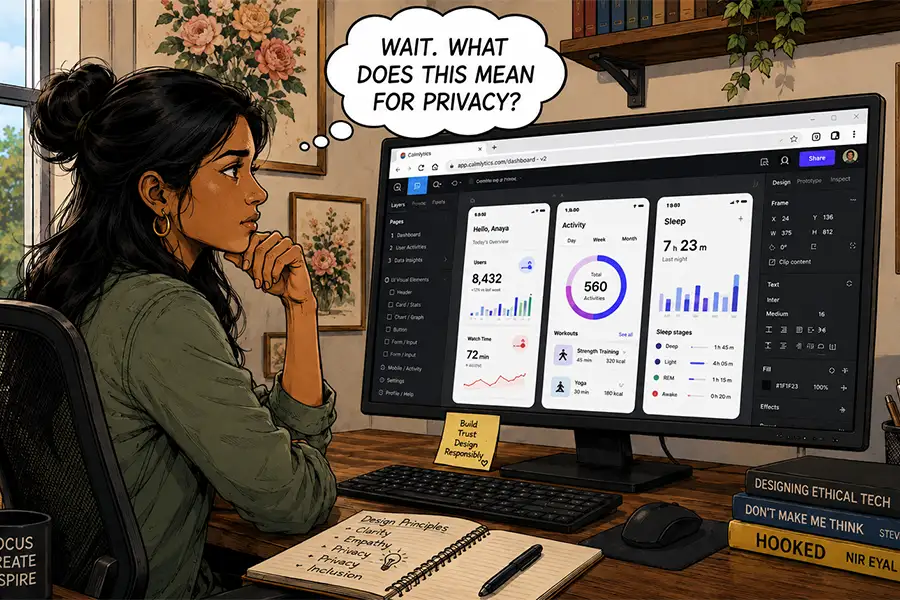
For many professionals, the act of setting up a new computer is a sacred ritual. It is a moment of digital renewal, characterized by the promise of enhanced performance and the installation of a meticulously curated software stack. For years, this meant loading a machine with heavy-duty installers—Adobe’s Creative Suite, Microsoft Office, specialized FTP clients, and complex local server environments. However, as we look toward the next generation of hardware, a paradigm shift is occurring: the browser, once a simple window to the internet, is rapidly becoming the operating system itself.
The Evolution of the Web Browser
The web design industry was forged in the era of Netscape, a time when browser capabilities were primitive and desktop applications were the undisputed kings of productivity. For decades, a binary existed: if you wanted to do "real" work—video editing, complex graphic design, or heavy data crunching—you needed a dedicated desktop application. Browser-based tools were relegated to "light" tasks, often dismissed as clunky, slow, and feature-poor.
However, the last decade has seen a technological convergence. Modern web standards, coupled with advanced server-side processing, have bridged the gap between local software and cloud-based applications. Today, platforms like Figma have redefined UI/UX design, while browser-based versions of Photoshop and Google’s robust productivity suite offer parity with their desktop ancestors. The question now is not whether we can move our workflows to the browser, but whether we should.
Chronology of a Shift: From Native to Cloud
To understand this transition, we must look at the timeline of software development over the last twenty years:
- The Desktop Era (2000–2010): Software was tethered to the physical hard drive. Updates were infrequent, cross-platform compatibility was a nightmare, and collaboration meant emailing massive project files back and forth.
- The SaaS Awakening (2010–2018): As high-speed internet became ubiquitous, companies began moving services to the cloud. Google Workspace led the charge, proving that productivity could exist within a tab.
- The Collaborative Frontier (2018–Present): With the rise of real-time collaboration tools like Figma, Miro, and Notion, the focus shifted from "personal productivity" to "collective efficiency." The browser became the central hub for team interaction, effectively killing the "email attachment" era of design.
Modern Web Apps: Breaking Boundaries
The primary driver behind this migration is not just convenience, but the fundamental elimination of platform-specific friction. Historically, a designer working on a Mac might be unable to share a native file with a developer on Windows. Today, browser-based tools are inherently platform-agnostic. Whether you are using a top-tier workstation or a lightweight Chromebook, the interface remains consistent.
Furthermore, the hardware requirements have changed. While we still require capable CPUs and GPUs for rendering, the reliance on massive local storage has diminished. By moving assets to the cloud, professionals can access their entire creative history from any device, anywhere in the world. This flexibility is no longer a luxury; for remote-first teams, it is a business requirement.

The Trade-Off: Trust, Privacy, and Ownership
While the functional benefits are undeniable, the transition to browser-based ecosystems brings significant risks that are often obscured by the convenience of a "Log In" button.
The Vulnerability of Cloud Dependency
When your entire business is built on a browser, you are effectively renting your workspace from a third party. If a cloud provider suffers an outage, changes its pricing model, or—worse—shuts down, your access to your professional output is at risk. Recent high-profile cases of data loss have underscored the fragility of the "everything in the cloud" model. When you do not own the software, you do not always own the guarantee of access.
The AI Conundrum and Data Privacy
The integration of Artificial Intelligence has further complicated the landscape. Many browser-based tools now utilize user content to train their Large Language Models (LLMs) or generative AI systems. This raises critical questions for professionals:
- Intellectual Property: If you are working on a proprietary design in a browser-based tool, is that data being used to train the provider’s model?
- Security Breaches: As seen in recent leaks where private chat sessions were indexed by search engines, the security of browser-based data is only as strong as the provider’s most recent patch.
- Third-Party Tracking: Browsers are inherently susceptible to cross-site tracking. While desktop apps often have telemetry, they lack the persistent cookie-based tracking environment that permeates the modern web.
The Persistence of the Desktop
Despite the allure of the cloud, "Desktop-Native" software remains relevant, particularly where high-level control and offline capability are paramount.
The Case for Local Control
Desktop applications offer a level of customization that browser apps struggle to replicate. From complex keyboard macro configurations to deep file-system access, power users require the granular control that native code provides. There is also the matter of performance: while web apps have improved, they still rely on the browser’s engine, which imposes a "sandbox" limitation. For tasks involving heavy raw video rendering or complex local server environments, the desktop remains the superior environment.
The Industry Perspective: Experts Weigh In
Industry analysts argue that we are entering a "Hybrid Era." Leading voices in web development suggest that while administrative and design-ideation tasks will migrate almost entirely to the browser, specialized production tasks—such as high-end 3D rendering or enterprise-grade video editing—will remain on the desktop for the foreseeable future.

"The cloud is a fantastic collaborator, but the local machine is a sanctuary," says one industry lead. "You need the cloud for the ‘we,’ but you need the desktop for the ‘I’."
Implications for the Future
For the modern web designer or professional, the future is not a choice between "all-browser" or "all-desktop." It is a strategic balance.
- Data Sovereignty: Professionals must adopt a "Local-First" backup strategy. Regardless of where you work, your master files should reside on a local drive or a private server under your direct control.
- Security Auditing: Before adopting a new browser-based tool, teams must audit the vendor’s privacy policy, specifically regarding AI model training and data retention.
- Workflow Optimization: Identify which tasks require the raw power of the desktop and which benefit from the collaborative nature of the browser. Use the browser for communication and design iteration, and use the desktop for final, high-fidelity production.
Conclusion: A Balanced Approach
The "new computer ritual" may eventually change. We may find ourselves installing fewer applications, but the ones we do install will be the heavy-duty, performance-critical engines that power our most complex work. The browser has successfully matured into a formidable professional environment, breaking down the barriers of geography and platform. Yet, as we embrace this new freedom, we must remain vigilant about the hidden costs of convenience.
In this era of rapid digital transition, the most successful professionals will be those who harness the agility of the browser while maintaining the iron-clad control of the desktop. The future of work is not entirely in the cloud; it is in the intelligent intersection of both.


 Reynand Wu
 Evan Lee Salim
 Basiran
 Neng Nana
 Iffa Jayyana
 Raul Delapena Setiawan
 Rifan Muazin
 Asro
Asro