
 Muslim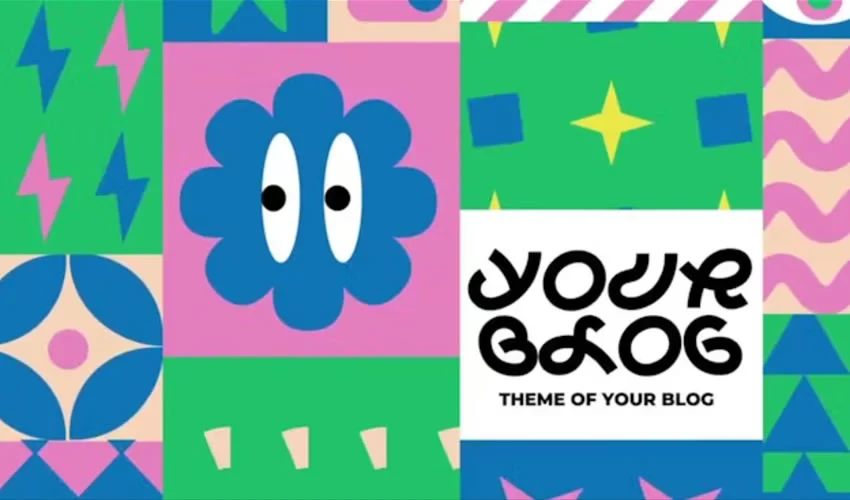
Adobe After Effects is the industry standard for motion graphics and visual effects, offering unparalleled creative depth. However, the reality of professional production—tight deadlines, budget constraints, and client demands—means that building every single animation from an empty composition is rarely the most practical approach. This is where After Effects templates become indispensable.

A well-constructed template provides the necessary structural foundation, timing, and technical architecture, allowing designers to bypass the tedious "blank canvas" phase and focus their energy on the creative details that define their unique brand identity.

The Strategic Value of Using Templates
In the fast-paced world of digital media, templates are not a shortcut; they are a productivity strategy. By utilizing pre-built sequences for titles, logo reveals, lower thirds, and slideshows, designers can achieve high-end production value in a fraction of the time.

However, the quality of free assets can vary wildly. While some are meticulously organized with comprehensive documentation, others may rely on outdated plugins or specific versions of After Effects. The key to successful implementation lies in treating these templates as a starting point—a skeleton upon which you layer your own artistic vision—rather than a finished product to be rendered as-is.

A Chronology of Workflow: From Download to Render
To integrate templates effectively, professional motion designers follow a consistent, disciplined process:

- Vetting and Verification: Before downloading, audit the requirements. Check for plugin dependencies (like Trapcode or Optical Flares), font requirements, and the required version of After Effects.
- Project Organization: Always keep the downloaded project files in a dedicated directory. After Effects relies on linked assets; moving these files after the fact will result in "missing footage" errors that break your project.
- The "Golden Copy": Always save a duplicate of the original project file. If your customizations lead to a corrupted composition or an irreversible error, you will need the clean, original template to start over.
- Strategic Customization: Rather than simply changing the text, look for the "Master Controller" or "Global Controls" layers. These are typically where you can swap colors, toggle effects, or adjust the timing to match your brand’s specific cadence.
Supporting Data: Why Structure Matters
In professional broadcast and social media, consistency is the hallmark of a high-quality brand. According to motion design industry standards, using templates for repetitive elements—such as lower thirds or channel intros—reduces production time by approximately 60–70%.

When dealing with complex motion, such as parallax slideshows or kinetic typography, the mathematical precision of a template’s keyframe easing is often superior to manual animation. By leveraging these structures, designers ensure that their content feels polished and technically sound, regardless of the project’s scope.

Categories of Essential After Effects Templates
Titles and Typography
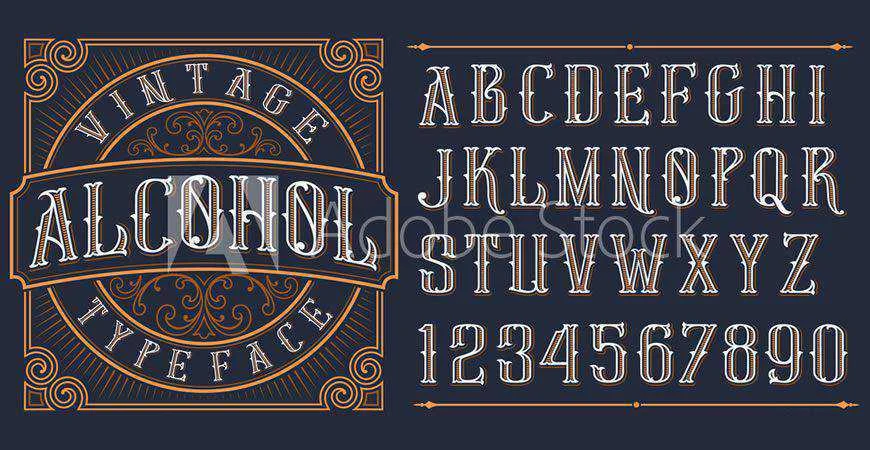
A title sequence sets the emotional tone of a video. Whether it is a "Funny Shapes" bounce effect for social media or a minimalist serif title for a corporate documentary, typography conveys personality. Using a template allows you to experiment with different fonts and color palettes without having to rebuild the underlying animation logic.

Logo Reveals
A logo reveal is the digital equivalent of a business card animation. These sequences must be punchy, brief, and memorable. From futuristic HUD (Heads-Up Display) designs to clean, 2D vector animations, these templates ensure your brand mark makes an impact within the first three seconds of your video.

Slideshows and Galleries
Slideshows are more than just a series of images; they are visual narratives. Templates that offer parallax scrolling, film-strip effects, or dynamic tiling can elevate a standard photo gallery into a cinematic experience. The best templates in this category offer modular controls, allowing you to add or remove slides without breaking the timing of the entire project.

Openers and Intros
Openers are the "curtain raisers" for your content. They require a perfect blend of rhythm, music, and graphic pacing. Because these are often the most complex parts of a video edit, using a template for your opener ensures that your technical execution matches your creative ambition, providing a professional polish that captures viewer attention immediately.

Lower Thirds
Lower thirds are the unsung heroes of visual information. They must be legible, unobtrusive, and professional. Using a template pack ensures that your lower thirds are consistent across an entire series of videos, reinforcing your brand’s visual identity with every guest introduction or location label.

Performance Optimization for Complex Projects
Working with heavy, pre-built templates can put a strain on your hardware. To keep your workflow fluid, consider these optimization tips:

- Resolution Toggling: Set your viewer resolution to "Half" or "Third" during the layout phase to save processing power.
- Proxy Files: If a template includes high-resolution 4K footage, create proxy files to speed up playback.
- Nested Comps: If a template is running slowly, check the nested compositions. Turning off high-quality effects like Motion Blur or Depth of Field during the editing process will significantly improve your real-time preview speed.
Official Industry Perspective: The "Template Paradox"
There is a common debate in the design community regarding the "uniqueness" of templates. Critics argue that templates lead to generic content. However, the most successful studios argue that the "template paradox" is solved by the user.

If you use a template exactly as it comes out of the box, your work will indeed look like everyone else’s. If you use a template as a structural foundation—modifying the easing, swapping textures, changing the color palette, and integrating your own sound design—you are utilizing a tool to build something entirely new. The template handles the physics of the animation, but you provide the soul.

Implications for Future Projects
As motion design trends evolve toward more interactive and data-driven graphics, the role of templates will continue to grow. We are seeing a shift toward "Essential Graphics" in After Effects, where templates are becoming more modular and easier to share between Premiere Pro and After Effects.

For the modern motion designer, the ability to rapidly deploy, customize, and iterate using high-quality templates is a vital skill. It transforms the designer from a technician spending hours on keyframe adjustment into a creative director who can focus on narrative, pacing, and visual impact.

Conclusion: Making the Template Your Own
Ultimately, a template is only as good as the person using it. To ensure your project doesn’t feel like a recycled asset, follow these three rules:

- Vary the Pacing: If a template is too fast for your content, increase the duration between keyframes.
- Refresh the Palette: Don’t settle for the template’s default colors. Align them strictly with your brand’s style guide.
- Add Organic Elements: Introduce your own textures, noise, or overlays to make the finished product feel unique and tactile.
By choosing templates that offer clean architecture and high customizability, you empower yourself to produce professional-grade work consistently. Embrace the foundation that templates provide, but never forget that your creative input is the final, most important layer of any animation.

 Reynand Wu
 Evan Lee Salim
 Basiran
 Neng Nana
 Iffa Jayyana
 Raul Delapena Setiawan
 Rifan Muazin
 Asro
Asro