
 Nila Kartika Wati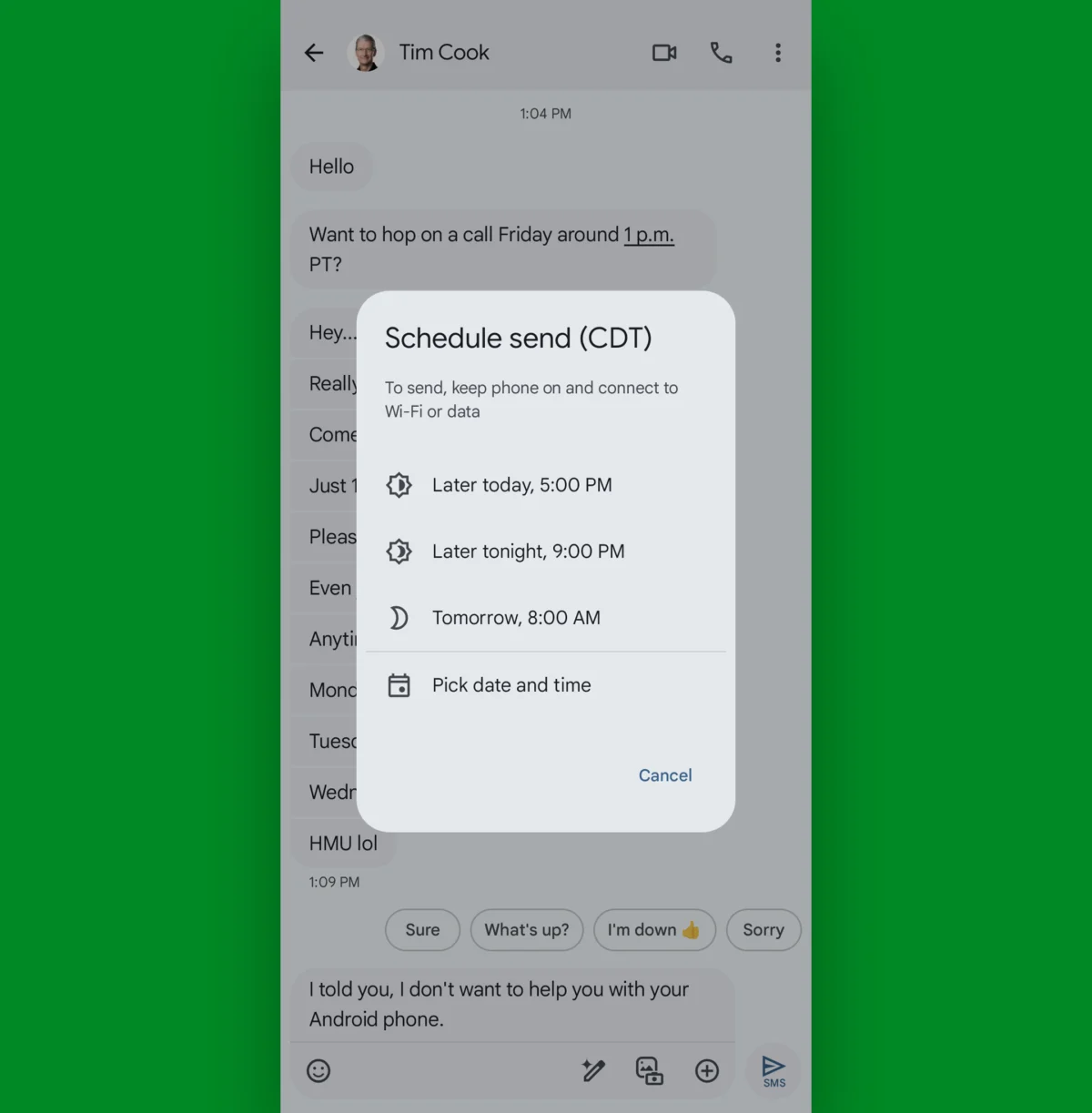
Whether you are coordinating complex project workflows, managing client expectations, or simply trying to stay in touch with family, the modern smartphone has become an extension of our professional and personal identities. Yet, for many Android users, the default messaging experience remains a chaotic landscape of unread notifications, buried information, and digital clutter.
While Google Messages has evolved significantly from its humble origins as a basic SMS tool, many of its most potent productivity-enhancing features remain tucked away in sub-menus, obscured by the simplicity of the user interface. By mastering these “step-savers,” you can transform your communication workflow from a reactive chore into a streamlined, efficient engine.
The Evolution of Android Messaging: Beyond Basic Texting
The Google Messages app has undergone a radical transformation, evolving into a sophisticated hub for RCS (Rich Communication Services) and SMS integration. This evolution is not merely aesthetic; it is designed to bridge the gap between casual texting and formal project management.
The Core Philosophy of Efficient Communication
The primary goal of these hidden features is to reduce "brainspace" tax—the cognitive load caused by managing a constant stream of incoming data. By leveraging gesture controls, smart scheduling, and advanced filtering, users can reclaim minutes—and eventually hours—of their day.

Note: These tips are optimized for the official Google Messages app for Android. If your device uses a manufacturer-specific alternative, we highly recommend downloading Google Messages from the Play Store to unlock these capabilities.
1. Navigating with Precision: Gestures and Shortcuts
Efficiency begins with navigation. The most immediate way to improve your workflow is to master the swipe gestures within the main inbox.
Customizable Swipe Actions
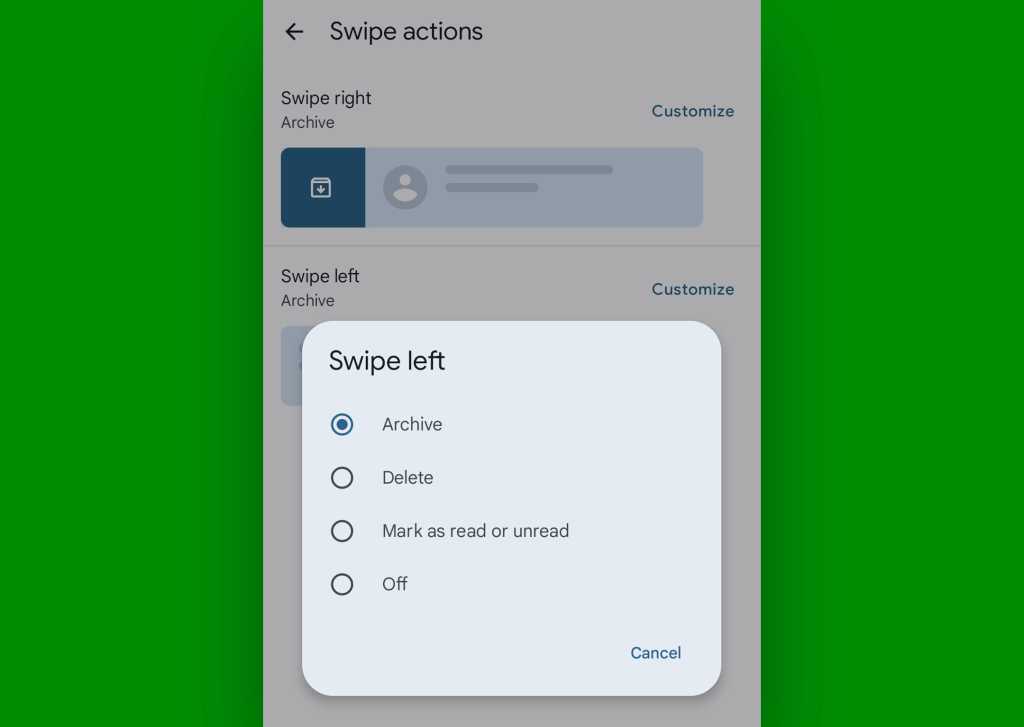
By navigating to Settings > Swipe actions, you can map specific functions to left and right swipes. Whether you prefer to "Archive" a finished project thread or "Delete" one-time verification codes, setting these gestures allows you to clear your inbox without ever tapping into a conversation.
Pinning the Essentials
We all have those contacts—the "Crissys" of the world or the critical project leads—that require constant attention. By long-pressing any conversation and selecting the pin icon, you can anchor up to 20 important threads to the top of your list. This ensures that the messages that matter most are always a single tap away, regardless of how active your other group chats become.
Home Screen Shortcuts
For mission-critical contacts, the app allows you to create direct shortcuts on your home screen. By opening the conversation, tapping the three-dot menu, and selecting Details > Add to home screen, you bypass the app’s internal navigation entirely.
2. Integrated Workflow: The Calendar and Scheduling Synergy
One of the most underutilized features of Google Messages is its ability to interface with your broader digital ecosystem, specifically the Google Calendar.
Automated Scheduling
When a message contains a date or time, the app automatically underlines it. Tapping this link initiates a prompt to create an event in your calendar. This eliminates the "copy-paste-toggle" loop that typically plagues meeting coordination. Furthermore, the "Create Event" command often appears directly below the message, allowing you to sync your schedule in seconds.
The Power of Delayed Delivery
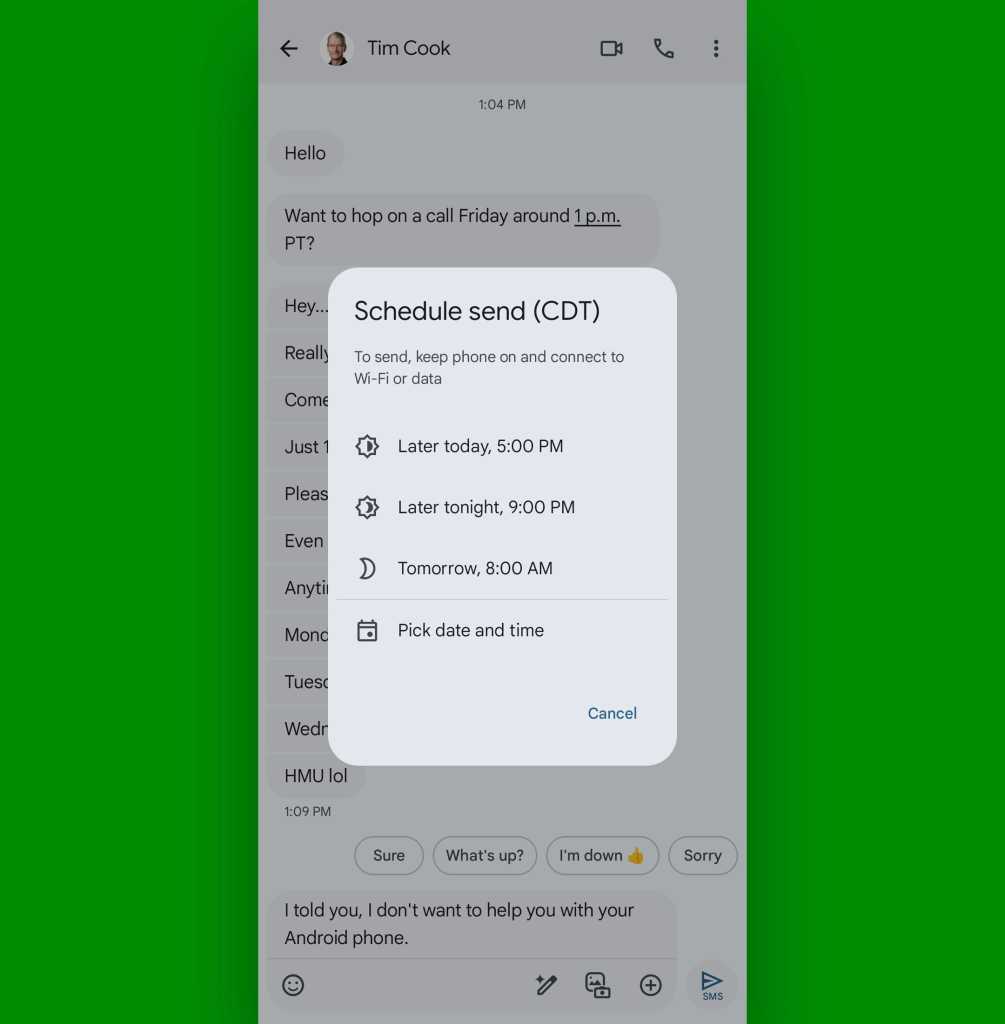
The "Schedule Send" feature is arguably the most powerful tool for remote professionals. By long-pressing the send button after typing your message, you can choose a precise time for delivery. This allows you to draft responses during your own peak productivity hours while ensuring they arrive at a time when the recipient is most likely to act on them. It also prevents the "after-hours" intrusion that can lead to burnout.

3. Advanced Information Management
Finding that one specific piece of data—a tracking number, a meeting address, or a confirmation code—is often the most time-consuming part of messaging.
The "Star" System
For messages that serve as long-term references, the "Star" feature is invaluable. Long-press any message and select the star icon. To retrieve these, simply tap the search bar and select the "Starred" category. This creates a curated repository of your most important information.
Intelligent Search Filtering
The search bar in Google Messages is not just a text scanner; it is a powerful database filter. When you tap the search icon, the app offers dynamic categories such as "Images," "Videos," "Links," and "Places." If you know your colleague sent you a PDF or a location pin last week, you can bypass the chronological scroll and jump straight to the relevant file type.
4. Maintenance and Mental Clarity
A cluttered inbox is a source of digital anxiety. Several built-in tools are designed to keep your interface clean and focused.

The "Mark All as Read" Protocol
For those who suffer from notification fatigue, the "Mark all as read" feature is a godsend. Located under your profile icon in the top right, this button allows you to instantly reset your inbox, giving you a clean slate to start your day without the visual weight of persistent bold text.
Automatic OTP Cleanup
One-time passwords (OTPs) and verification codes are temporary by nature, yet they often linger in our inbox for years. By navigating to Settings > Message organization, you can enable the "Auto-delete OTPs after 24 hours" option. This ensures that your most frequent "junk" mail is disposed of automatically, keeping your inbox relevant.
5. Accessibility and Cross-Platform Harmony
Voice-to-Text Transcription
In an era where voice messages are becoming standard, not everyone has the ability to listen to audio in real-time. By enabling Voice message transcription in the settings, Google Messages will generate a text transcript of incoming audio, allowing you to consume the content silently and quickly.
Double-Tap Reactions
Interaction without words is a cornerstone of modern digital etiquette. While the traditional long-press menu offers a variety of emojis, the double-tap gesture on any message provides an instantaneous "thumbs-up" reaction. It is the fastest way to acknowledge receipt of a message, keeping communication moving without adding clutter.
Bridging the Apple-Android Divide
The "iMessage vs. Android" compatibility issue has long been a source of frustration, particularly regarding reactions (the "Liked an image" text problem). By ensuring that "Show iPhone reactions as emoji" is toggled to the "On" position in your settings, the app will intercept those annoying text notifications and convert them into standard, clean emoji reactions.
Implications for Future Productivity
The adoption of these features represents more than just a convenience; it is a shift toward "Intentional Communication." As our devices become more capable of managing the mundane aspects of our digital lives, we are freed to focus on the content of our conversations rather than the management of the tools we use to have them.
By treating your messaging app as a workspace rather than a simple mailbox, you reduce the friction of daily interactions. Whether it is scheduling a message to avoid late-night interruptions or using smart filters to find a buried address, these 12 tips ensure that your Android device works for you, not the other way around.
Take the time to adjust these settings today. Your future, less-cluttered self will thank you.

 Dwi Wanna
 Raul Delapena Setiawan

 Muslim
 Nana Wu

 Rifan Muazin