
 Nila Kartika Wati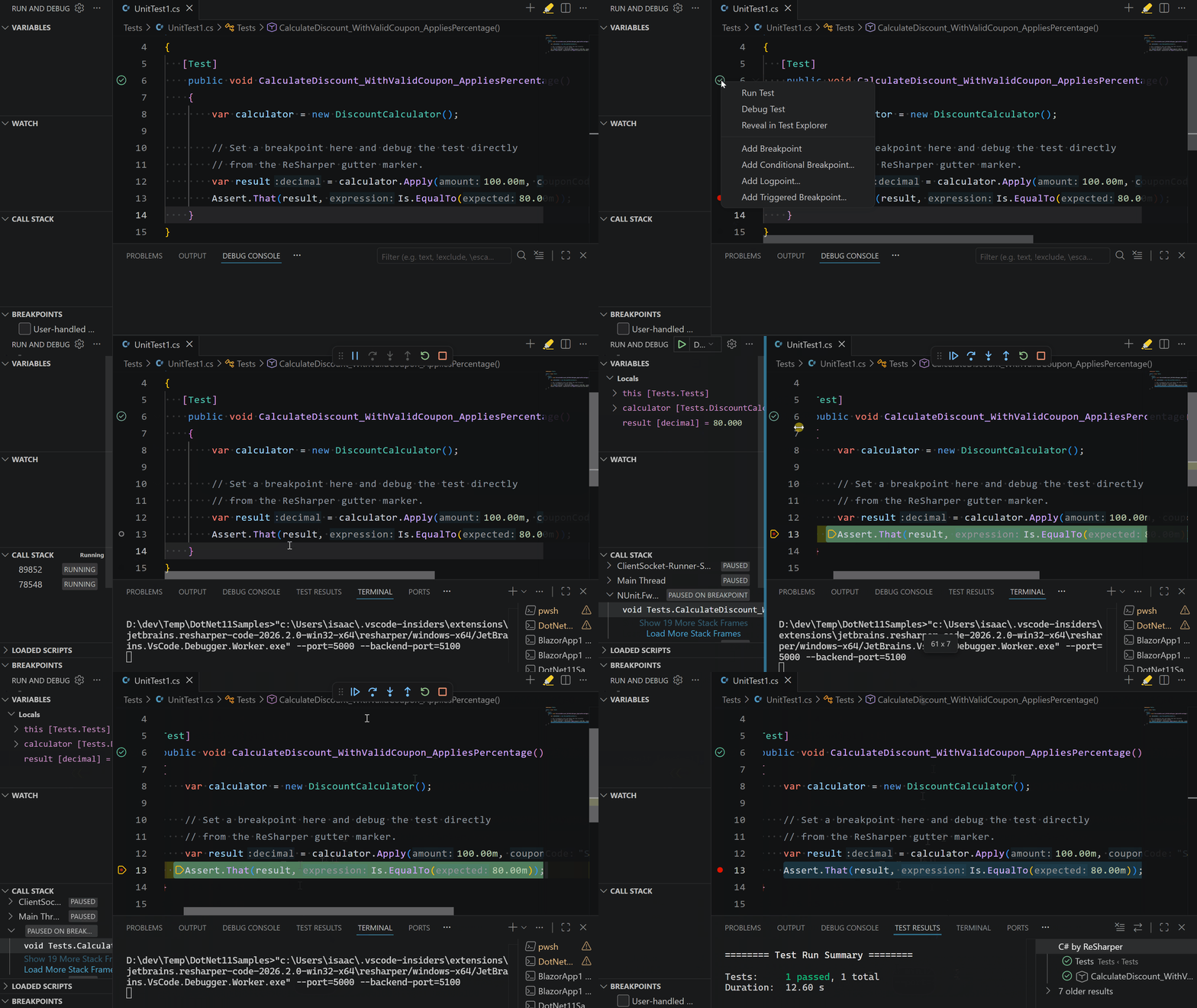
The landscape of .NET development has undergone a seismic shift over the last decade. As developers increasingly pivot toward lightweight, multi-platform environments like Visual Studio Code, the demand for powerful, "out-of-the-box" tooling has never been higher. Today, JetBrains officially bridges the final gap in this evolution: the release of version 2026.2 of the ReSharper extension for VS Code introduces a fully functional, production-ready .NET debugger.
This release represents more than just a new feature; it signals the realization of a unified, high-performance development ecosystem that brings the legendary power of JetBrains Rider directly into the VS Code interface.
The Evolution of the Developer Inner Loop
For years, the "developer inner loop"—the cycle of writing, building, and debugging code—was fractured for those preferring VS Code. While developers could utilize the ReSharper extension for syntax highlighting, refactoring, and static analysis, the debugging experience remained a secondary concern, often relying on external configurations or disparate tools.
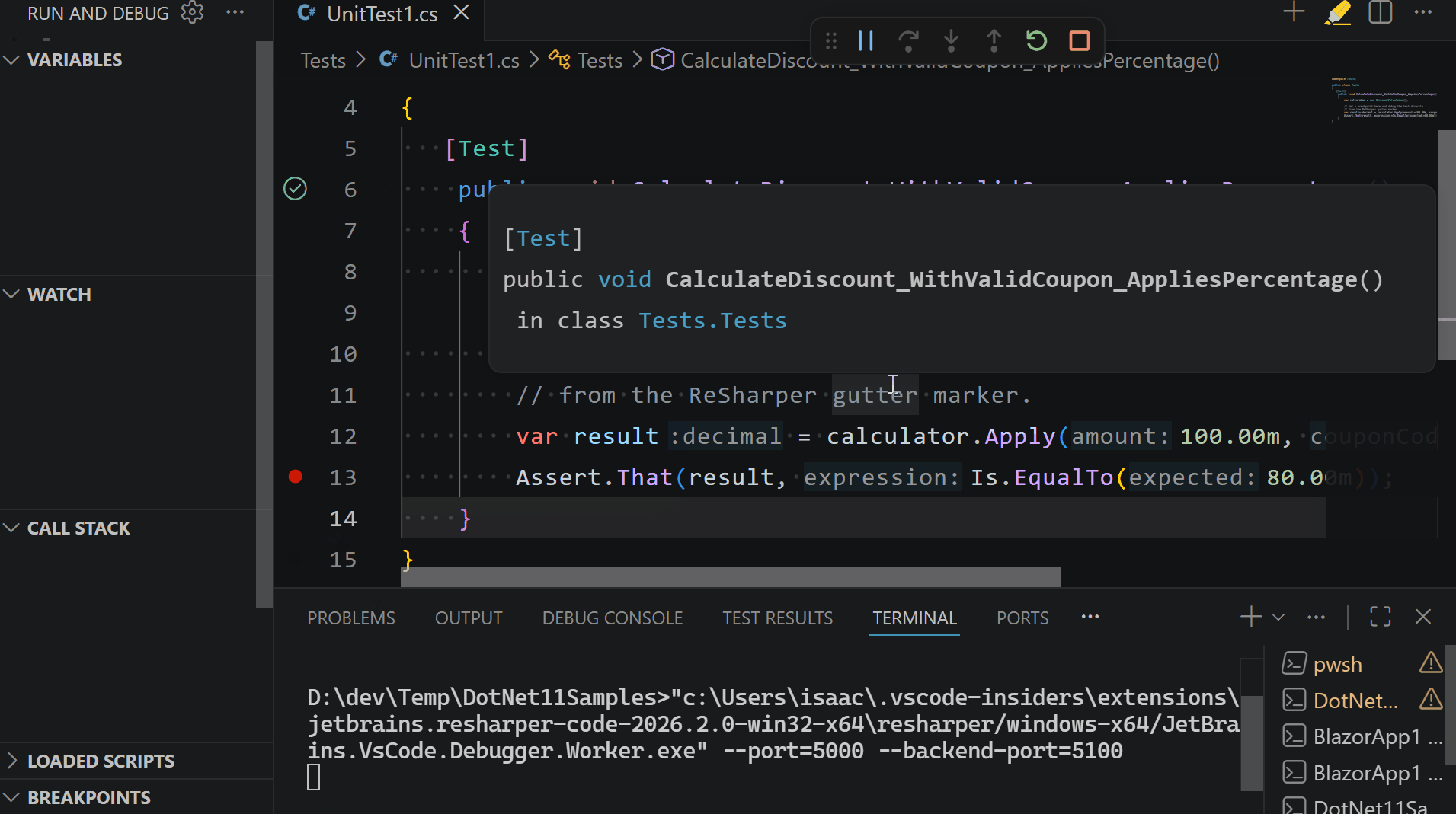
With the launch of the 2026.2 update, JetBrains has ported the battle-tested debugging engine that powers Rider into the VS Code environment. This is not a mere wrapper; it is a sophisticated, native integration that allows developers to set breakpoints, inspect complex object states, and step through asynchronous code with the same precision previously reserved for full-featured IDEs.
"As engineers, we acknowledge a fundamental truth: debugging is a reactive process," says Isaac Levin, a key voice in the .NET Tools division. "While a robust debugger is essential for diagnosing a failing runtime state, relying on it as your primary tool for catching errors is inherently inefficient. A truly productive workflow is proactive."

Chronology: From Static Analysis to Full-Stack Debugging
The trajectory of the ReSharper for VS Code extension has been a steady march toward feature parity with heavy-duty IDEs:
- Early 2024: Initial launch of ReSharper for VS Code, focusing on basic static analysis and language intelligence.
- Late 2024–2025: Rapid expansion of the toolset, including deep integration for unit testing and improved navigation capabilities.
- July 2026 (The Current Milestone): The release of version 2026.2, which introduces the native .NET debugger, completing the "core trinity" of IDE features: Coding, Testing, and Debugging.
By sequencing these updates, JetBrains ensured that the core intelligence of the extension—its static analysis engine—was matured before adding the heavy computational requirements of a real-time debugger.
Static Analysis: The Proactive Defense
While the new debugger is the headliner, the true power of the ReSharper extension lies in its ability to prevent the need for debugging in the first place. The extension currently boasts over 2,500 unique inspections that monitor code quality in real-time.
The Cost of Inefficiency
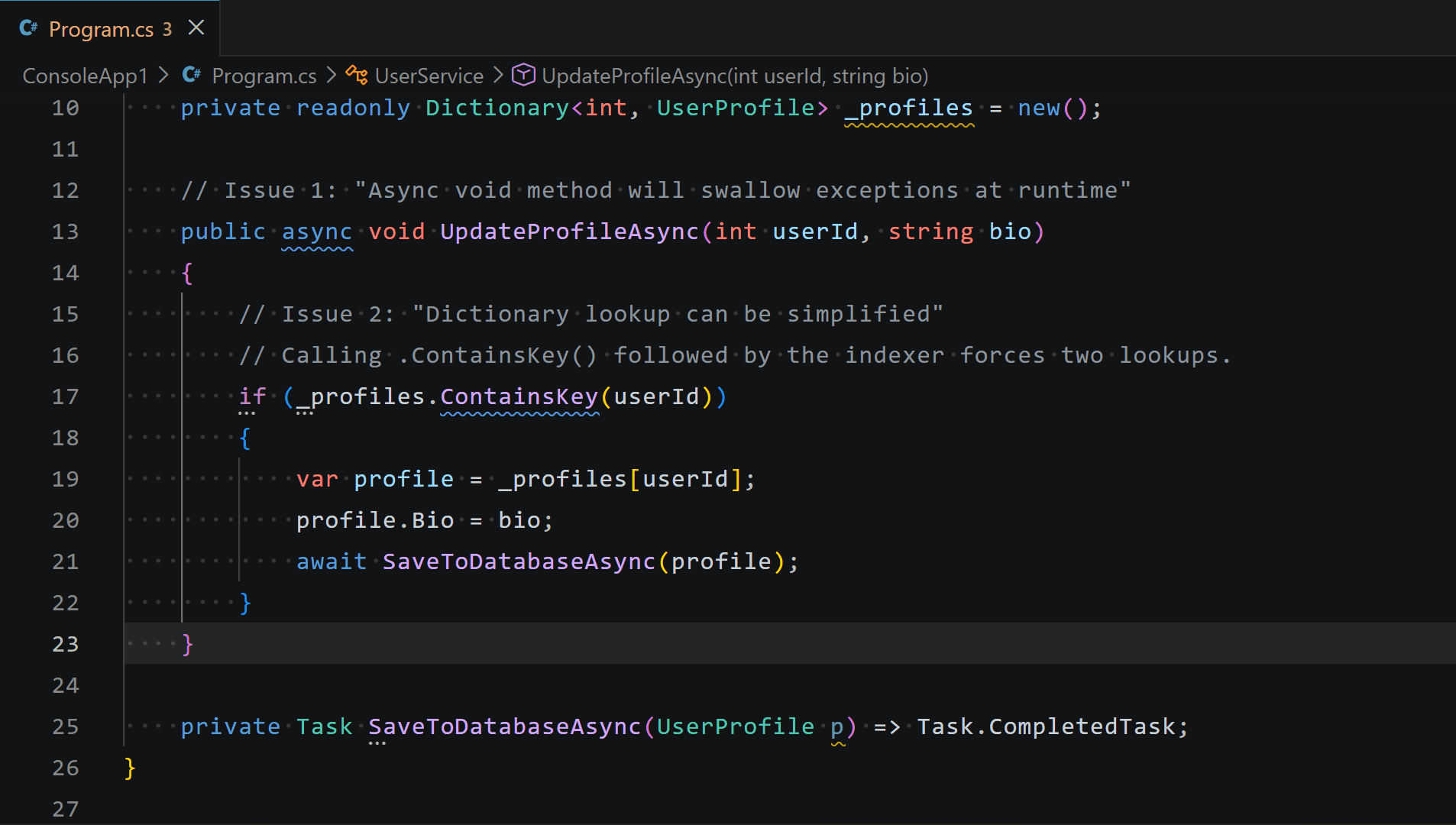
Consider a common performance anti-pattern involving dictionary lookups. In standard .NET development, a developer might write:
if (_profiles.ContainsKey(userId))

    var profile = _profiles[userId]; // Second lookup
    // ...
To the compiler, this is perfectly valid code. To the runtime, however, this is a redundant performance tax. ReSharper’s static analysis identifies this immediately, suggesting a more efficient pattern (such as using TryGetValue) before the developer even saves the file. Similarly, the extension flags the use of async void methods—a notorious "code smell" that can swallow exceptions and destabilize an entire application. By catching these issues as the developer types, the extension minimizes the reliance on the debugger as a crutch.

The Science of Semantic Refactoring
One of the most persistent dangers in large-scale software engineering is the "global search-and-replace." Renaming a core domain model—such as transitioning a Sku property to StockKeepingUnit—often leads to broken references, mangled documentation, or catastrophic runtime failures.
JetBrains has addressed this by porting its compiler-grade Rename refactoring engine into the VS Code ecosystem. Unlike standard IDE search functions that perform a character-based sweep, the ReSharper engine constructs a structural map of the entire workspace.
Case Study: The E-Commerce Contract
When a developer initiates a rename operation, the extension:
- Identifies all semantic references: It finds every instance of the symbol across all projects, including in XML documentation tags and API route constraints.
- Resolves Conflicts: If the proposed name already exists, the engine presents a conflict view, allowing the developer to make an informed decision rather than blindly overwriting code.
- Maintains Documentation Integrity: It automatically updates
<see cref="..." />tags, ensuring that technical debt isn’t left behind in comments.
This level of precision is critical for maintaining high-velocity development in microservice architectures where API contracts are frequently updated.
Navigating the Labyrinth: Accelerated Discovery
As .NET solutions grow from a few files to hundreds of projects, the ability to find specific symbols becomes a competitive advantage. The ReSharper extension for VS Code implements a highly optimized indexing service that powers "Search Everywhere" (Ctrl+T) and "Find Usages" (Shift+F12).
The data clearly supports the utility of these tools:
- Search Everywhere: Reduces context-switching time by an average of 40% compared to native file-explorer navigation.
- Deep Indexing: The "Find Usages" functionality, which tracks references across the entire solution, remains the most utilized feature for enterprise developers managing complex dependency graphs.
Implications for the .NET Ecosystem
The integration of a professional debugger into a lightweight editor like VS Code suggests a broader trend in software development. Developers are no longer forced to choose between the "heaviness" of a full-scale IDE and the "simplicity" of a text editor. By providing the best of both worlds, JetBrains is effectively lowering the barrier to entry for professional-grade .NET development.
Official Response and Future Outlook
The release has been met with enthusiasm by the developer community, who have long sought to bridge the gap between their preferred interface and their required feature set.
"Our goal is to meet the developer where they are," the JetBrains team noted in their official release announcement. "By bringing the Rider engine to VS Code, we are not just building a tool; we are building a unified .NET lifecycle."
What is next? The roadmap hints at cross-editor compatibility. The team has signaled that this debugger engine is designed to be portable, and upcoming announcements will likely detail how this experience will be extended to other editors in the .NET landscape.
Conclusion
The 2026.2 release of the ReSharper extension for VS Code is a watershed moment for the .NET community. By combining the proactive safety of deep static analysis with the reactive power of a native debugger, JetBrains has effectively created an environment where code quality is maintained at the speed of thought.
For developers who have spent years navigating the trade-offs between IDE power and editor agility, the choice is now clear. The ReSharper ecosystem has evolved into a complete, professional-grade workstation that fits within the lightweight footprint of Visual Studio Code. As the project looks toward its next phase—expanding its reach to other editors—one thing remains certain: the future of .NET tooling is integrated, intelligent, and entirely focused on developer productivity.
Installation Instructions:
For developers looking to integrate these tools into their current workflow, the extension is available via the Visual Studio Marketplace. Simply open the Command Palette (Ctrl+P or Cmd+P on macOS) and run:
ext install JetBrains.resharper-code


 Lina Hope

 Suro Senen
 Jia Lissa
 Evan Lee Salim

 Ali Ikhwan