
 Siti Muinah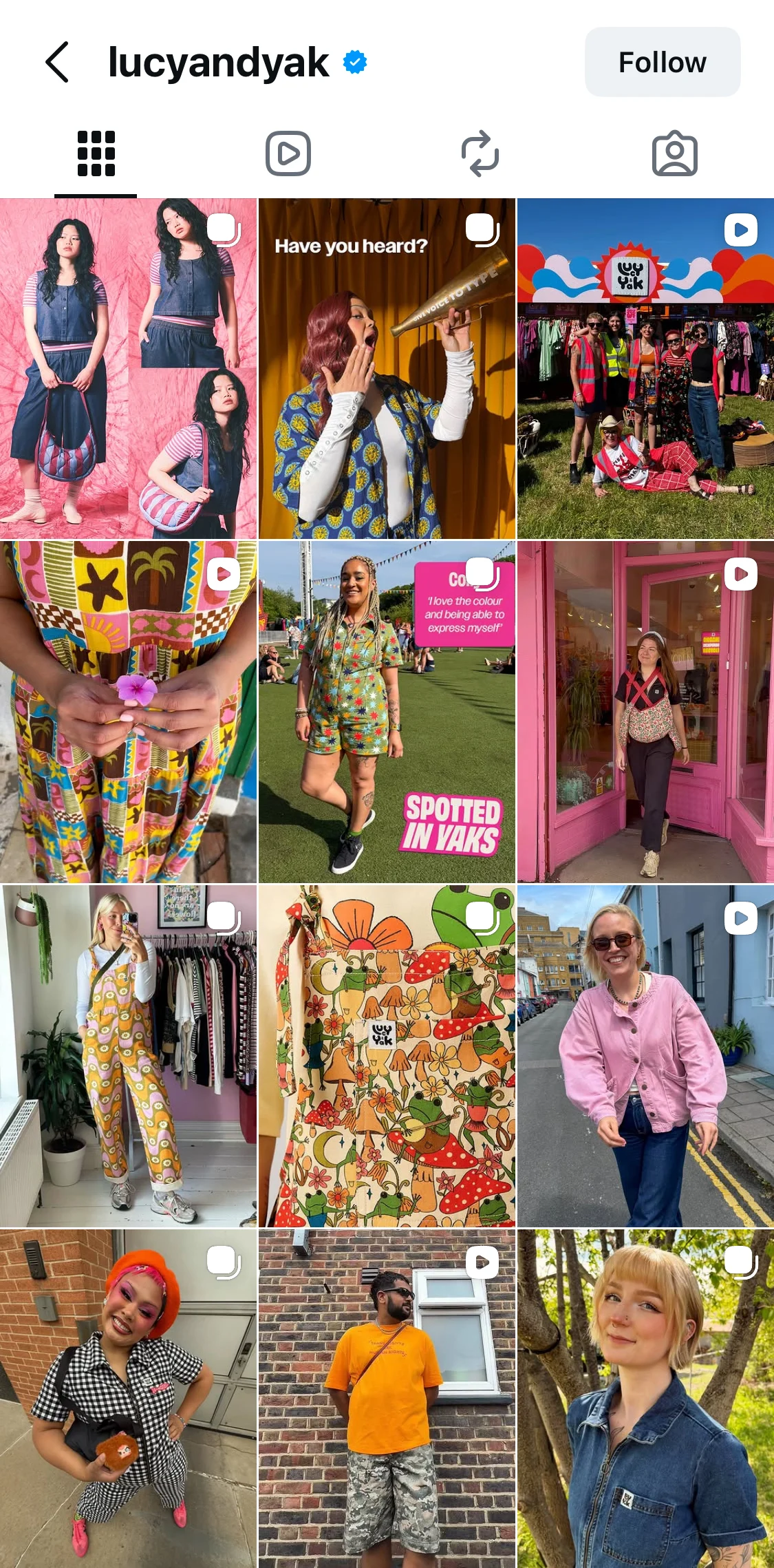
In the rapidly evolving landscape of digital marketing, the days of the hyper-curated, studio-polished Instagram feed are effectively over. Today, brand discovery is no longer a passive activity; it is an active, data-driven journey. With over 60% of product discovery now occurring on visual-first platforms like TikTok, Instagram, and YouTube, the stakes for social media managers have never been higher.
Your Instagram feed has evolved from a static mood board into a critical engine for conversion. To succeed in this environment, brands no longer need expensive production studios or massive in-house design teams. Instead, they require a scalable visual system and a streamlined workflow that eliminates the friction of repetitive manual tasks.
The Shift Toward Human-Centric Content
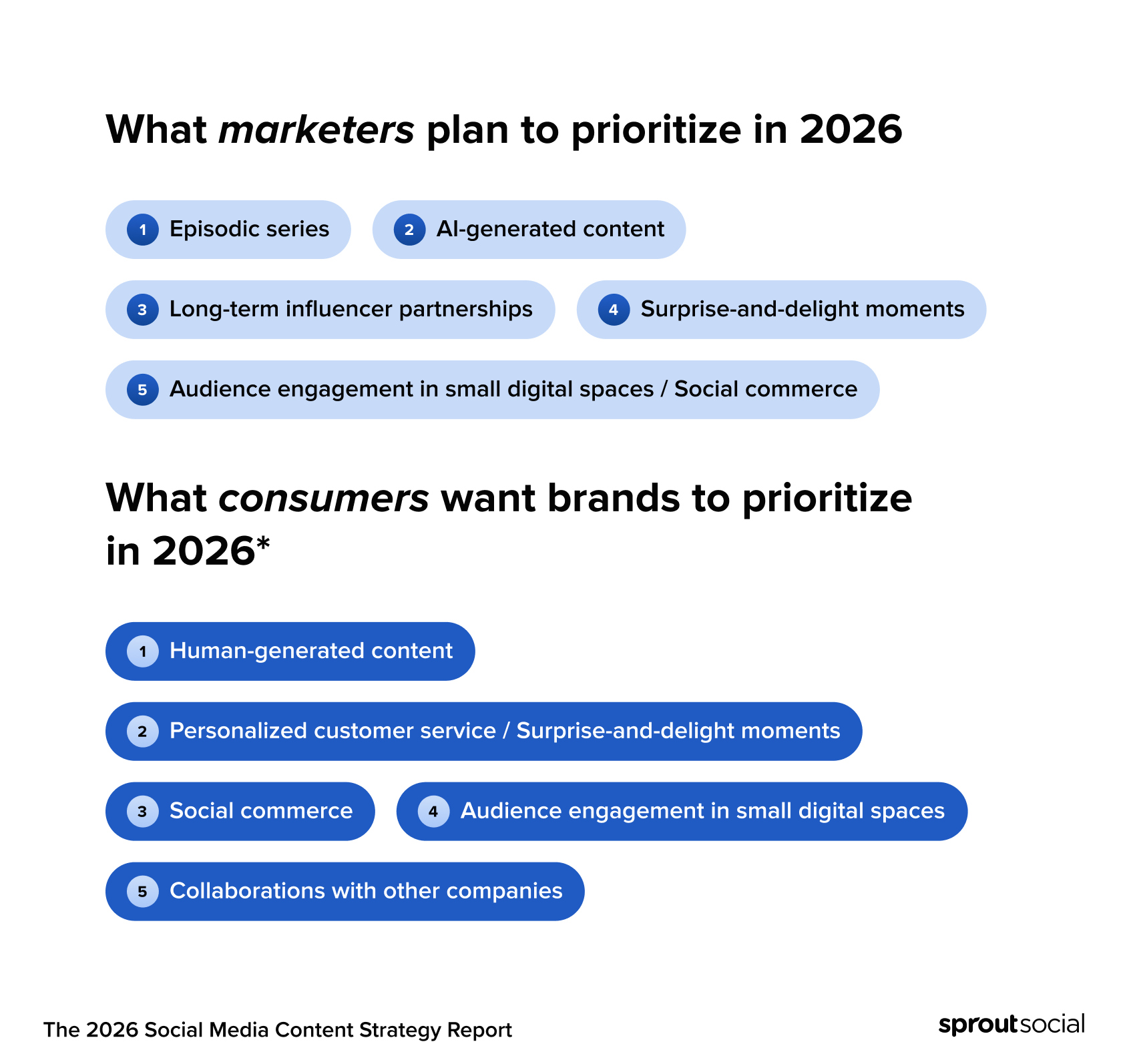
The modern consumer is increasingly skeptical of "perfect" brand campaigns. Sprout Social’s 2026 Social Media Content Strategy Report highlights a stark reality: consumers prioritize human-generated content over traditional advertising. This sentiment is reinforced by the 2025 Content Benchmarks Report, which identifies user-generated content (UGC) as the most effective driver of engagement.
This shift isn’t about cutting costs; it’s about alignment. Audiences are gravitating toward content that feels authentic, relatable, and human. When brands like Lucy & Yak and Go-To Skincare prioritize community-driven imagery, they aren’t just saving on production budgets—they are building trust. They have recognized that a recognizable, on-brand feed is the result of a repeatable design system, not an endless supply of high-end commercial assets.

Case Studies: The Art of the Intentional Grid
Lucy & Yak: Championing Inclusive Community
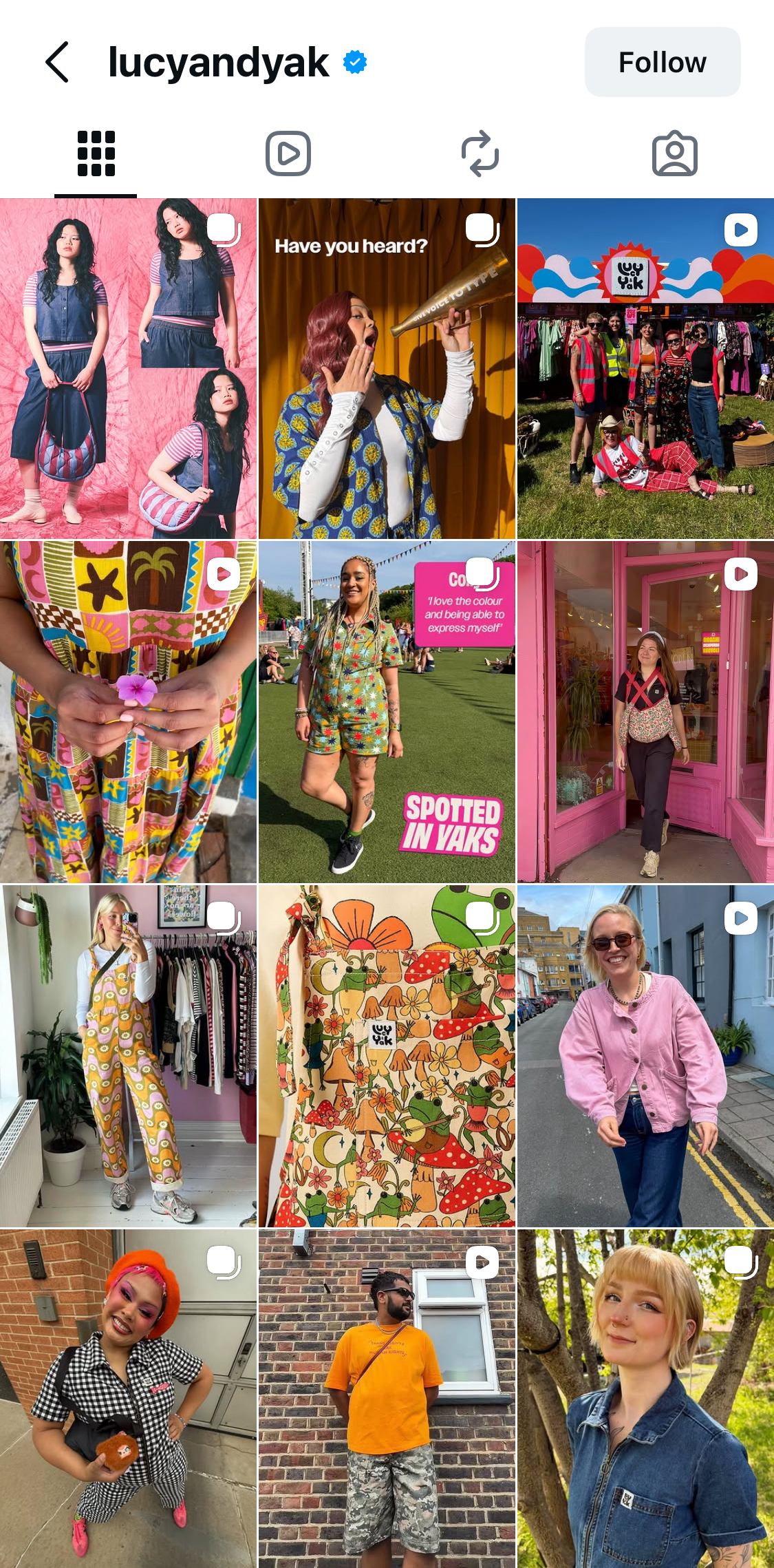
UK-based apparel brand Lucy & Yak has mastered the art of the "community-first" grid. Their Instagram presence is a masterclass in visual storytelling, characterized by bright, inclusive, and playful imagery.
By leveraging user-submitted photos, the brand maintains a feed that feels less like a corporate catalog and more like a vibrant community space. The core of their strategy is consistency in tone and aesthetic rather than perfection in lighting or staging. By maintaining a specific, bold color palette, they ensure that even the most candid, low-fi user photos feel perfectly at home on their official profile.
Go-To Skincare: The Power of Tonal Consistency
Australia’s Go-To Skincare approaches their grid with a disciplined eye for color theory. By utilizing a consistent "peachy" warm tone across all visual assets, the brand creates a cohesive look that ties together disparate content types—ranging from product shots and testimonials to educational text graphics.
This technique allows Go-To to bridge the gap between "helpful information" and "human connection." By applying a unified color filter or design treatment to their graphics, they ensure that every post, whether it’s a user review or a brand announcement, feels like an intentional piece of the same puzzle.
Chronology of a Modern Workflow: Moving Beyond the "Download-Upload" Trap
For many social media teams, the daily workflow is a productivity killer. The standard, inefficient process usually follows this cycle:
- Ideation: Brainstorming content.
- Design: Creating assets in a tool like Canva.
- The Friction Point: Exporting files, emailing them to a phone, uploading them to a scheduler, and realizing a minor error.
- The Loop: Returning to the original design file to fix the error, re-exporting, and re-uploading.
This "download-upload" cycle is a significant drain on resources. For small, agile teams, this redundant loop can consume hours of valuable time each week—time that could be better spent on community engagement, data analysis, or long-term strategy.
Streamlining Strategy: Integrating Canva with Sprout Social
To combat this inefficiency, Sprout Social has introduced a seamless integration with Canva. This connection allows teams to move directly from design to execution without ever leaving their social management platform.
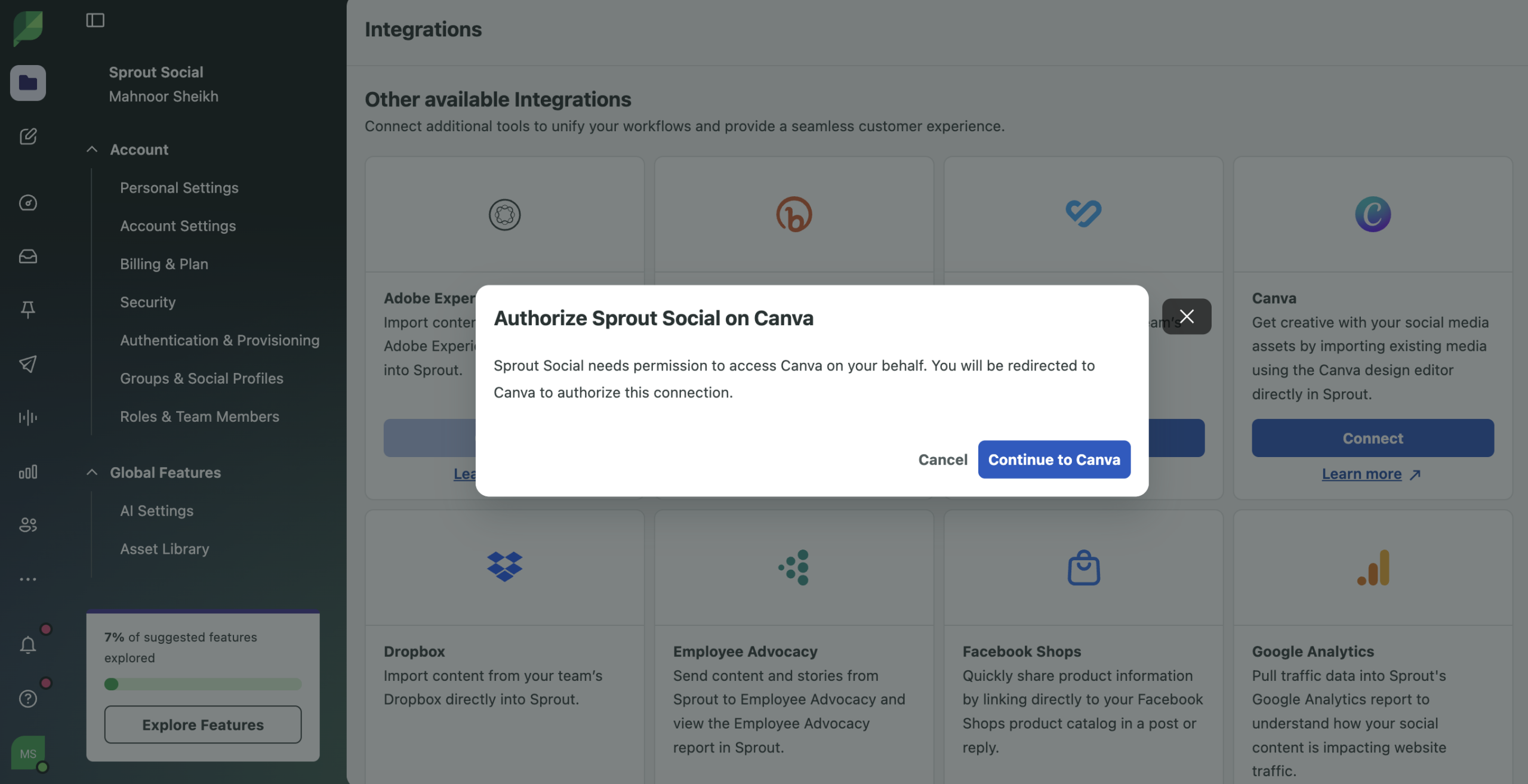
Step 1: Establishing the Connection
The integration is designed for user-specific authorization. Each team member connects their own Canva account to their Sprout profile via the integration settings. This ensures that permissions are secure and that the workflow is personalized to each team member’s unique design environment.
Step 2: Designing for Cohesion
Designers are encouraged to build assets in "batches." To maintain a consistent feed, teams should:
- Establish a Brand Kit: Pre-load fonts, logos, and color palettes into Canva to avoid brand drift.
- Use Modular Templates: Create flexible templates that allow for quick swaps of images or text, ensuring the layout remains consistent even when the subject matter changes.
- Plan for the Grid: Design with the end-goal in mind—how will this specific graphic look when it is surrounded by the previous nine posts?
Step 3: Direct Import into Compose
Once the design is finalized in Canva, users can open the Sprout Social visual composer. By selecting Canva as the image source, the file is imported directly into the post. This eliminates the need for manual file transfers. Alternatively, users can work from within the Canva App Library, pushing designs directly to the Sprout Social publishing calendar as drafts. This allows for final review, caption writing, and scheduling in a single, unified interface.
Step 4: The Final Polish
Sprout’s native image editor provides a secondary layer of control. Before hitting publish, users can crop, resize, or apply minor retouches to their assets directly within the Compose window. This provides a final "safety net" to ensure that the content is optimized for the platform’s requirements before it goes live.
Implications for Future Social Media Growth
The move toward integrated, design-to-publish workflows has profound implications for brand growth.

Increased Output and Consistency
By removing the technical hurdles of content deployment, teams can increase their posting frequency without sacrificing quality. Consistency is the primary driver of brand recall on social media; when the process is simplified, maintaining that consistency becomes the default, rather than a heavy lift.
Data-Driven Decision Making
With the integration, the time saved on administrative tasks can be redirected toward utilizing advanced features like the Instagram Grid Planner. This tool, available on Sprout’s Professional plan and higher, allows teams to visualize their feed 90 days out. By seeing the "big picture," teams can ensure their color blocking and content variety remain balanced, preventing the feed from feeling repetitive or cluttered.
The Human-Brand Balance
Ultimately, the goal of these tools is to free the human element of the brand. When a social media manager spends less time dealing with file formats and upload errors, they have more time to respond to comments, engage with community members, and refine their brand’s voice. In an era where 60% of discovery happens in the feed, that engagement is the most valuable currency a brand possesses.
Conclusion: The Path Forward
Building a brand that converts does not require a Hollywood-style studio. It requires a commitment to a consistent visual system and an efficient workflow. By unifying your design and scheduling processes, you stop treating social media as a series of disconnected tasks and start managing it as a cohesive, strategic asset.
As we look toward the remainder of 2026 and beyond, the brands that thrive will be those that embrace the "human" mandate—prioritizing authentic content while utilizing the right tools to maintain professional, consistent, and high-impact digital experiences.
For teams ready to stop juggling multiple apps and start scaling their social presence, the path is clear: integrate your design, plan your grid, and focus on the community that powers your discovery. Start by exploring the Sprout Social Essentials trial to see how a connected, streamlined workflow can transform your brand’s Instagram presence.


 Ammar Sabilarrohman
 Sagoh
Sagoh
 Raul Delapena Setiawan
 Reynand Wu


 Azzam Bilal Chamdy
 Ali Ikhwan