
 Suro Senen
On April 17, 2026, the technology landscape shifted in a way that left market analysts scrambling. Anthropic, the research powerhouse behind the Claude AI suite, unveiled "Claude Design," a platform designed to bridge the gap between human intent and functional, high-fidelity digital interfaces. While the announcement was a milestone for generative AI, the immediate, real-world reaction was best observed on the stock market: Figma’s stock plummeted roughly 7% within hours. Compounding this, the sudden departure of Figma board member Mike Krieger just three days prior fueled intense speculation regarding the industry’s internal temperature.
However, beneath the market volatility and the inevitable "AI killer" headlines, there lies a more pragmatic reality. For the average designer, developer, or product manager, the critical question is not how the market is reacting, but how this tool fundamentally alters their daily workflow.
What Claude Design Actually Is: Under the Hood
Claude Design is not simply a high-end image generator or a stylistic mimic. It is a research preview released under the Anthropic Labs umbrella—a space reserved for the company’s most experimental, evolving technologies. Accessible via claude.ai/design, the tool is available to Pro, Max, Team, and Enterprise users.
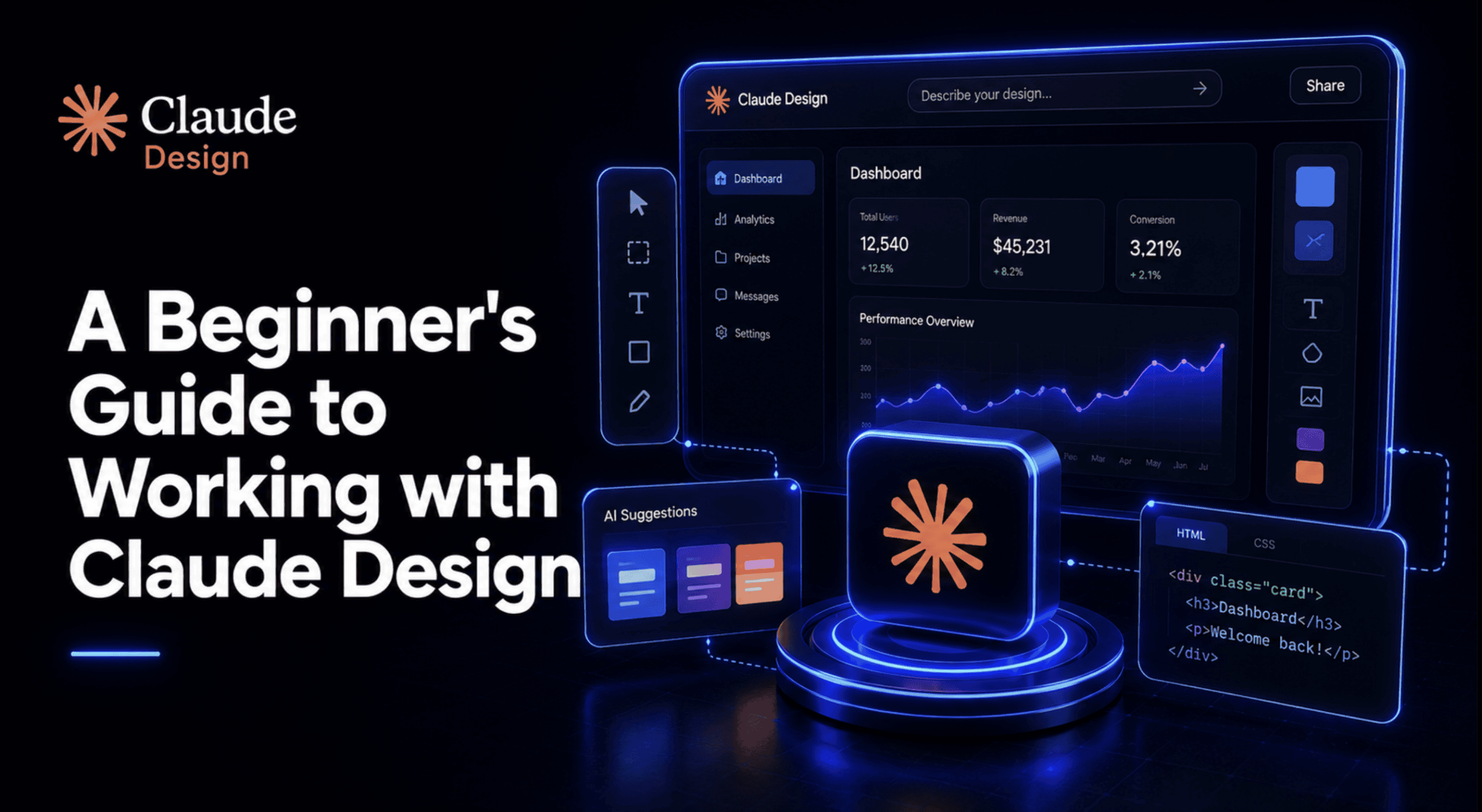
The core differentiator—and the reason it poses such a threat to legacy design workflows—is its architectural foundation. Claude Design does not output flat, static pixels. Instead, it generates fully functional, editable code. When you interact with the canvas, you are not manipulating an image; you are interacting with a rendering of HTML, CSS, and JavaScript.
This architectural choice is profound. Because the output is native code, the tool can produce interactive prototypes that feature functional navigation, embedded video, voice input, and even 3D elements. It is not an alternative to Canva, which focuses on static graphic design, nor is it a direct replacement for the vector-precision tools found in Figma. Rather, it acts as a "design partner" that speaks the language of the browser, making it an unprecedented tool for rapid prototyping and iterative development.
Chronology of a Disruption: The Launch Window
The timing of the Claude Design launch was a masterclass in market disruption.

- April 14, 2026: Mike Krieger, a pivotal figure on the Figma board, unexpectedly steps down. While likely a personal or strategic decision, the proximity to the Claude announcement created a narrative of pre-emptive shifts in the design software sector.
- April 17, 2026: Anthropic officially launches Claude Design. The integration of Claude Opus 4.7’s vision capabilities allows the model to interpret visual requirements with human-like intuition.
- April 17–18, 2026: Market reaction is swift. Figma’s share price experiences a sharp 7% decline, reflecting investor fears that Anthropic’s ability to "code as it designs" could render traditional, manual design-to-code handoff processes obsolete.
Getting Started: The First Project Workflow
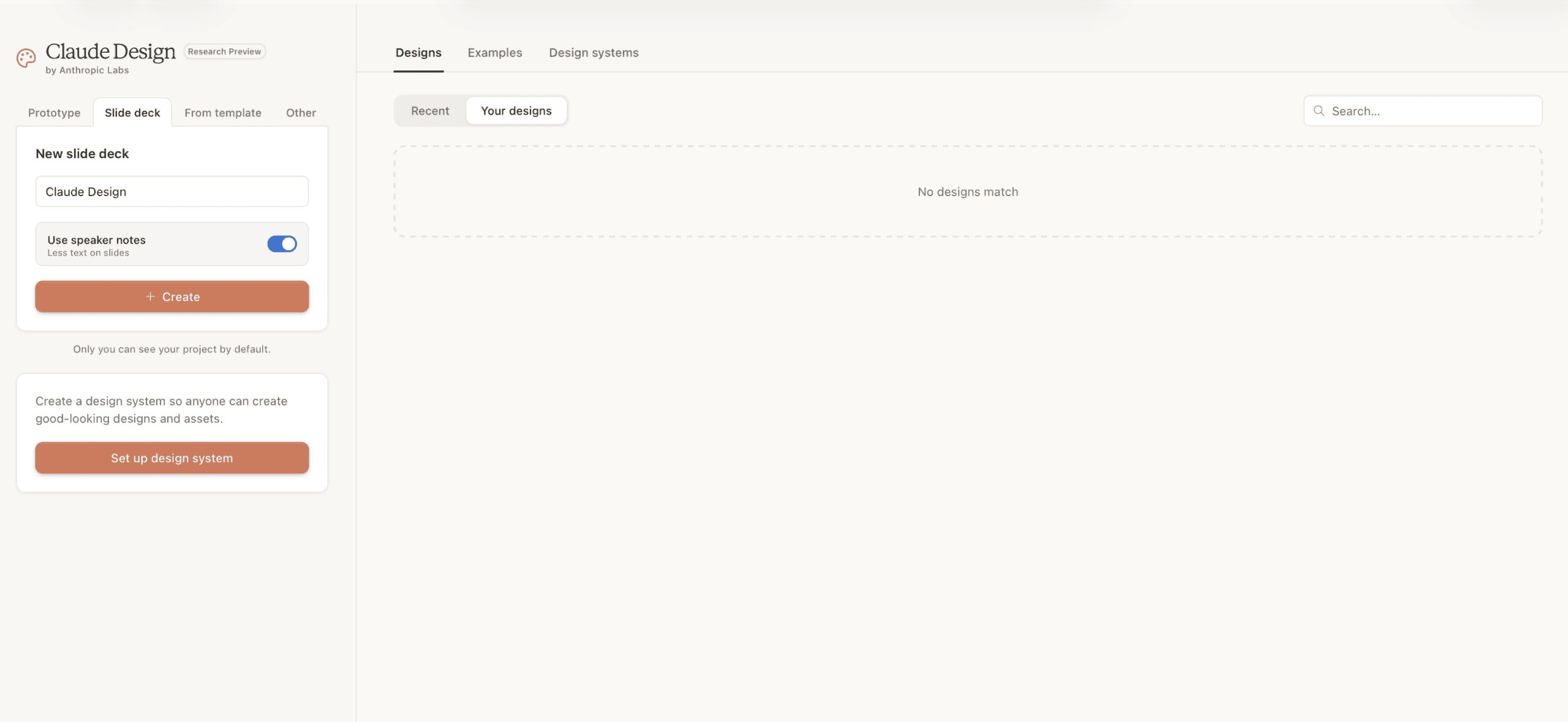
When you open Claude Design, the interface presents four primary avenues: Prototype (for complex flows), Slide deck (for presentation logic), From Template (for rapid structure), and Other (for ad-hoc assets).
The experience is centered around a chat panel paired with a live canvas. This layout is heavily influenced by the success of Claude Code. When you enter a prompt, the system does not immediately "guess" the output. Instead, it initiates a "Plan Mode," asking clarifying questions about target audience, brand tone, and technical constraints. This is a deliberate design choice: by forcing a brief before execution, Anthropic minimizes the "hallucinated design" problem where models guess a user’s aesthetic preferences.
The Design System: Your Secret Weapon
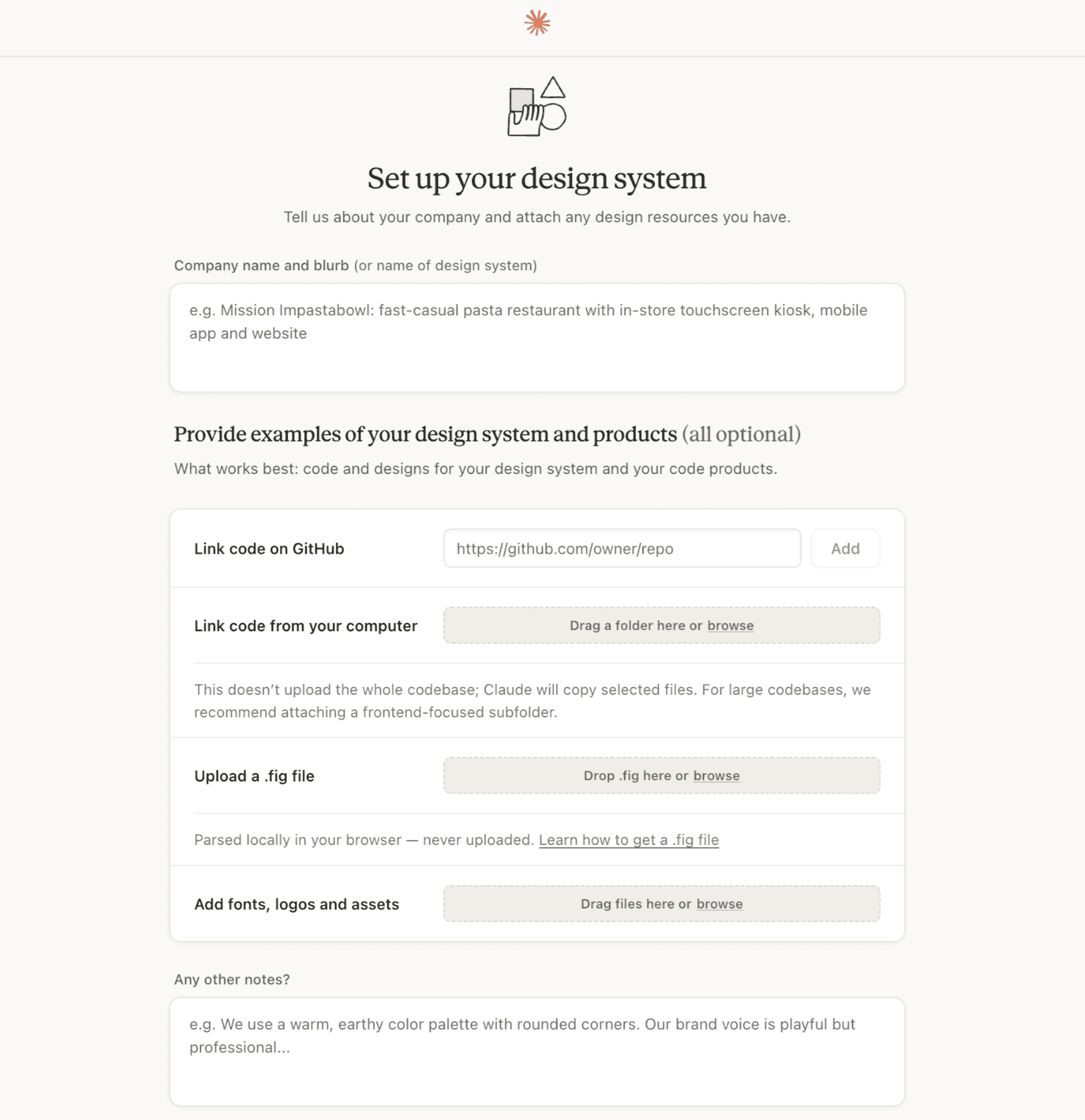
The most common mistake for new users is skipping the "Design System" setup. Without it, you are reliant on the AI’s generic defaults, which often result in "portfolio-template" aesthetics.
Pro-Tip: If your brand assets are fragmented, use Claude Cowork first. Task it with synthesizing your old decks, style guides, and screenshots into a single, cohesive brand document. Feed that document into the Claude Design system setup. By doing the consolidation work first, your design system will inherit your brand identity, not the AI’s defaults. This ensures that every subsequent project across your team remains consistent, as the design system applies at the organizational level for Team and Enterprise tiers.
Strategic Prompting and Iteration
To move from "generic prototype" to "usable product," users must master the four-part prompting pattern:
- The Goal: Clearly define the objective (e.g., "A login screen that reduces bounce rates").
- The Audience: Define who is interacting with the design (e.g., "Non-technical users on mobile devices").
- Key Information: Specify the exact content or functionality required.
- Layout Structure: Provide a high-level hierarchy, not just a list of elements.
Once your design system is established, stop using descriptive language for styles. Instead of asking for "a big blue button," ask the AI to "use the Primary Button component from the Design System." This ensures that the code generated remains consistent with your defined CSS variables and design tokens.
For revisions, utilize the inline comment tool for pixel-specific changes (e.g., "increase padding here") and the chat panel for architectural shifts (e.g., "restructure this as a three-column layout").
Competitive Landscape: Where Does It Fit?
Claude Design does not exist in a vacuum. It occupies a unique intersection in the software ecosystem:
| Tool | Best For | Output Type |
|---|---|---|
| Claude Design | Rapid interactive prototypes & code-first design | Working HTML/CSS/JS |
| Figma | Pixel-perfect vector work & complex team systems | Vector design files |
| Canva | Quick marketing graphics | Flattened images/PDFs |
| Vibecoding Tools | Direct deployment of full applications | Git-ready repo code |
The Verdict: If you need to hand off a design to a developer, Claude Design is your bridge. If you need pixel-perfect precision for a massive design system, Figma remains the industry standard. If you are building a production-grade app from scratch, "vibecoding" tools (like v0 or Bolt) are better suited for the full-stack deployment pipeline.

Implications and Future Governance
The emergence of Claude Design marks the beginning of a "code-as-design" era. The implications for the industry are significant:
- The Death of the "Static" Handoff: Developers no longer need to translate static images into code; they are now receiving the code as the design artifact.
- Accessibility as a Priority: Because Claude Design reasons about structure, it is capable of generating semantically correct HTML. Users should test their designs for accessibility (contrast, alt text, keyboard focus) early in the process.
- Governance Challenges: Enterprise teams must implement guardrails to ensure that AI-generated designs comply with security standards and brand integrity. The ability to lock down design systems is not just a feature; it is a necessity for corporate compliance.
Conclusion: A Tool, Not a Mind-Reader
Claude Design is a powerful accelerator, but it is not a replacement for human taste or strategic thinking. Its utility is directly proportional to the effort you invest in your design system and the clarity of your prompting. If you treat the setup phase as a chore, you will receive generic results. If you treat it as a foundational step, you will find that Claude Design is an unparalleled partner for bringing ideas to life at the speed of thought.
As the industry continues to integrate AI into the creative process, the winners will be those who learn to "architect" their design systems rather than just "prompting" for images. Claude Design provides the canvas, but the quality of the masterpiece remains, as always, in the hands of the creator.


 Azzam Bilal Chamdy

 Jia Lissa
 Evan Lee Salim
 Ali Ikhwan
 Lina Hope