
 Sagoh
Sagoh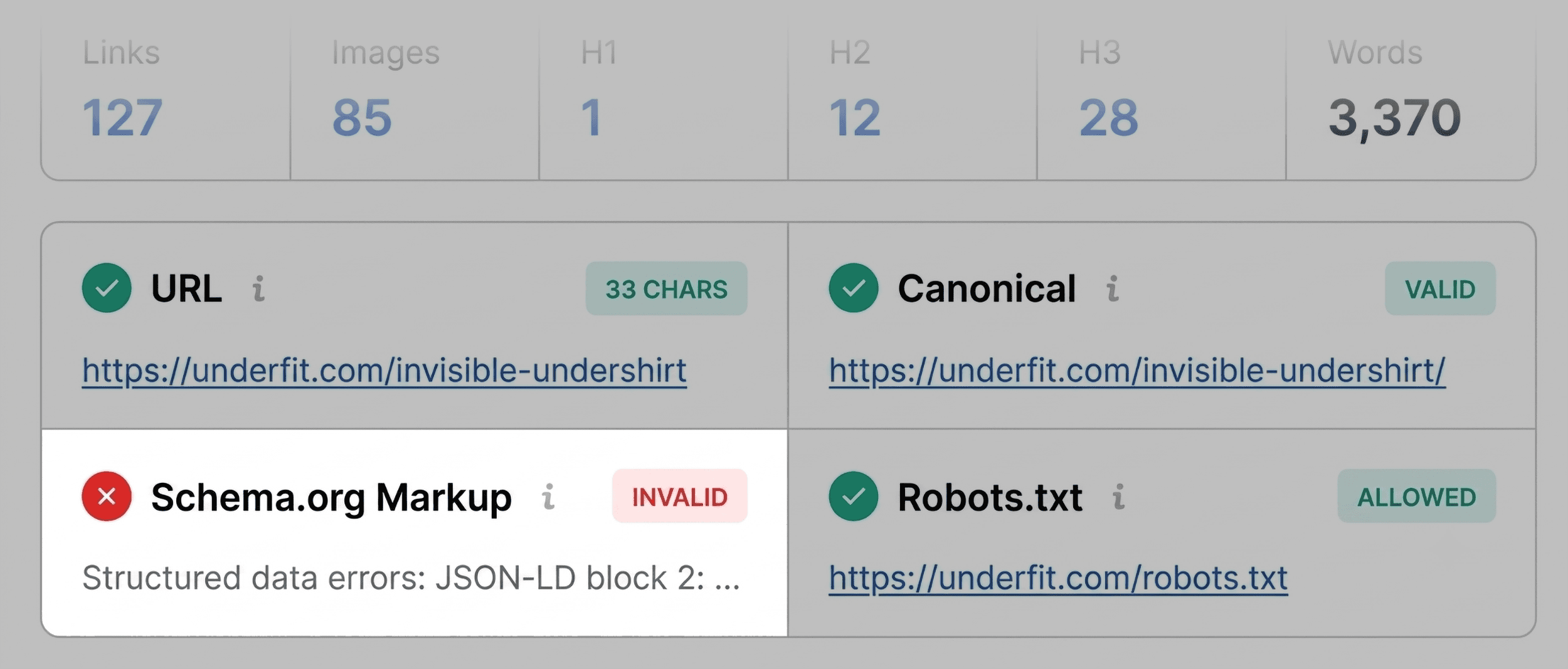
In the fast-paced world of digital marketing, waiting hours for a site-wide crawl to finish before identifying why a single page is underperforming is a luxury few professionals can afford. Whether you are dealing with a product page that has mysteriously slipped in Google rankings, a competitor’s content that is consistently outperforming yours, or a client’s landing page that refuses to convert, the need for immediate, actionable intelligence is paramount.
You do not always need a massive, resource-heavy site crawl to begin your diagnostic process. Often, the answers you seek are hidden in plain sight on the page itself. SEOquake, Semrush’s powerful, free Chrome extension, allows you to audit any webpage’s technical signals, on-page SEO, link strategy, and core metrics without ever leaving your browser tab.

This guide provides a structured, three-minute workflow—from initial triage to final diagnosis—to help you pinpoint issues and reclaim your search visibility.

What Is SEOquake?
SEOquake is an industry-standard browser extension designed to provide instant access to the technical health and SEO performance of any URL. By installing the extension and clicking the icon in your browser toolbar, you gain immediate access to a comprehensive suite of data points that would otherwise require switching between multiple dashboard tabs.

The extension operates via two primary modes: the Quick View Pop-Up for immediate surface-level analysis, and the Full Report for deep-dive technical investigations. Throughout these reports, SEOquake utilizes a color-coded system to help you prioritize your efforts:

- Green: Everything is functioning according to standard SEO best practices.
- Orange: A warning flag. These items require a professional judgment call to determine if they are hindering performance.
- Red: A critical issue. These represent immediate technical errors that likely require urgent attention.
Minute One: Triage via the Quick View Pop-Up
The first 60 seconds of your audit should be dedicated to "triage." The goal here is not to solve the problem, but to answer a singular question: Is there anything fundamentally broken on this page?

When you open the Quick View pop-up, you will see five distinct tabs. For a rapid assessment, focus exclusively on Page Info, Audit, and Content. Spend approximately 20 seconds per tab.

The Page Info Tab: Your SEO Health Check
This is your starting point. It provides a high-level summary of the most critical on-page SEO elements. During your 20-second scan, prioritize these five elements:

- Title Tag: Is it relevant and optimized for your primary keyword?
- Meta Description: Does it include a compelling call to action?
- URL Structure: Is the slug clean and readable?
- Canonical Tags: Are they set correctly to avoid duplicate content?
- Schema Markup: Is structured data present and valid?
On a recent audit of a high-priority product page, the extension flagged Schema.org markup in red. The culprit? JSON-LD errors. Because invalid product schema can strip a page of its eligibility for rich results—such as star ratings, price, and availability snippets—this was immediately moved to the top of the "fix" list.

The Audit Tab: Technical Essentials
Some technical failures are not visible on the page surface. Navigate to the Audit tab to check for:

- Mobile Compliance: Is the page responsive?
- HTTPS Security: Is the site secure?
- Indexation status: Is the page correctly indexed?
If you see orange warnings here, do not panic. Use your professional discretion to evaluate whether the warning—such as a missing hreflang tag or a non-standard image size—is actually a risk for your specific project.

The Content Tab: Structure and Keywords
Content structure is vital for both user experience and the way AI-powered search engines interpret your page. In this tab, look for logical H1 through H6 hierarchy. If the page jumps from an H1 to an H4, or if the H1 is buried at the bottom of the page, your information architecture is likely confusing search bots.

Minutes Two and Three: Diagnosing via the Full Report
Once you have identified the red and orange flags in the triage phase, click the "View Full Report" button. This launches a more granular interface divided into six distinct panels, including Diagnosis, Links, and Semrush Analytics.

Digging into Technical Issues
Use the Audit panel within the Full Report to investigate the specific flags you discovered during triage. For instance, if you found an XML sitemap warning, the report will often tell you if the file exists but is poorly linked. By clicking "Test in Rich Results" for schema errors, you can launch Google’s official testing tool directly from the SEOquake interface to see exactly which lines of code are failing.

Analyzing Keyword Density
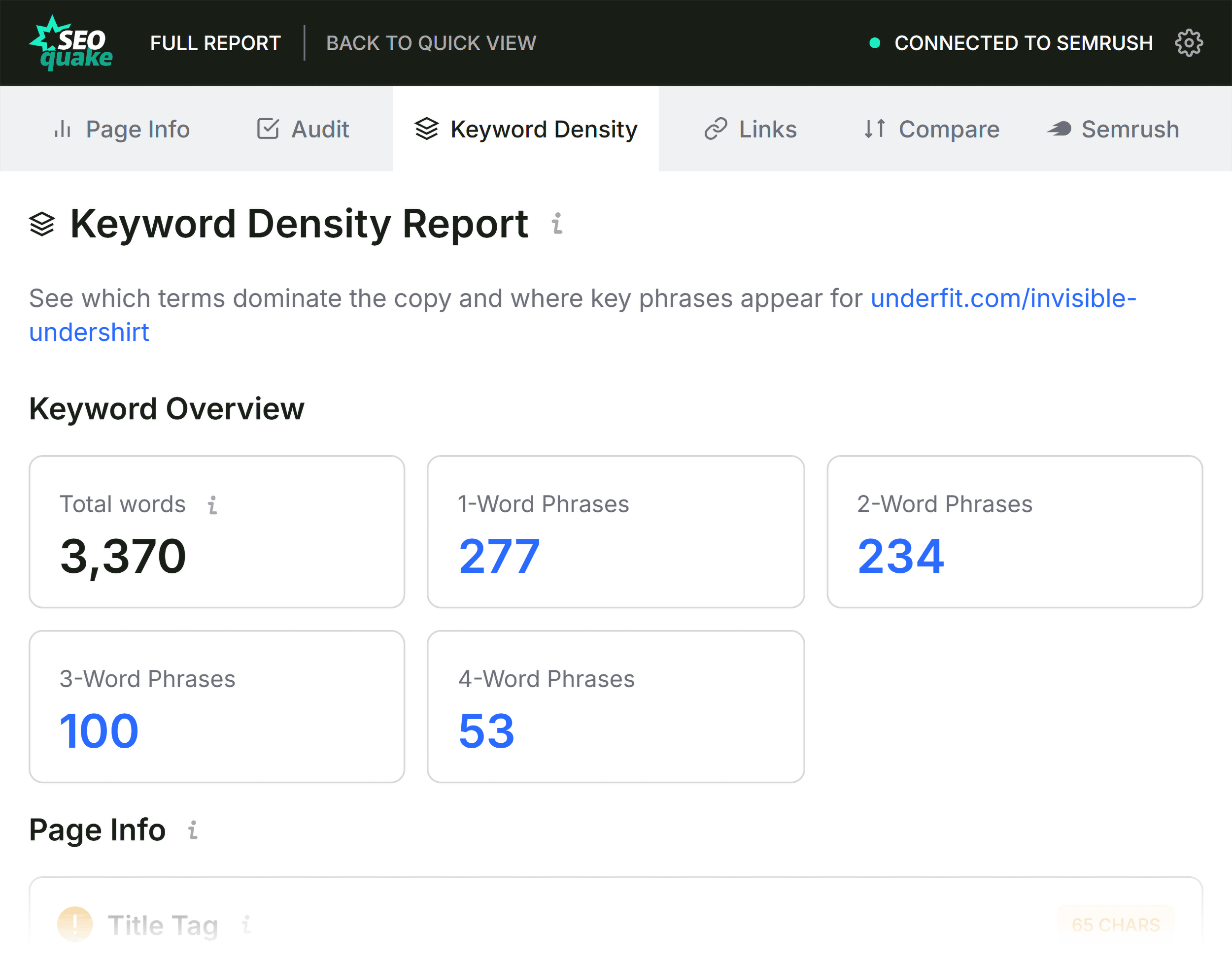
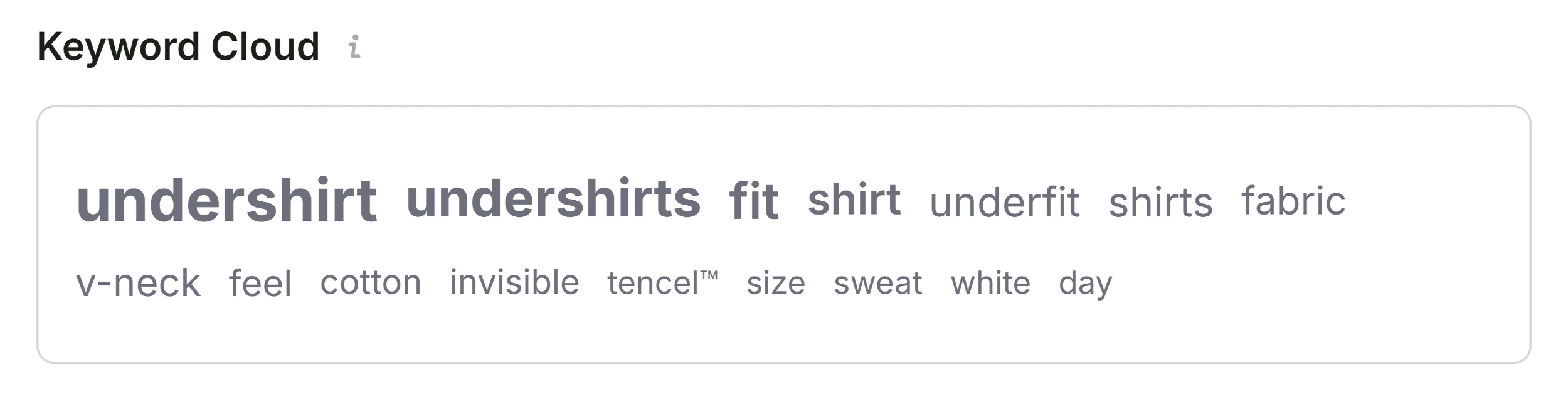
A common pitfall is assuming that high keyword frequency equals high relevance. Use the Keyword Density panel to look beyond simple counts. Check the "Found In" column to ensure your core keywords appear in high-value locations like the title tag and H1, rather than just in the footer or navigation menu. If you see terms like "zoom zoom" or gibberish phrases, these are likely coming from interactive elements or image metadata rather than your copy. This is a common occurrence and usually safe to ignore, provided your actual product descriptions are optimized correctly.

Evaluating Link Health
Broken links are a silent killer of SEO performance. The Links panel allows you to export a list of all internal and external links on the page as a CSV. Focus on external links that return 404 errors. If you have dozens of broken external links, you are sending a signal to Google that your page is poorly maintained, which can negatively impact your authority.

Implications and Next Steps
Once your three-minute audit is complete, you should have a clear, prioritized list of tasks.

If the issues are isolated to the page:

- Update the H1 and header hierarchy.
- Correct the JSON-LD schema errors.
- Add descriptive alt text to images.
- Remove or replace broken links.
If the issues are site-wide:

- If you find that the XML sitemap is missing or that the entire site is struggling with indexation, a page-level fix is not enough. This is the moment to transition from SEOquake to a full-scale Semrush Site Audit.
A full site crawl will allow you to see if the problems found on your sample page are systemic across your entire domain. Many professional SEOs use the three-minute SEOquake workflow as a "health barometer." By checking one or two pages a day, you can identify technical regressions before they become massive, site-wide crises.

Conclusion
The power of SEOquake lies in its ability to strip away the complexity of modern SEO. By mastering this three-minute workflow, you move from reactive troubleshooting to proactive management. You are no longer guessing why a page is failing; you are diagnosing the root cause with data-driven precision.
Whether you are an in-house marketer, an agency professional, or a small business owner, the ability to conduct a rapid audit is a force multiplier for your digital strategy. Install the extension, run your first test, and start optimizing with the confidence that you are addressing the most impactful issues first.
Backlinko is owned by Semrush. We remain committed to bringing you world-class SEO insights, backed by hands-on experience. Unless otherwise noted, this content was written by a member of the Semrush team.


 Ammar Sabilarrohman

 Raul Delapena Setiawan
 Reynand Wu


 Azzam Bilal Chamdy
 Ali Ikhwan