
 Raul Delapena Setiawan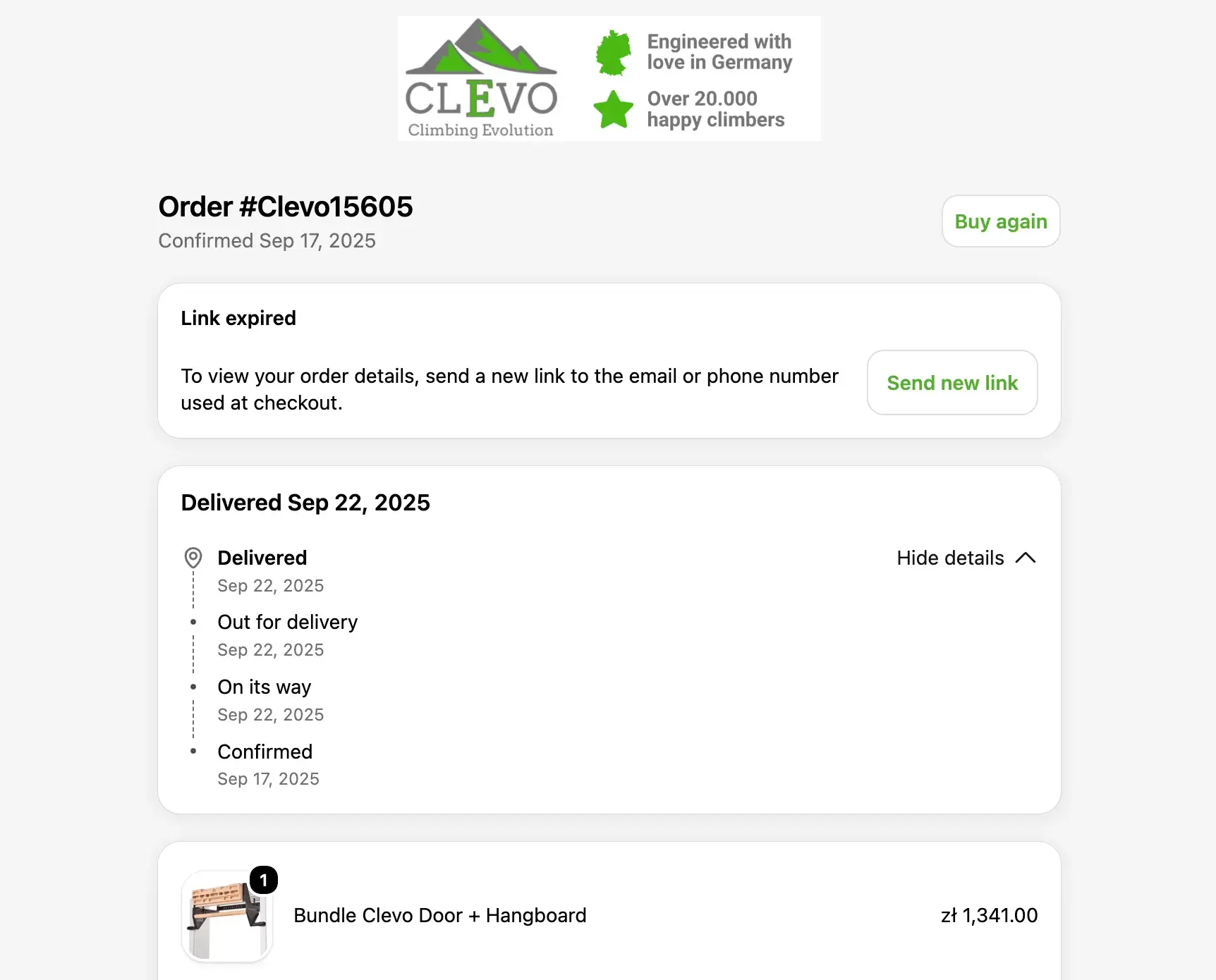
In the digital ecosystem, transactional emails are the silent, essential infrastructure of the internet. They are the automated messages triggered by specific user actions—an order receipt, a password reset, or a shipping notification—that confirm a commitment or provide critical information. Unlike marketing emails, which aim to pique interest or generate demand, transactional emails are the bridge between a business and a user, providing the "source of truth" for their interactions.
As digital dependency grows, the reliability and clarity of these communications have become a significant differentiator for brands. When done correctly, these emails foster trust and streamline user journeys; when done poorly, they lead to friction, support bottlenecks, and broken customer relationships.

The Core Distinction: Operational Utility vs. Promotional Outreach
At its most fundamental level, the difference between a transactional email and a marketing campaign lies in intent. Marketing emails are designed to persuade, often targeting a broad audience to encourage a new commercial action. Conversely, transactional emails are reactive; they are "one-to-one" communications triggered by an event unique to a specific recipient.
This functional difference dictates how they should be managed. Large email service providers, including industry giants like Yahoo and Gmail, strongly advocate for the separation of marketing and transactional infrastructure. The reasoning is clear: marketing campaigns are inherently prone to volume spikes, bounce rates, and user complaints. If transactional emails share an IP address or domain with promotional traffic, a high bounce rate from a marketing blast can unintentionally tank the deliverability of an urgent password reset.

By segregating these streams—often via distinct IP addresses or DKIM domains—businesses protect their operational messages from being caught in the "spam" filters triggered by aggressive marketing tactics.
A Chronology of the User Journey: Transactional Touchpoints
Transactional emails serve as the milestones of the customer lifecycle. Mapping these touchpoints is essential for building a cohesive user experience.

1. Account and Security Onboarding
The journey begins with security. Whether it is a two-factor authentication (2FA) code or a login alert, these messages are the first line of defense. Effective security emails provide context—such as the time, device, or approximate location of a login attempt—to help users distinguish legitimate alerts from potential phishing attempts.
2. The Commercial Transaction
Once a user converts, the order confirmation and receipt become the focal point. These emails must be immediate. Research suggests that a significant majority of customers expect an order confirmation within minutes of purchase. Providing clear payment details, order summaries, and estimated arrival times here dramatically reduces the volume of "where is my order?" (WISMO) support tickets.

3. Service Updates and Lifecycle Management
Post-purchase communication, such as shipping updates, delay notifications, or renewal reminders, keeps the customer informed. Proactive communication regarding inventory issues or delays—as demonstrated by retailers who offer solutions like partial refunds or order adjustments automatically—turns a potentially negative experience into an example of superior customer service.
4. App and Community Engagement
Finally, activity-based notifications, such as task mentions in project management tools or community digest alerts, keep users tethered to the product. These must be carefully balanced to ensure they remain relevant to the user’s specific account activity rather than drifting into promotional territory.

Supporting Data and Technical Realities
The stakes for transactional email performance are higher than many realize. According to 2026 research from Sinch Mailgun, nearly 18% of all emails fail to reach the primary inbox. For a business, this failure isn’t just an annoyance; it is a direct barrier to revenue and user retention.
The Authentication Imperative
To ensure delivery, technical rigor is non-negotiable. Modern email authentication protocols—SPF (Sender Policy Framework), DKIM (DomainKeys Identified Mail), and DMARC (Domain-based Message Authentication, Reporting, and Conformance)—are no longer optional.

Gmail and other major providers have tightened requirements for bulk and transactional senders. Senders exceeding 5,000 messages per day are strictly required to implement these protocols. Furthermore, failure to adhere to RFC 5322 formatting or ignoring TLS encryption standards can result in immediate filtering. Regularly reviewing DMARC reports is the only way to identify unauthorized senders or "forgotten" tools that might be jeopardizing your domain’s reputation.
The "Single-Send" vs. API Path
When setting up a CRM-connected stack, developers must choose their sending path. For time-sensitive events like password resets, a direct API path is often superior to a workflow-based trigger. It reduces latency and keeps the application logic in control. For less time-sensitive operational updates, workflow-based orchestration allows for complex branching—such as sending different content based on a user’s region, language, or subscription plan—without overwhelming the application codebase.

Official Compliance and Regulatory Implications
Navigating the regulatory landscape—including the U.S. CAN-SPAM Act, the UK’s PECR, and the EU’s GDPR—requires a nuanced approach to content and consent.
The Unsubscribe Dilemma
While purely transactional, "service-only" emails are often exempt from the legal requirement to include an unsubscribe link, adding promotional content changes the legal classification of the email. If a brand includes a "cross-sell" in a receipt, the message may be legally reclassified as direct marketing, mandating an opt-out mechanism.

Data Privacy and Log Hygiene
GDPR and other data privacy frameworks demand that companies be judicious about what they store. Retaining full payment information, security codes, or sensitive reset links in email logs is a significant security liability. Logs should ideally only contain the message ID, the recipient, the trigger event, the template version, and the final delivery status. Anything more creates an unnecessary target for data breaches.
Designing for Clarity and Accessibility
Design in transactional email should prioritize "the fold." The most critical information—the status of the event, the next step, and the support path—must be visible immediately upon opening.

- Subject Lines: These must be unambiguous. "Payment received" or "Your renewal is approaching" are superior to vague subject lines that force the user to open the email to understand the context.
- Mobile-First Layouts: As the majority of users check their email on mobile devices, a responsive, single-column layout is the industry gold standard.
- Accessibility: Accessibility is not just a moral imperative; it is a functional one. Using clear button labels, maintaining a 4.5:1 contrast ratio for text, and ensuring that alt text is included for all imagery ensures that the message is accessible to all users, regardless of their technology or physical abilities.
Measuring Success: Key Performance Indicators (KPIs)
To manage transactional email health, one must look beyond open rates. The following KPIs are essential:
- Latency: The time elapsed between the trigger event and the email arriving in the user’s inbox. High latency here is a red flag for system health.
- Inboxing Signals: Track delivery, bounce rates, and, crucially, spam complaint rates. A rise in complaints indicates that users no longer view your transactional emails as "operational."
- Task Completion: If the email’s goal is to get a user to reset a password, the metric of success is the successful reset, not just the email open.
- Delivery/Retry Metrics: Monitoring the performance of your SMTP or API service helps you understand where and why failures occur. Are you hitting rate limits? Are there authentication errors?
Conclusion: The Path Forward
The best transactional email service is invisible. It works so reliably that the customer never has to think about the infrastructure behind it. By connecting robust CRM data with secure, high-performance delivery paths, companies can ensure that every notification—whether it’s a critical security alert or a simple order confirmation—reinforces the value of the brand.

In an era where customer attention is the most valuable commodity, the transactional email remains one of the few channels where the user is waiting to hear from you. Treating these messages with the technical and design care they deserve is not just good practice; it is a fundamental pillar of modern customer experience. By leveraging integrated tools, maintaining strict deliverability standards, and keeping the focus on the user’s immediate needs, businesses can turn operational necessity into a powerful engine for customer trust.


 Reynand Wu
 Iffa Jayyana


 Sagoh
Sagoh

 Azzam Bilal Chamdy
 Ali Ikhwan