
 Ali Ikhwan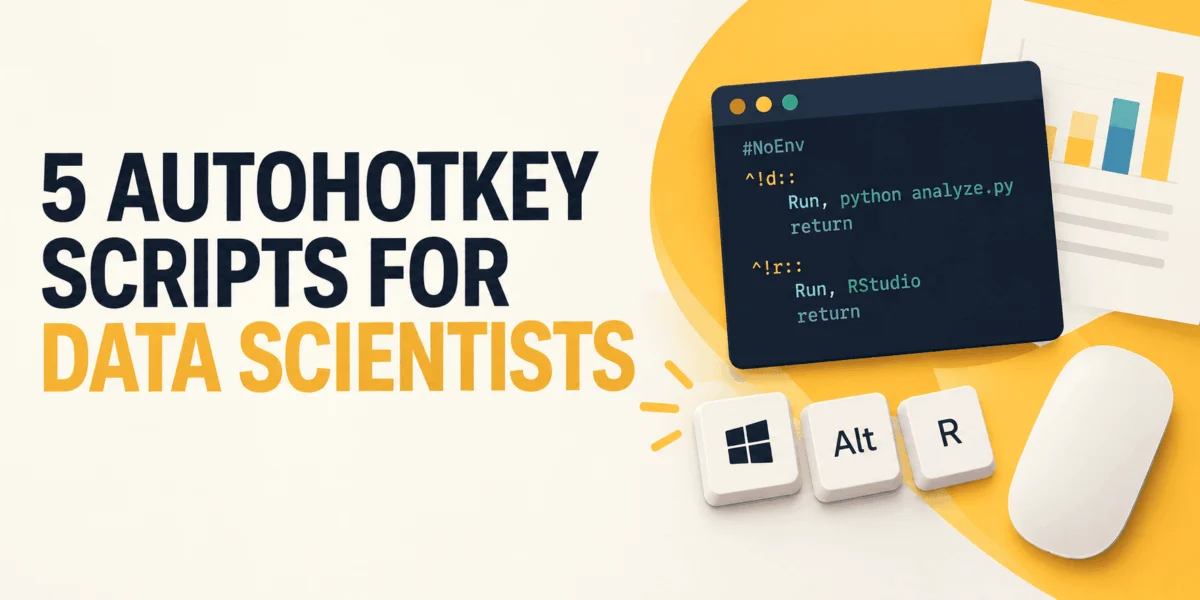
For many data scientists, the actual "science"—the modeling, the exploratory analysis, and the rigorous testing—is often preceded by a ritualistic, soul-crushing dance of digital housekeeping. Before a single line of Python is executed, the professional must first navigate a labyrinth of manual tasks: launching project-specific folders, arranging IDEs and terminals, formatting file paths, and converting raw clipboard data into usable lists.
While these micro-tasks seem trivial in isolation, they aggregate into a significant "tax" on productivity. This manual overhead distracts from the core analytical mission. Enter AutoHotkey (AHK), a potent, open-source automation utility for Windows that transforms these repetitive desktop chores into single-keystroke commands. By treating the desktop environment as a programmable interface, data scientists can reclaim their focus.
The Philosophy of "Desktop Glue"
AutoHotkey is not a tool for data analysis itself; it is the "glue" that holds the workspace together. It is essential to distinguish between automation of the desktop and reproducibility of the analysis. Data transformations, pipeline logic, and statistical operations belong firmly within version-controlled environments like Python, R, or SQL.
AutoHotkey occupies the space before the pipeline begins. It is an orchestration layer for the environment, not the computation. By automating the friction points of the Windows operating system, analysts can maintain their cognitive flow, ensuring that their energy is reserved for the data rather than the directory structure.
Chronology of the Modern Data Workflow
The modern data professional’s day often begins with a series of predictable, yet tedious, setup steps. A typical chronology looks like this:
- Environment Initialization: Opening VS Code, the terminal, the project file directory, and the local JupyterLab server.
- Data Ingestion Prep: Copying raw customer IDs from an Excel sheet or a Jira ticket and reformatting them into Python lists or SQL query strings.
- Path Normalization: Dealing with Windows-style backslashes that frequently break Python’s string handling.
- Window Management: Manually dragging and snapping windows into a "flow" configuration for multitasking.
By scripting these steps in AutoHotkey v2, an analyst can condense this 10-minute setup into a single hotkey, effectively starting the workday with a "clean slate" configuration.
1. The Workspace Launcher: Orchestrating the Environment
The most immediate win for any data scientist is the creation of a "Workspace Launcher." Rather than hunting through taskbar shortcuts, a single Ctrl+Alt+W command can launch the entire stack.
#Requires AutoHotkey v2.0
#SingleInstance Force

project := "C:workchurn-model"

^!w::                                    ; Ctrl+Alt+W
    Run 'explorer.exe "' project '"'
    Run 'code "' project '"'
    Run 'wt -d "' project '"'             ; Windows Terminal
    Run "http://localhost:8888/lab"       ; Jupyter server
This script ensures that every tool is ready, pointed at the correct project directory, and synchronized, eliminating the manual "search and click" cycle.
2. Clipboard Reshaping: From Raw Data to Python/SQL
A frequent pain point is the "clipboard conversion" dilemma. Data is often extracted in formats incompatible with code requirements. Using A_Clipboard, AutoHotkey can read the raw string, strip unwanted characters, and inject the necessary syntax.
The Power of A_Clipboard
By utilizing AHK’s ability to manipulate the clipboard in real-time, users can transform a column of raw IDs into a formatted Python list (['a', 'b']) or a SQL-ready IN clause (IN ('a', 'b')) with a single command. This avoids the security risks of pasting sensitive data into third-party, web-based "formatter" tools, keeping data within the local, secure ecosystem of your machine.
3. Expanding Boilerplate with Hotstrings
Data science is rife with repetitive syntax—boilerplate imports, EDA (Exploratory Data Analysis) checklists, and recurring function headers. Hotstrings act as "autocomplete on steroids."
By typing a short mnemonic, such as ;;imp, the script expands it into the full suite of required imports:
import pandas as pd, import numpy as np, and import matplotlib.pyplot as plt.
This is not merely a time-saver; it is a standardization tool. By ensuring that every notebook begins with the same standard imports and EDA framework, teams can maintain a high degree of consistency across projects, reducing the likelihood of "missing library" errors.
4. Normalizing Paths for Python
Windows file paths often feature backslashes (), which can conflict with Python’s escape character syntax. Manually reformatting these paths is a minor but persistent irritation. AutoHotkey can intercept the clipboard after a "Copy as Path" command and automatically convert it into a raw Python string (r'...') or replace the backslashes with forward slashes (/), making it instantly compatible with pathlib or other directory-handling modules.
5. Window Snapping: The Ergonomics of Analysis
The physical arrangement of monitors and windows impacts cognitive performance. Data scientists often need a specific layout: the browser on the left, the code editor on the right, and the terminal at the bottom.
Using the WinMove command, an AHK script can snap these windows into their predefined coordinates instantly. This creates a predictable "spatial memory" for the analyst, where the eyes know exactly where to look for logs, code, or documentation.
Official Guidance and Best Practices
When implementing these scripts, it is crucial to follow professional development standards:
- Adopt Version 2: Always use
#Requires AutoHotkey v2.0. AHK v1 is deprecated, and v2 provides a cleaner, more consistent syntax that is less prone to "silent" failures. - Security First: Never hardcode API keys, credentials, or proprietary tokens into your
.ahkfiles. These scripts are plain text and can easily be synced to cloud backups or shared folders. - Keep Logic Thin: If a script becomes complex enough to require conditional branching based on data content, it has outgrown AutoHotkey. Move that logic into a Python module.
- Transparency: If you share your workflow with teammates, comment your code. A script that is "magic" to one person is a liability to the team.
Implications for Productivity and Well-being
The adoption of automation tools like AutoHotkey has profound implications for the data science profession. By reducing the "micro-frictions" of the desktop environment, analysts experience lower cognitive load. When the transition from "idle" to "analytical" is seamless, the creative process is rarely interrupted.
Furthermore, these scripts foster a culture of intentionality. When you define your workspace, your shortcuts, and your boilerplate as code, you are treating your professional environment as an extension of your craft. It encourages an analytical mindset—observing the "how" of your work as carefully as the "what."
Conclusion
AutoHotkey is not a replacement for data science tools; it is an amplifier. By automating the peripheral rituals that consume the early stages of a project, data scientists can dedicate their intellect to the tasks that actually matter: interpretation, strategy, and innovation. The goal is simple: make the desktop disappear so the data can take center stage. Start with the most frustrating chore you performed today, write a three-line script to kill it, and move on. Your analysis will thank you.

 Nana Wu
 Nana
Nana
 Asro
Asro
 Jia Lissa
 Neng Nana
 Dwi Wanna
 Siti Muinah