
 Azzam Bilal Chamdy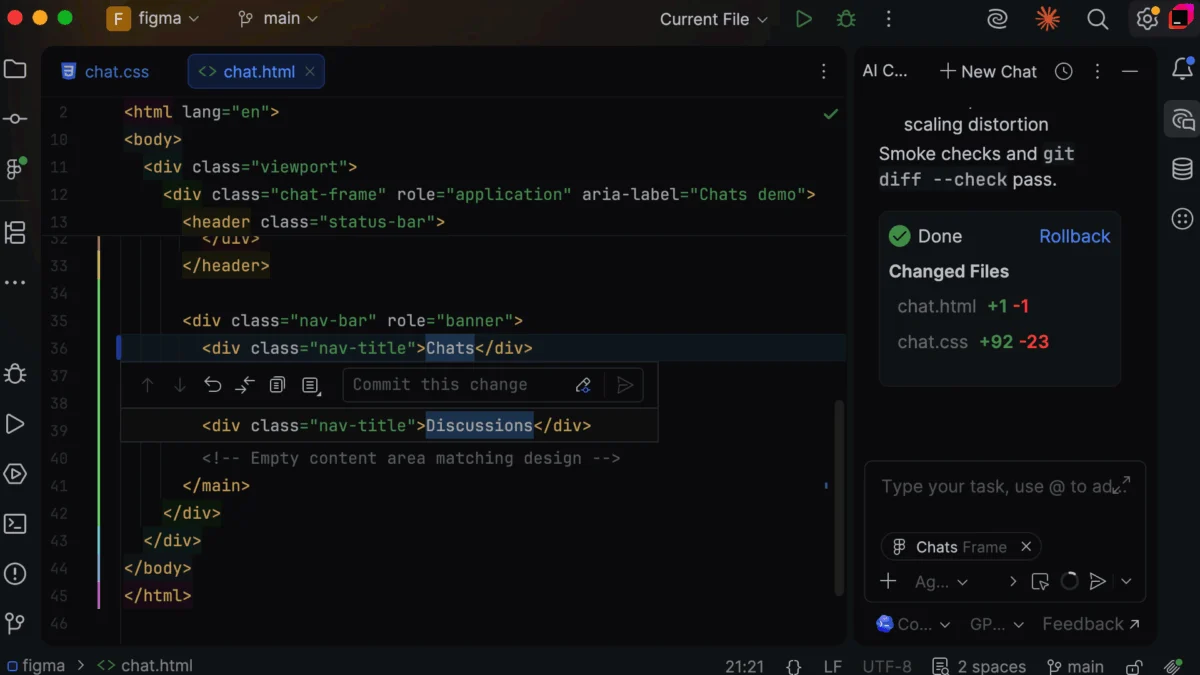
The chasm between high-fidelity design prototypes and production-ready code has long been one of the most persistent bottlenecks in modern software engineering. For years, front-end developers have operated in a state of perpetual "context switching"—bouncing between Figma files, browser tabs, and IDEs, attempting to manually translate visual specs into component-based architectures.
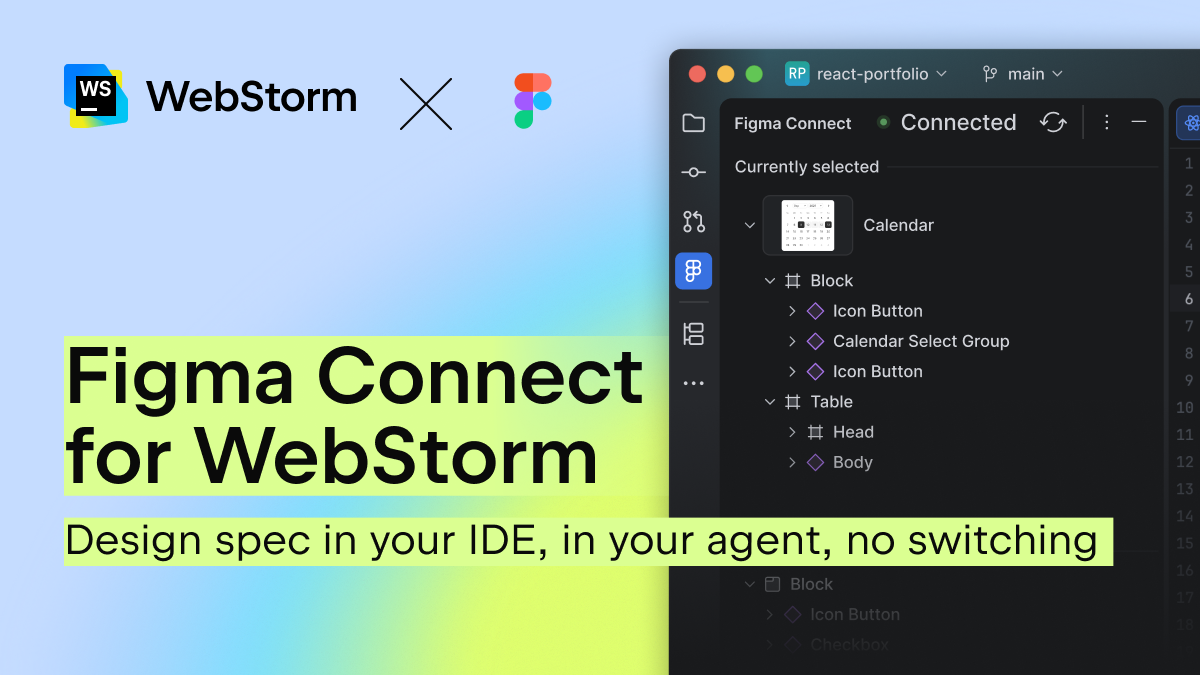
JetBrains, the force behind the industry-standard WebStorm IDE, has officially moved to eliminate this friction. With the introduction of Figma Connect in WebStorm 2026.2.1, the company is ushering in a new era of "integrated development," where design intent is no longer a static reference but a live, accessible data stream directly inside the editor.
The Chronic Problem: The High Cost of Context Switching
In a standard development workflow, the "design-to-code" ritual is notoriously inefficient. A developer finds the Figma tab, navigates to the specific frame, takes a screenshot or inspects the CSS properties, and then returns to the terminal to begin coding. This sequence is not just time-consuming—it is error-prone.
When a developer forgets a specific padding value or misses a color token, the discrepancy often remains unnoticed until the code review phase or, worse, after the designer catches the error in the staging environment. This leads to a cycle of rework that drains team velocity.
The emergence of AI coding agents has only complicated this issue. While AI assistants like Claude, Cursor, and GitHub Copilot are adept at generating boilerplate, they lack "ground truth." When an AI generates a generic button component instead of pulling from an existing shadcn/ui library or a custom design token, the developer is forced to spend more time refactoring the AI’s output than they would have spent writing the code manually.
Chronology: From Static Assets to Live Integration
The journey toward Figma Connect was born from the realization that current tooling treats design as an external artifact rather than a core part of the codebase.
- Pre-2024: The industry relied on "handoff" tools and manual inspection. Developers spent an estimated 5–10 minutes per component just context-switching and verifying visual properties.
- Early 2025: The rise of Model Context Protocol (MCP) signaled a shift in how IDEs could communicate with external systems. JetBrains identified this as the bridge needed to connect Figma’s API directly to the WebStorm environment.
- Mid-2026: JetBrains began beta testing the Figma Connect feature, focusing on a "two-way" synchronization that allows developers to traverse layers within the IDE while keeping the Figma interface in sync.
- July 2026: The official launch of Figma Connect in WebStorm 2026.2.1, marking the first phase of JetBrains’ broader initiative to unify design and development lifecycles.
Supporting Data: The Case for Efficiency
The move to integrate Figma directly into the IDE is backed by significant productivity metrics. According to a recent Forrester Total Economic Impact study regarding Figma’s Dev Mode, developers who have direct, streamlined access to design specifications during the implementation phase save an average of 90 minutes per week.
In an industry where developer time is the most expensive and scarce resource, 90 minutes per developer per week translates to nearly an entire workweek of reclaimed productivity per year, per engineer. When multiplied across a medium-to-large engineering organization, the impact on ROI is substantial. By eliminating the friction of "searching for the right frame," Figma Connect isn’t just a convenience feature; it is a strategic efficiency tool.
Technical Implications: AI with "Ground Truth"
The most significant advancement in this release is how Figma Connect interacts with AI agents. By utilizing the Figma MCP (Model Context Protocol), WebStorm can feed specific, accurate design context into an AI chat session.
How it Works:
- Direct Linking: Users select a layer within the Figma Connect tool window inside WebStorm.
- Context Injection: The IDE extracts the node’s identifier—not a bloated screenshot—and attaches it as metadata to the AI prompt.
- High-Fidelity Generation: Because the AI now has access to the actual spec rather than a hallucinated approximation, it can accurately identify the correct
Base UIprimitives, internal design tokens, and specific component variants.
This effectively turns the AI from a "generic code generator" into a "design-aware assistant." It ensures that the output aligns with the organization’s existing codebase, reducing the need for post-generation "fix-ups" and manual tweaks.
Official Perspective: A Vision for the Future
"The spec in your IDE is where the future of development starts," states the WebStorm team in their official announcement. The team emphasizes that Figma Connect is merely "stage one" of a broader workflow overhaul.
JetBrains has positioned this release not as a standalone plugin, but as a maintained core integration. Unlike community-made MCP connections that may break with software updates, the Figma Connect integration is built into the WebStorm roadmap. This ensures that as Figma updates its APIs or as WebStorm introduces new IDE capabilities, the connection remains stable.
The philosophy here is clear: the IDE should no longer be a text editor that happens to see code. It should be a workspace that understands the intent of the design, the constraints of the architecture, and the requirements of the final product simultaneously.
Implications for the Developer Experience (DX)
The shift toward "Design-to-Code" optimization has profound implications for how teams will work moving forward.

1. Reduction in Cognitive Load
By allowing developers to stay within the WebStorm environment, the "mental tax" of switching contexts is removed. Developers can remain in a "flow state," focused on logic and implementation, knowing the design specs are always a click away.
2. Standardization of UI Implementation
By forcing AI agents to use design tokens and existing components, teams will see a natural increase in code consistency. This helps prevent "style drift," where different developers interpret designs slightly differently, leading to an inconsistent UI over time.
3. Closing the Gap with Design
Designers and developers often operate in different worlds. Figma Connect forces a shared language. When a developer selects a layer, the IDE highlights the node in Figma; when a designer updates a property, the developer is immediately aware of the source of truth. This tighter loop reduces the friction of the "review-and-revise" cycle.
Conclusion: A New Standard for IDEs
The introduction of Figma Connect for WebStorm is more than just a feature update; it is an admission that the traditional boundaries of software development are fading. As AI becomes a permanent fixture in the coding workflow, the quality of the output will be defined entirely by the quality of the input.
By anchoring AI context to real-world design specifications, JetBrains has provided a template for how modern IDEs should evolve. As the development lifecycle becomes more automated, the ability to maintain visual and functional alignment between a design file and the running application will become the hallmark of elite engineering teams.
For now, the industry is watching to see how other IDEs respond. One thing is certain: the era of the "tab-switching developer" is rapidly coming to an end. With Figma Connect, the future of development is officially integrated, intelligent, and deeply connected to the design source.


 Lina Hope
 Nila Kartika Wati
 Suro Senen
 Jia Lissa
 Evan Lee Salim

 Ali Ikhwan