
 Sagoh
Sagoh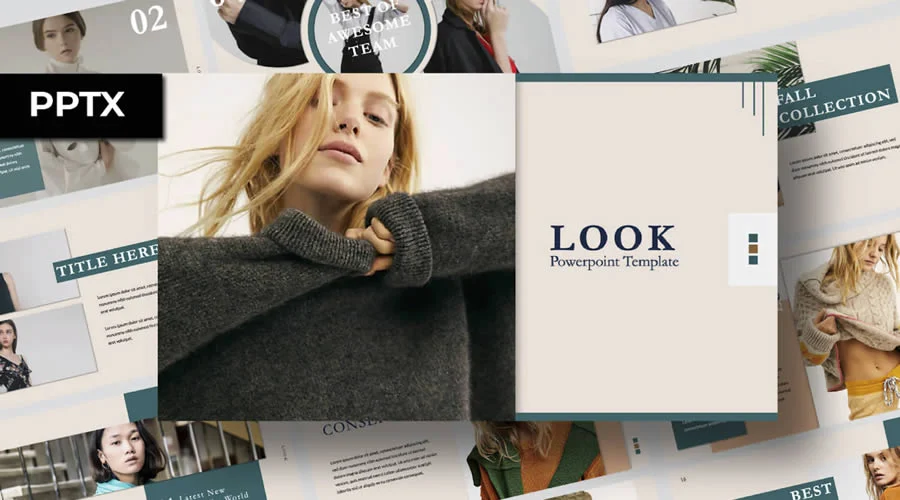
In the high-stakes world of business, a compelling presentation is more than just a sequence of slides; it is a strategic tool designed to captivate potential partners, secure essential funding, or win over skeptical clients. Whether you are a startup founder preparing for a venture capital pitch or a seasoned designer presenting a creative proposal, the visual narrative you construct dictates how effectively your message resonates. However, the path to a high-impact presentation is often obstructed by the daunting task of design. For those new to PowerPoint, the hours spent wrestling with layouts, color palettes, and typography can detract from the core objective: crafting world-class content.

The solution lies in the strategic use of professional-grade PowerPoint templates. By leveraging pre-designed frameworks, creators can bypass the technical fatigue of formatting and dive straight into storytelling. The internet offers an ocean of free resources, yet the quality varies wildly. To assist in your search, we have curated a definitive collection of the most effective, highly creative, and professionally designed free PowerPoint templates available today. These assets are engineered to save you time, ensure design consistency, and provide the flexible customization necessary to make your pitch truly stand out.
The Strategic Importance of Professional Presentation Design
The evolution of business communication has placed a premium on visual literacy. Data suggests that presentations utilizing cohesive design elements are significantly more likely to influence decision-makers. A well-designed slide deck acts as a cognitive aid, helping the audience process complex information while simultaneously projecting professionalism and authority.
Chronology of the "Template Revolution"
The reliance on professional templates represents a significant shift in how business professionals handle digital communication.
- The Early Era (Pre-2010): Presentations were largely manual, with users building layouts from scratch, leading to inconsistent branding and high time-to-delivery ratios.
- The Rise of Marketplaces (2010–2015): The emergence of platforms like Envato and Creative Market democratized design, allowing professionals to purchase premium assets.
- The Accessibility Boom (2016–Present): A surge in high-quality, free-to-use professional templates has leveled the playing field, enabling startups and individual creators to achieve "agency-level" quality without the associated budget.
Minimalist Excellence: Sophistication Through Simplicity
Minimalism remains the gold standard for corporate communication. By utilizing clean lines, negative space, and muted color palettes, these templates strip away visual noise, ensuring the audience focuses entirely on the data or the narrative at hand.

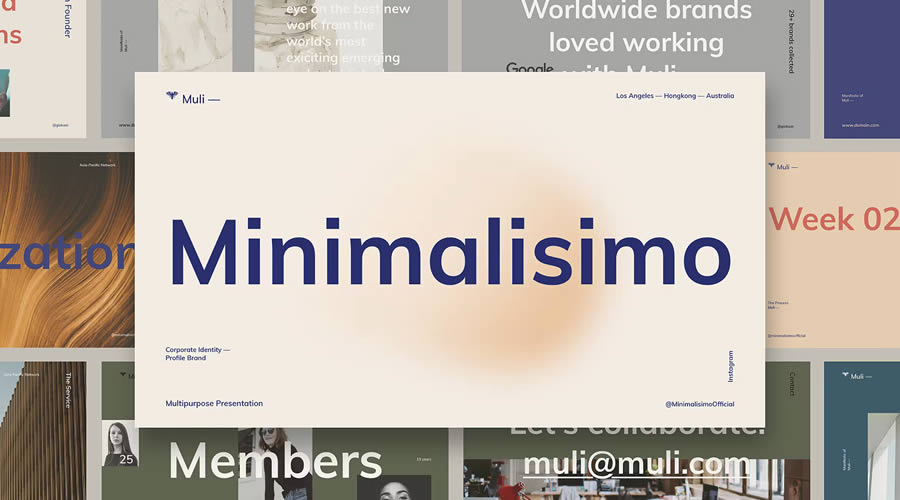
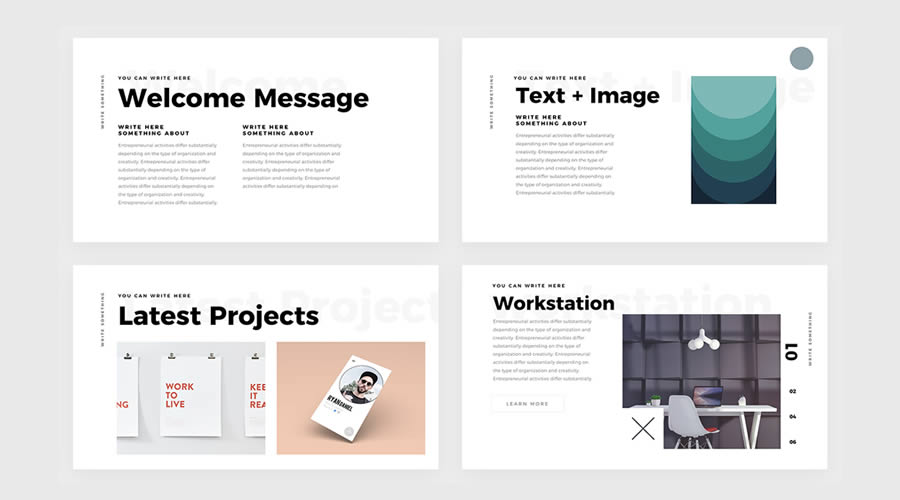
Muli Minimalist PowerPoint Template
The Muli template is a masterclass in versatility. It blends minimalist aesthetics with fluid animation transitions, making it ideal for multi-purpose presentations that require a modern, high-tech feel.
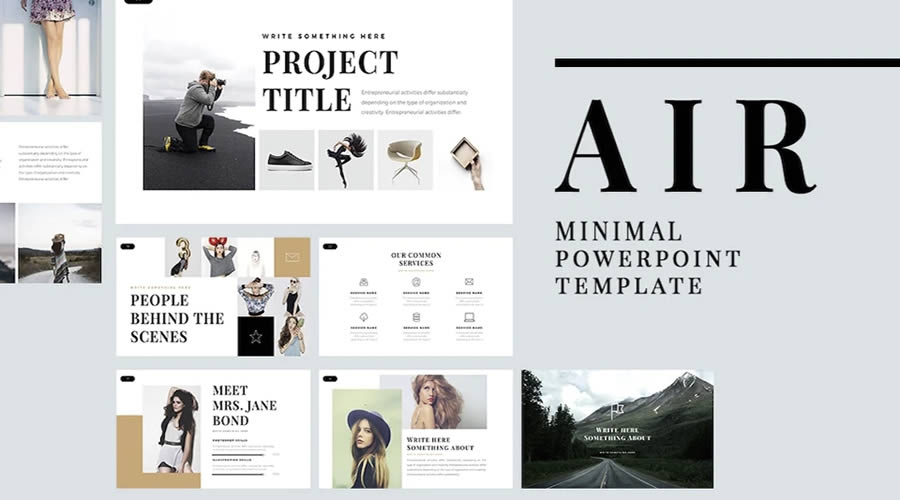
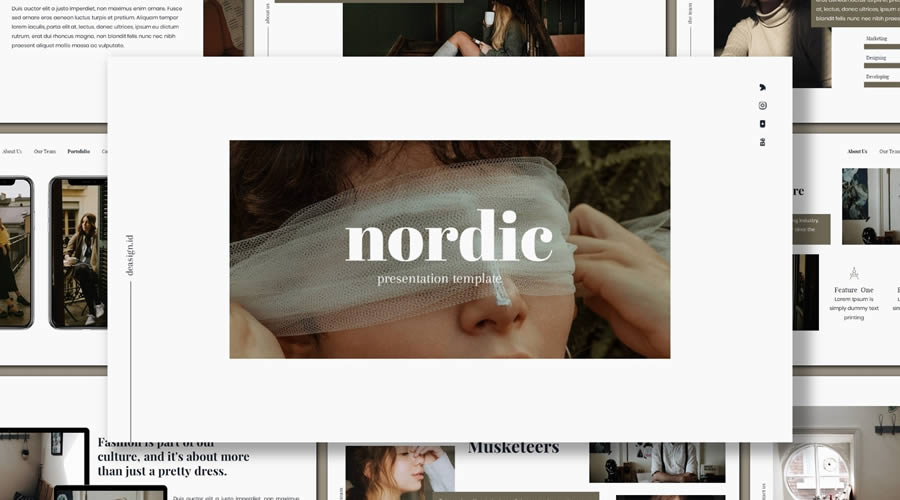
Air Minimal PowerPoint Template
For those who prefer a rigid, structured approach, the Air template offers over 60 unique slides in a 16:9 format. Its strength lies in its reliance on Master Slides, allowing for global changes to fonts and colors in seconds.
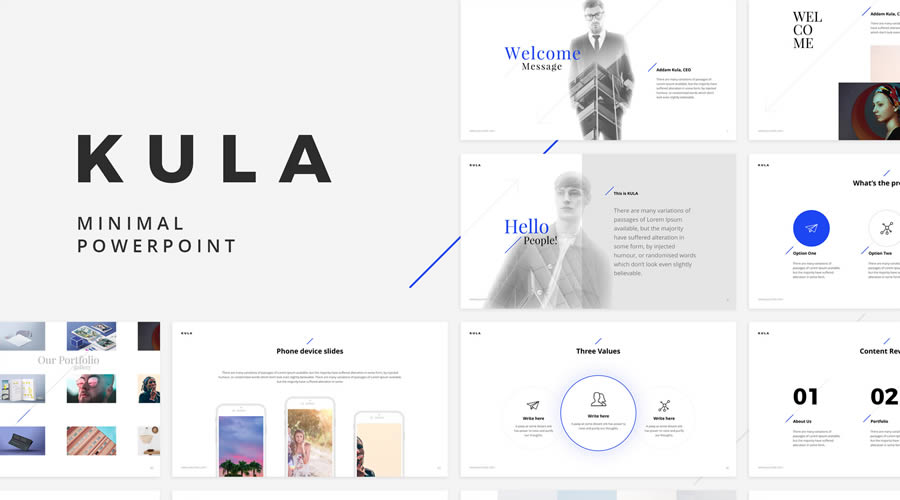
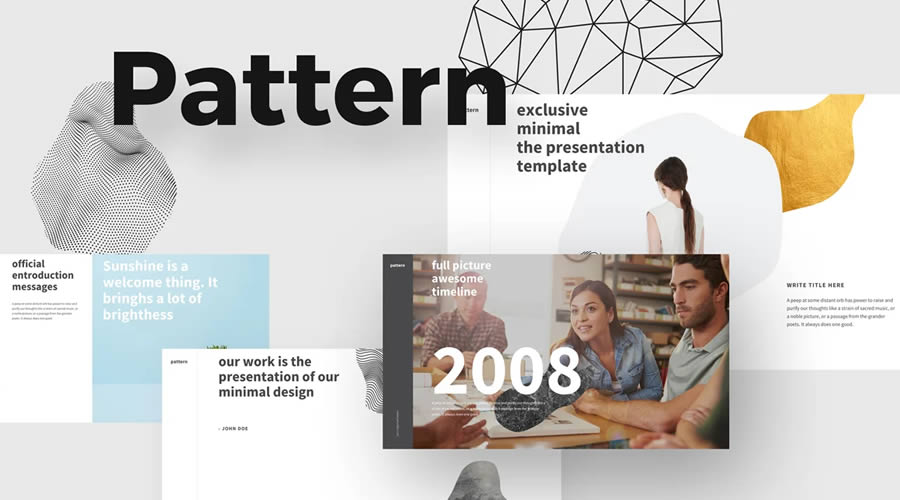
Kula and BeMind Templates
Kula stands out for its sheer volume, providing 90 unique slides and over 40 distinct color schemes. Conversely, BeMind is a powerhouse for business-centric needs, featuring over 100 slides, vector shapes, and a highly professional, understated layout suitable for boardrooms.

Clean and Professional: Clarity for Academic and Business Spheres
When the goal is to communicate information with absolute clarity, "Clean" templates are the superior choice. These designs prioritize neutral color schemes and highly legible typography, making them perfect for academic lectures or formal business reports.
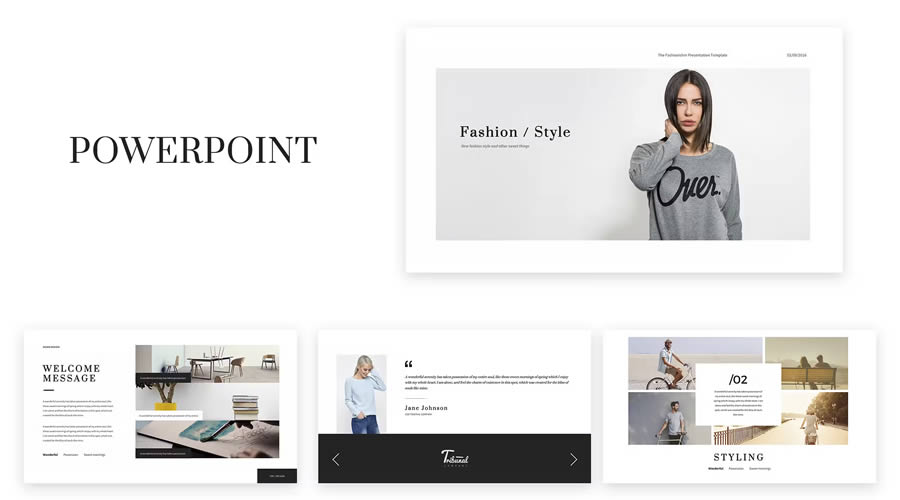
The Fashion & Stylist Aesthetic
Templates like the Fashion & Stylist and Kaspa designs cater to industries where aesthetics are paramount. Kaspa, in particular, uses a grid-based layout that is ideal for showcasing photography or product catalogs. It includes over 100 icons and glyphs, offering extensive visual vocabulary.
Functional Efficiency
The Glide and Skyfy templates represent the pinnacle of modern, clean design. Glide offers 80 unique slides designed specifically for high-level professional ideas, while Skyfy excels in its use of smooth, unobtrusive animations that guide the viewer’s eye through the narrative arc of the presentation.

The Power of Bold: Making a Lasting Impression
Sometimes, a project requires more than just clean lines; it requires a dramatic, memorable statement. "Bold" templates, characterized by dark backgrounds and high-contrast accents, are designed to make an impact.
X Note and Revolution
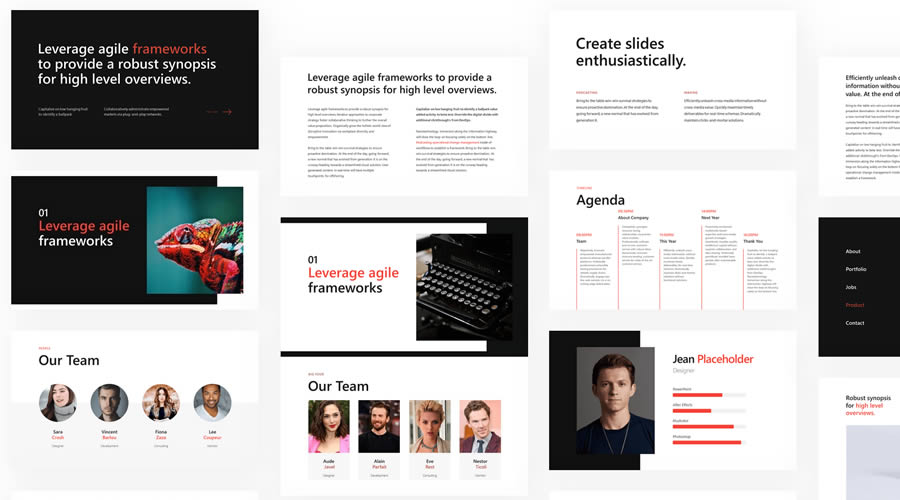
- X Note: This template is a favorite for high-stakes business pitches. With four pre-designed themes, it allows for quick iteration during the final hours of preparation.
- Revolution: A massive asset, Revolution provides over 100 professional slides. Its striking green and blue color scheme is engineered to draw the eye, making it an excellent choice for presentations that need to convey innovation and forward-thinking energy.
Colorful and Creative: Engaging the Audience
For creative agencies, media firms, or industries focused on innovation, color is a key communication tool. These templates use vibrant palettes and graphical elements to keep the audience engaged and energized.

The Duotone Effect
The Duotone template is a standout in this category. By utilizing the popular duotone photography effect, it immediately signals that your brand is contemporary and design-forward. It is an excellent choice for pitches that need to break away from traditional corporate monotony.

Industry-Specific Creativity
The Food PowerPoint template is a niche masterpiece, utilizing ample whitespace and yellow accents to frame food photography effectively. Similarly, the Warwick template, with its subtle blue and green tones, provides a sophisticated way to present financial or security-related data without sacrificing visual appeal.

Simple and Versatile: The Workhorses of Design
When the message is the focus and the design must be invisible, simple templates are your best asset. These are designed to be "blank canvases" that accommodate any type of content.
Computer Business and Bronx Templates
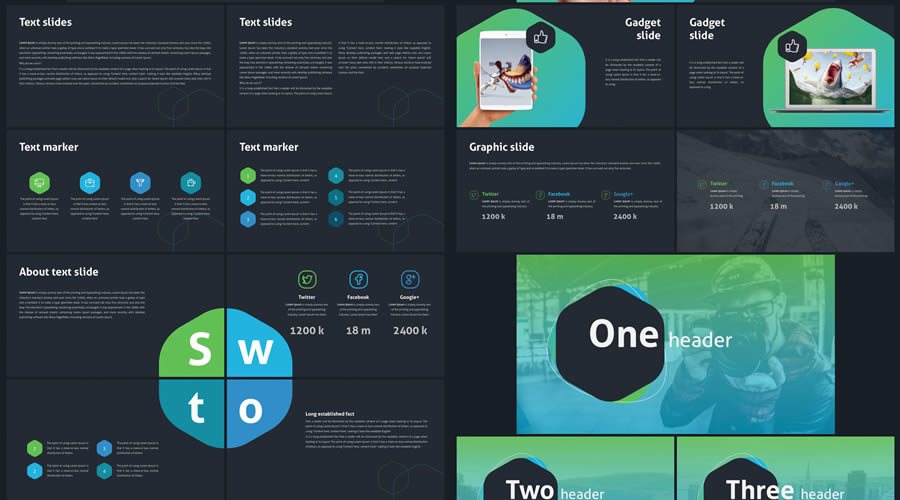
- Computer Business: With 36 essential slides, this template covers everything from timelines to data-heavy charts. It is the definition of a reliable utility player.
- Bronx: Offering a more stylish, feminine aesthetic, Bronx is perfect for creative portfolios or branding presentations. It includes flowcharts and text-heavy slides that remain readable even when packed with information.
iSlide and Business Templates
- iSlide: By focusing on massive amounts of whitespace, iSlide forces the creator to simplify their points, preventing the common "wall of text" error.
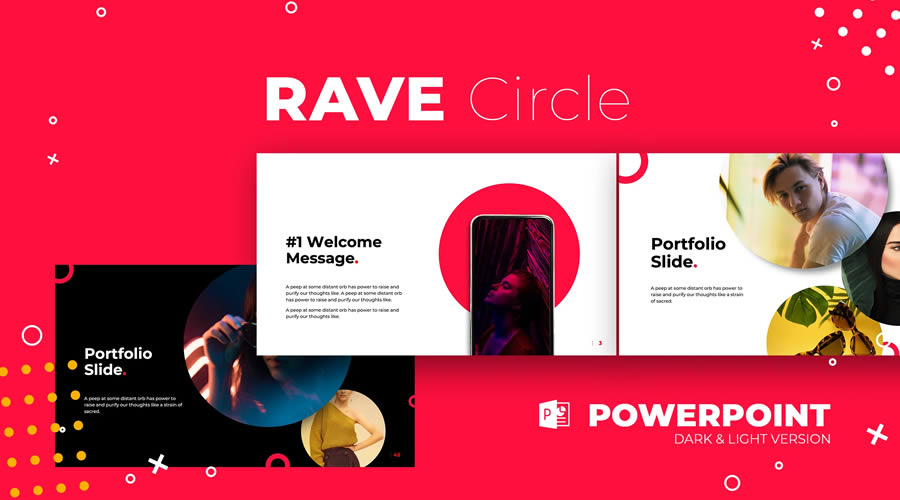
- Business: Utilizing a "Material Design" color scheme, this template is the modern standard for professional presentations. Its inclusion of both dark and light versions makes it adaptable to any projection environment.
Supporting Data and Best Practices
When choosing a template, consider the "Five-Minute Rule." If you cannot find the slide layout you need within five minutes of opening the template, it may be too complex.

Pro-Tip: Always verify the license of the template. While all templates listed in this collection are free, some may require attribution or may be restricted to personal, non-commercial use. Always check the original source link before incorporating these into a client-facing pitch.

Implications for Future Presentations
The democratization of high-quality design through these free templates has significant implications for business culture. We are seeing a shift where the "barrier to entry" for creating a professional image has effectively collapsed.
Why This Matters:
- Leveling the Playing Field: Small businesses can now look as polished as global corporations.
- Focus on Substance: With the "look" taken care of, creators can spend more time researching, refining their arguments, and practicing their delivery.
- Audience Expectations: Because professional templates are now widely available, the audience’s expectations have risen. A poorly formatted slide deck is now perceived as a lack of preparation or a lack of professionalism.
How to Install Your New Template
To integrate these templates into your workflow, follow these universal steps:

- Download: Save the compressed folder (usually .zip) from the source link.
- Extract: Unzip the file to reveal the .pptx file.
- Import: Open PowerPoint, go to
File > New, and selectCustomorBrowseto import your template. - Save as Theme: To keep it accessible, go to the
Designtab, click the arrow in theThemesgroup, and selectSave Current Theme.
Conclusion
In the modern business landscape, you never get a second chance to make a first impression. A cluttered, dated, or unprofessional presentation can kill a deal before you have finished your first sentence. By utilizing the free resources outlined in this guide—from the minimalist elegance of Muli to the bold impact of Revolution—you are equipping yourself with the tools necessary to convey your ideas with the clarity, authority, and creative flair they deserve. Choose the template that matches your brand’s voice, fill it with your unique insights, and prepare to capture the attention of your audience.


 Asep Darmawan
 Raul Delapena Setiawan
 Reynand Wu


 Azzam Bilal Chamdy
 Ali Ikhwan