Dwi Wanna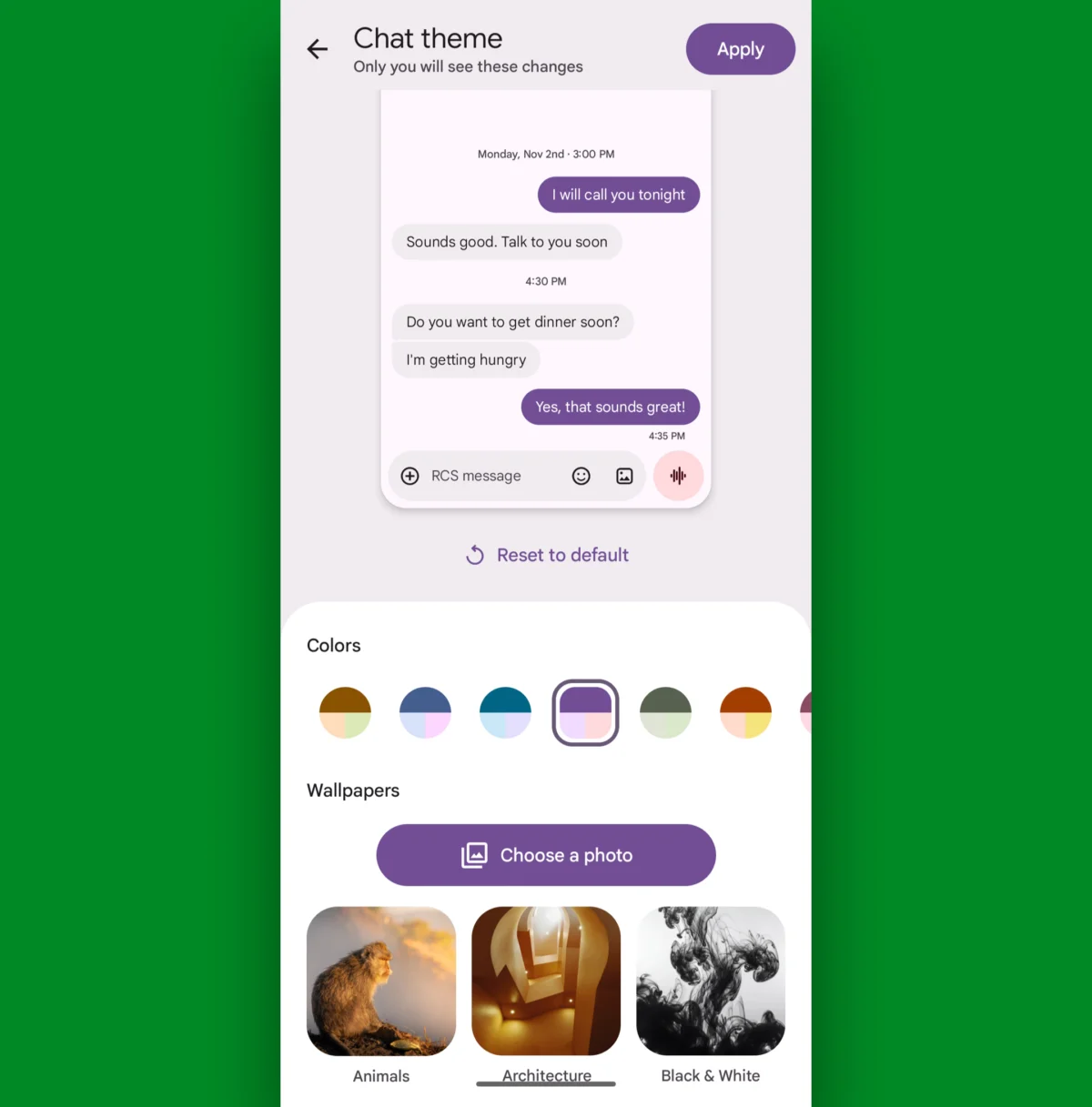
Messaging on Android has undergone a profound transformation. After years of experimental pivots and fragmented strategies, Google has successfully consolidated its ecosystem around the Google Messages application. In the current landscape of 2026, the app has matured into a sophisticated, highly customizable, and efficiency-driven platform. While many users rely on it as a basic text messaging client, beneath the surface lies a suite of advanced features designed to reclaim your time, sanity, and focus.
Following our previous exploration of fundamental efficiency hacks, we have curated a deeper look into the advanced settings that power users are leveraging to optimize their communication experience. Here are 16 essential features to unlock the full potential of your Android messaging experience.

The Evolution of Android Messaging: A Chronological Context
The current state of Google Messages is a testament to Google’s shift in mobile philosophy. For years, the company struggled with a "messaging identity crisis," cycling through platforms like Allo, Hangouts, and various iterations of SMS clients. The turning point arrived with the widespread adoption of the Rich Communication Services (RCS) standard.
By prioritizing RCS, Google enabled high-fidelity features—such as typing indicators, read receipts, and end-to-end encryption—that bridged the gap between Android and the modern expectations set by cross-platform competitors. By 2026, the application has moved beyond mere utility; it is now an AI-integrated hub that serves as the central nervous system for personal and professional digital communication.
Feature 1: The Trashed Text Resurrection
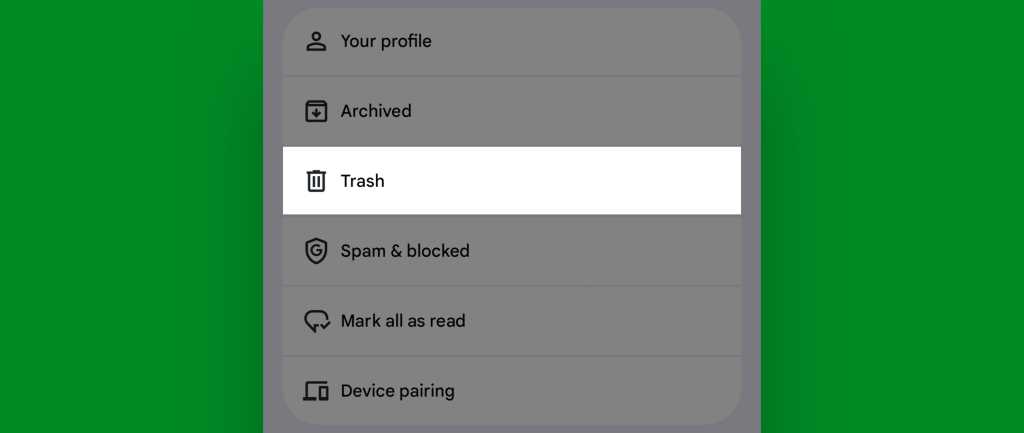
For years, deleting a conversation was an irreversible mistake. In 2025, Google introduced a long-overdue "Trash" folder. Now, when a thread is inadvertently deleted, it remains in a secure, temporary holding area for 30 days.
- How to access: Within the main Messages interface, tap your profile icon or the menu button to find the "Spam & blocked" or "Trash" section.
- The Benefit: This provides a crucial safety net for users who frequently prune their inbox but occasionally lose vital information in the process.
Feature 2: Post-Send Text Editing
RCS has ushered in the era of editable communication. If you spot a typo or realize you’ve sent a message to the wrong recipient, you can modify it after it has been dispatched.
- The Constraint: This feature is exclusive to RCS-enabled conversations.
- The Mechanism: Long-press a sent message and select the pencil icon. While the edit is seamless, it is worth noting that recipients can technically view the edit history, ensuring transparency in sensitive conversations.
Feature 3: The "Delete for Everyone" Takeback
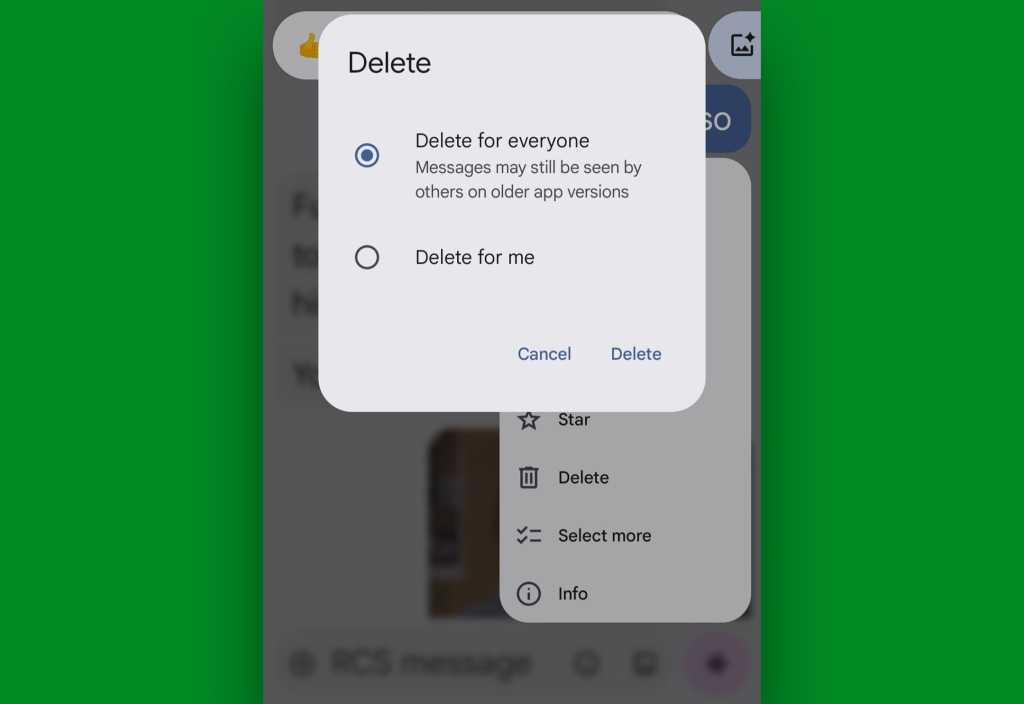
If an edit is insufficient, you can now exercise a "takeback." When you select "Delete" on a recently sent message, the app provides the option to remove it from your device or from the recipient’s device as well. While this is highly reliable between Android users, it serves as a powerful tool for correcting communication errors before they are read.
Feature 4: Personalized Notification Icons
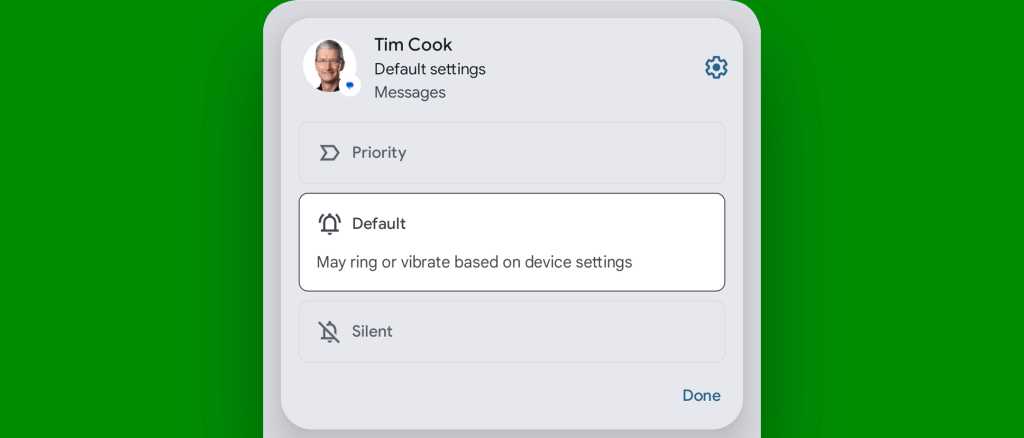
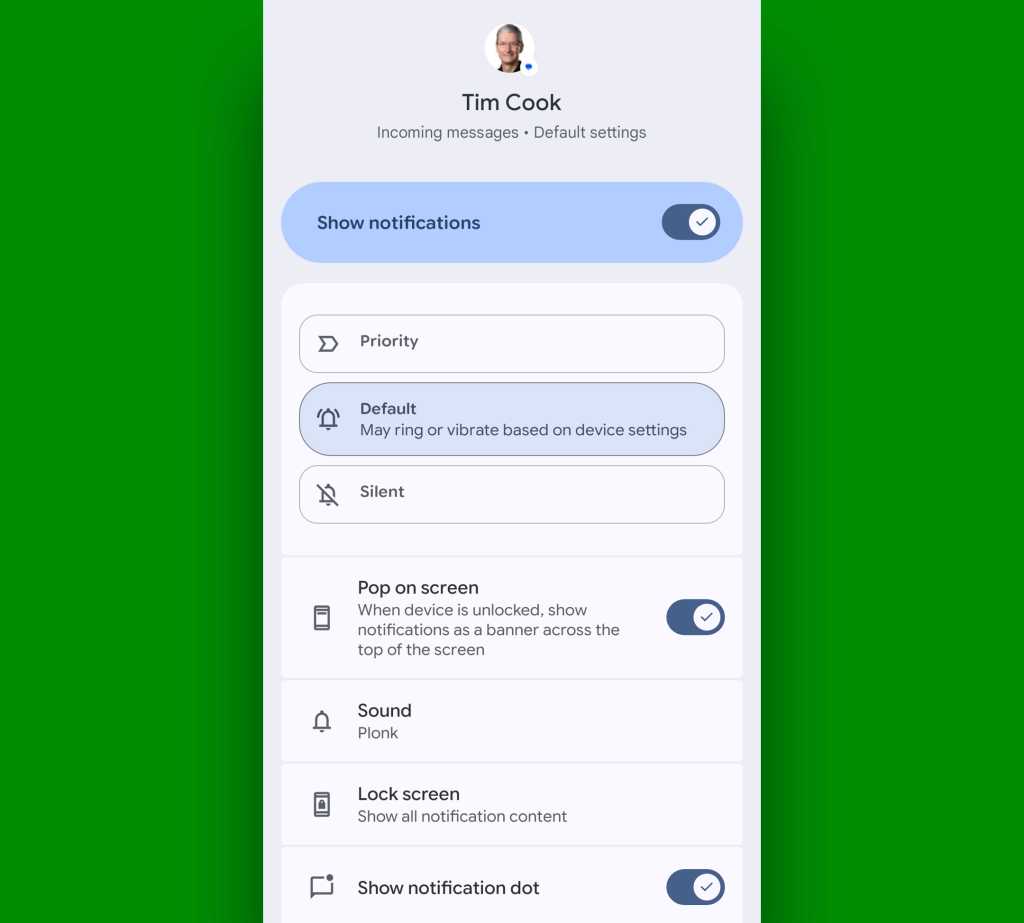
One of the most effective ways to manage notification overload is to visually distinguish your most important contacts. By setting specific contacts as "Priority" conversations, you can replace the generic system notification icon with the person’s profile photo.

- Implementation: Navigate to the specific contact’s notification settings within the system menu. By elevating them to "Priority," their avatar will appear in your status bar, allowing for immediate recognition of who is reaching out.
Feature 5: Custom Auditory Cues
In an era of constant pings, being able to identify a sender by sound alone is a significant productivity advantage. Google Messages allows for per-thread sound customization.
- Process: Open a thread, tap the three-dot menu, select "Details," then "Notifications." Here, you can assign a unique notification sound to that specific individual or group, ensuring you never miss an urgent message from a key stakeholder while ignoring non-essential chatter.
Feature 6: Strategic Conversation Snoozing
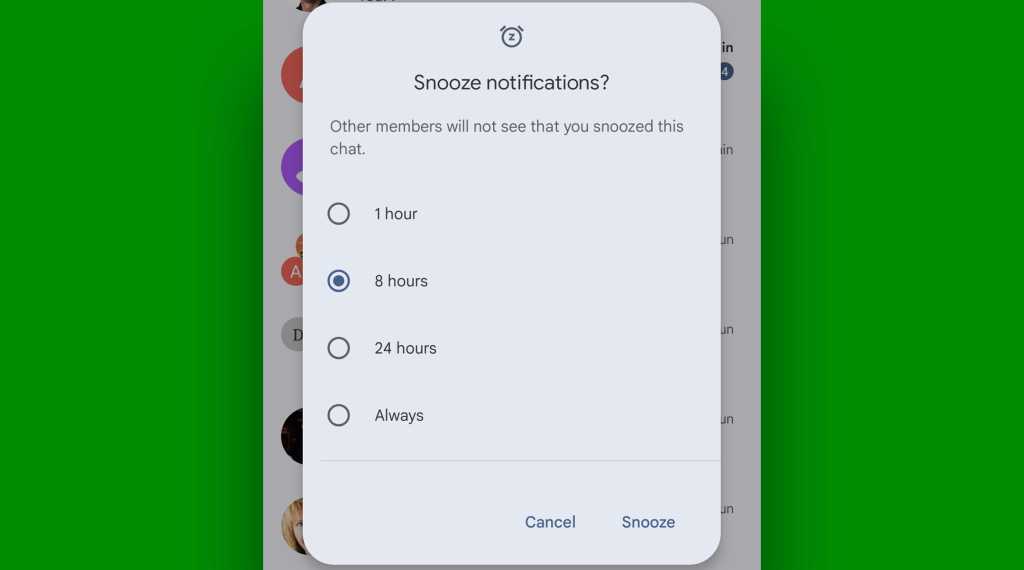
Sometimes, a group thread becomes a distraction during high-focus hours. Rather than muting your entire phone, you can "snooze" a single conversation.
- The Workflow: Long-press a thread in your inbox and tap the clock-with-a-z icon. You can silence the thread for one, eight, or 24 hours, or even indefinitely. You retain access to the thread when you open the app, but the intrusive alerts are effectively managed.
Feature 7: Pinch-to-Zoom Text
Accessibility is often overlooked in mobile design. Google Messages supports a standard pinch-to-zoom gesture within threads. If you find the default font size straining your eyes, a quick two-finger spread expands the text for better readability, a feature that can be toggled on or off in the main display settings.
Feature 8: Thematic Conversation Customization
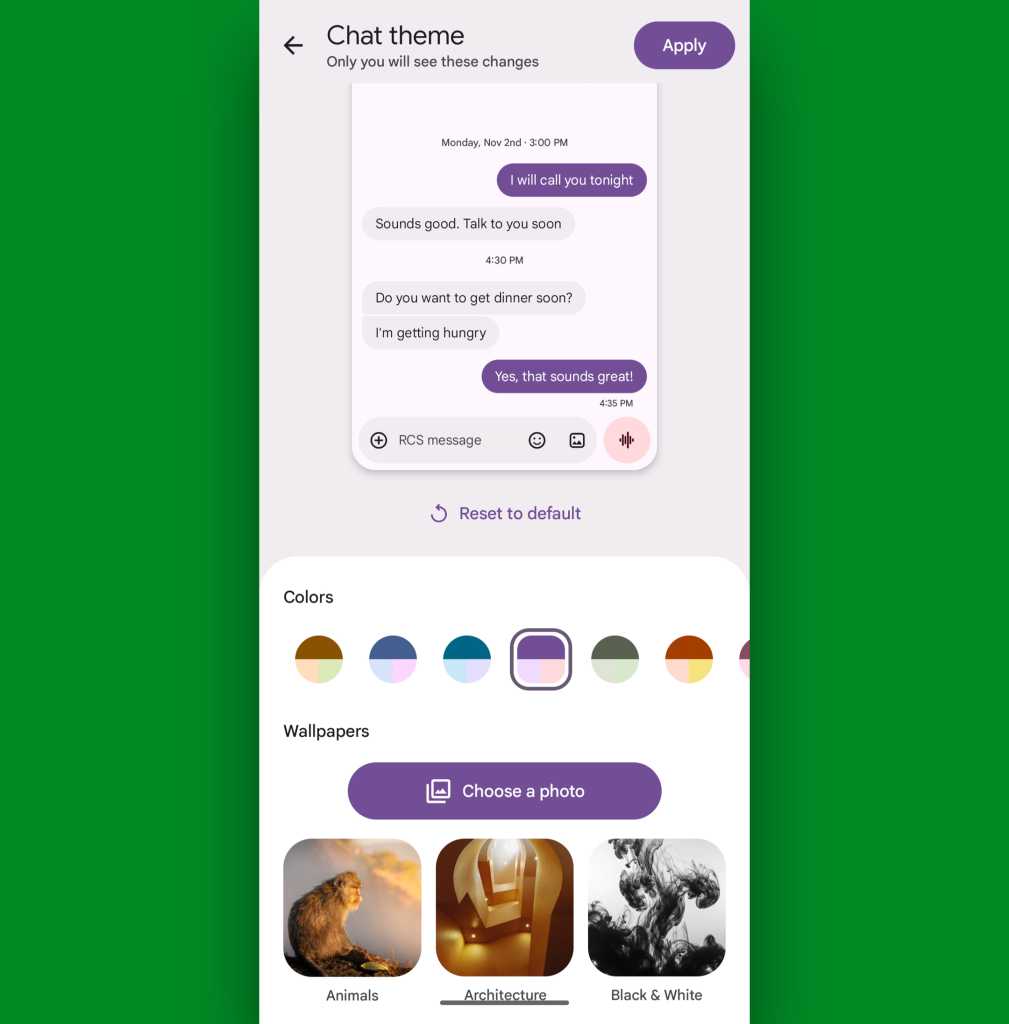
Much like third-party messaging apps, Google Messages now supports custom themes for individual threads. By assigning distinct color palettes to different conversations—such as a professional blue for clients and a personal purple for family—you can navigate your inbox with visual intuition rather than reading every name.
Feature 9: Defining Your Digital Identity
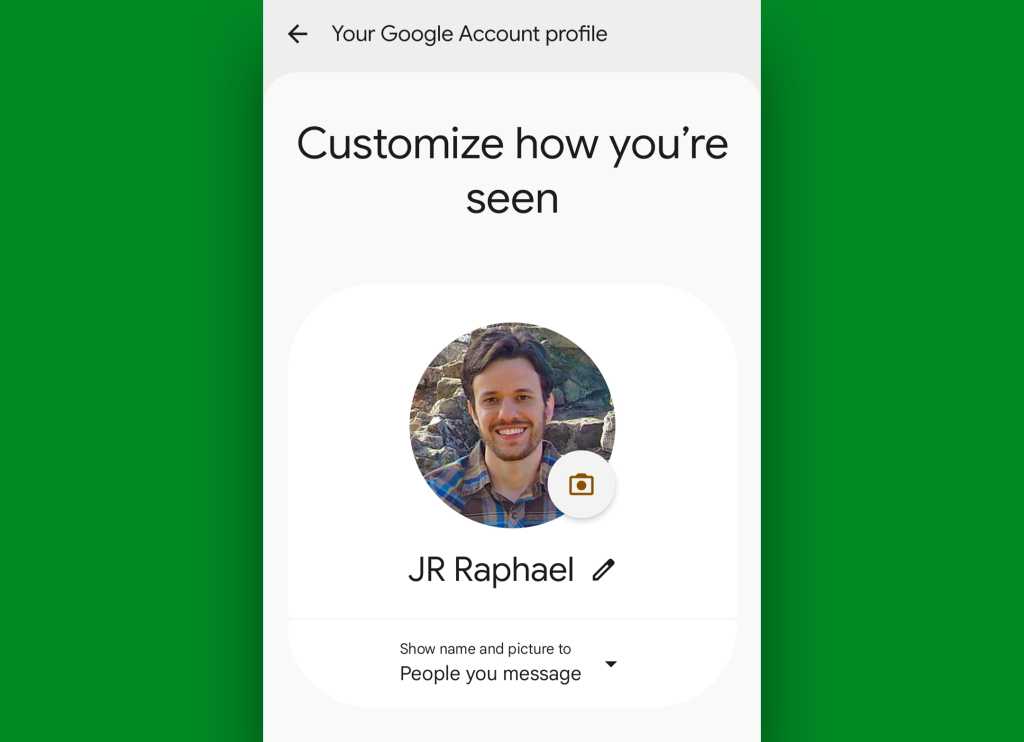
You can control how you appear to others by setting your profile name and image directly within the app’s "Your profile" settings. This ensures that when you message a new contact, they see your preferred identification rather than a generic or outdated placeholder.
Feature 10: In-Line Media Previews
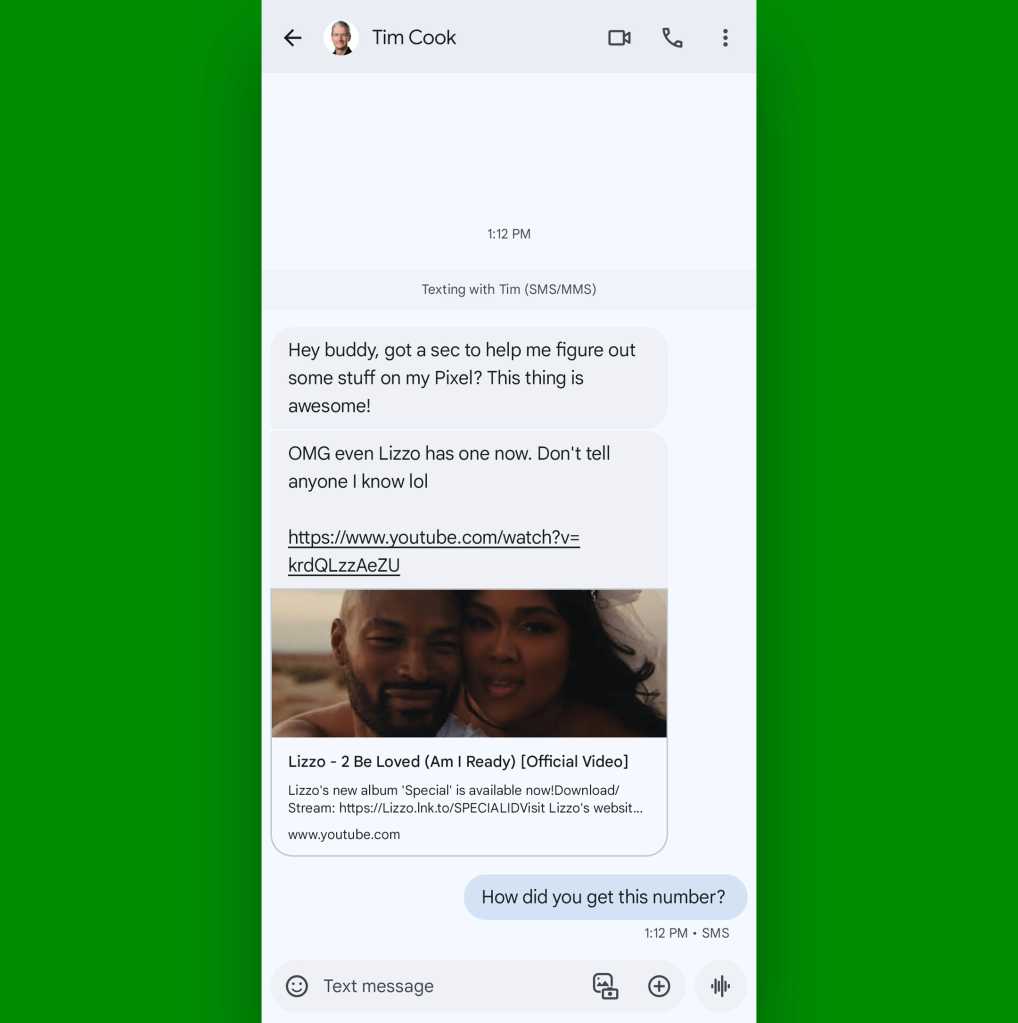
The app’s ability to render previews for URLs and YouTube videos is a major time-saver. By enabling these options in settings, you can gauge the content of a link—whether it’s a news article or a video—directly within the chat interface, eliminating the need to context-switch to a browser or secondary app.
Feature 11: Gemini-Powered Image Remixing
Integrated AI is becoming a cornerstone of the Android experience. By selecting an image in a thread and choosing "Remix," you can trigger the Gemini interface. Whether you need to highlight a specific part of a document or apply a stylistic edit, the AI-driven tools provide a quick way to manipulate media without exiting your conversation.
Feature 12: Streamlining the Interface (Gemini Removal)
Not every user wants AI prompts visible in every chat. If you find the Gemini button cluttering your UI, you can disable it via the "Gemini in Messages" toggle within the settings menu. This returns the interface to a cleaner, minimalist aesthetic.
Feature 13: The In-Flight Wi-Fi Hack
Through clever use of Gemini’s integration, some power users have discovered ways to access limited web-based services during flights without purchasing full-tier Wi-Fi packages. While results vary by airline, it is a testament to the versatility of the modern Messages backend.
Feature 14: Disabling "Nudges"
Google’s proactive "Nudges" feature—which pushes unreplied messages to the top of your list—is helpful for some but disruptive for others. If you prefer a static, chronological inbox, you can disable this under "Suggestions & Actions" in the settings menu.
Feature 15: The Silence of Outgoing Sounds
The "blooping" sounds that accompany every outgoing and incoming message can be taxing in a shared workspace. Disabling these in the settings menu provides a much quieter, more professional experience for those who prefer their device to be seen and not heard.
Feature 16: Robust Spam Protection
Finally, the "Protection & Safety" settings allow you to activate advanced spam filtering. By routing suspicious messages into a separate, isolated folder, the app keeps your main inbox clear of phishing attempts and automated junk, significantly reducing the security risks associated with modern mobile communication.
Implications for Future Communication
The consolidation of these features into Google Messages signals a broader shift toward "intelligent" communication. As of 2026, the application is no longer a passive vessel for SMS; it is an active assistant. These features imply that the future of mobile messaging will focus on three pillars: customization, security, and context-awareness.
For the average user, the ability to tailor their notification landscape and automate spam management is a massive quality-of-life upgrade. For the professional user, the ability to manage threads with high granularity—snoozing, prioritizing, and customizing sounds—is essential for maintaining productivity in an increasingly connected world. As Google continues to refine the integration of AI and RCS, we can expect the boundary between messaging and task management to blur even further, turning the humble text box into a powerful command center for your digital life.

 Siti Muinah
 Suro Senen
 Lina Irawan
 Nana
Nana
 Rifan Muazin
 Ali Ikhwan
 Evan Lee Salim