
 Neng Nana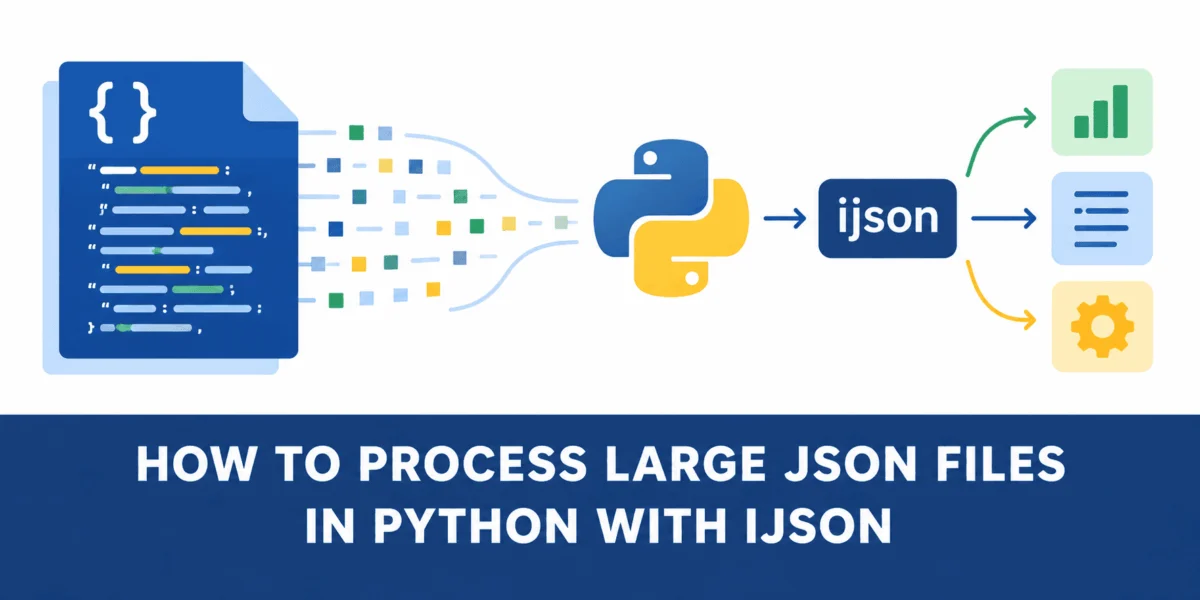
In the modern data-driven landscape, JSON (JavaScript Object Notation) has cemented its status as the de facto language of data exchange. From web APIs to complex geospatial databases, JSON’s human-readable, lightweight structure makes it indispensable. However, as datasets scale into the gigabyte range, the standard tools that developers rely on for small-scale projects—namely Python’s built-in json library—begin to encounter a critical bottleneck: memory exhaustion.
When handling massive files, the traditional "load-everything-at-once" approach is not just inefficient; it is a recipe for system crashes. This article explores the mechanics of memory-efficient data processing, contrasting the standard json.load() method with the iterative power of ijson, and provides a roadmap for engineers working with high-volume datasets.
The Core Challenge: Why Standard Parsing Fails
For the vast majority of Python applications, the built-in json module is the perfect tool. It is reliable, fast, and integrated directly into the language’s standard library. A simple with open(...) block followed by json.load(f) effectively serializes the entire content of a file into a hierarchy of Python dictionaries and lists.
The problem arises when the file size on disk exceeds the available RAM. When json.load() is invoked, it attempts to parse the entire document into an in-memory representation. If you are dealing with a 500MB JSON file, the resulting Python objects can easily consume two to three times that amount in RAM due to the overhead associated with Python’s object structure—specifically the dictionary metadata and object headers.
This phenomenon creates a "Memory Wall." Once the total memory footprint exceeds the system’s capacity, the operating system is forced to swap data to the hard drive or, more commonly, the Python interpreter triggers an OutOfMemory (OOM) error, abruptly terminating the process.
Chronology of an Experiment: Analyzing San Francisco City Lots
To illustrate this disparity, we conducted a controlled experiment using the San Francisco City Lots dataset, a publicly available collection of land-parcel information formatted as GeoJSON.
Step 1: Data Acquisition and Preparation
We utilized the curl command-line utility to pull the 181MB dataset directly from GitHub into a Google Colab environment. At 181MB, the file is large enough to demonstrate the limitations of bulk loading without requiring a high-performance cluster to run the test.
curl -L https://raw.githubusercontent.com/zemirco/sf-city-lots-json/master/citylots.json -o citylots.jsonThe file structure is a standard FeatureCollection, containing a list of objects under the features key. Each feature represents a single land parcel with nested properties (such as street names and block numbers) and geometry (polygon coordinates).
Step 2: The Conventional Approach
We began by writing a script, standard_json.py, designed to count parcels located on "MARKET" street. The script follows the standard pattern:
- Open the file.
- Load the entire content using
json.load(). - Iterate through the
featureslist. - Extract specific properties.
As anticipated, the script performed well in terms of execution time but revealed a major flaw in memory management. By monitoring the script using the memory-profiler library, we observed a massive spike in memory usage—from approximately 43MB at start-up to over 800MB the moment json.load() was called.
Step 3: The Iterative Solution
To resolve this, we introduced ijson, an iterative JSON parser. Unlike the standard library, ijson does not parse the entire file into a tree structure. Instead, it streams the file, parsing tokens sequentially. By using ijson.items(f, 'features.item'), we instructed the parser to yield one parcel at a time. The memory footprint dropped from 808MB to just 46MB, a reduction of over 94%.
Supporting Data: Comparative Analysis
The following table summarizes the performance metrics observed during our testing phase:
| Metric | Standard json.load() |
Iterative ijson.items() |
|---|---|---|
| Peak Memory Usage | 808.9 MiB | 46.1 MiB |
| Memory Savings | Baseline | ~762.8 MiB |
| Processing Strategy | Load-all-at-once | Streaming (Process-and-Discard) |
| Scalability | Limited by RAM | Theoretically infinite |
The data confirms that while ijson does not necessarily decrease the time required to process the data, it provides a massive improvement in stability. For a machine learning engineer or data scientist, this means the ability to process a 50GB file on a laptop that only has 16GB of RAM.
Technical Implications: Why Parsing Matters
Memory Overhead in Python
The disparity between the file size on disk and the memory footprint in RAM occurs because of how Python handles object creation. A JSON string like "STREET": "MARKET" is a simple text entry on your SSD. However, when loaded into Python, it becomes a dictionary object, which requires memory for the hash table, pointers to the keys, and the creation of string objects for both the key and the value. In a dataset with hundreds of thousands of entries, this overhead aggregates significantly.
The "Process-and-Discard" Model
The primary architectural shift provided by ijson is the shift from "Load, Parse, Process" to "Stream, Parse, Process, Discard." By holding only the current item in memory and allowing the garbage collector to reclaim the memory from the previous, already-processed item, the application maintains a flat memory profile regardless of the total file size.
Best Practices for Large JSON Handling
For developers tasked with building data pipelines or processing large-scale JSON logs, the following recommendations are critical:
- Profile Before Optimizing: Use
memory-profilerto identify the exact line where memory consumption spikes. You may find that your bottleneck is not the file size itself, but how you are storing the data after parsing. - Use Streaming for Large Arrays: If your JSON consists of a large root-level array or a collection of items, always prefer
ijsonoverjson.load(). - Partial Loading: Even if you must use the standard library, consider pre-processing the file using command-line tools like
jqto extract only the necessary segments, effectively shrinking the file before Python touches it. - Consider Alternative Formats: If you control the data production pipeline, consider formats designed for efficient streaming and random access, such as Apache Parquet or Avro, which are binary formats that often outperform JSON in both speed and space efficiency.
Official Perspectives and Industry Standards
In the broader software engineering community, the move toward streaming data processing has become standard. Many API providers have shifted from offering massive, monolithic JSON blobs to offering paginated responses or NDJSON (Newline Delimited JSON).
NDJSON, where each line is a valid, independent JSON object, is particularly useful for logging and streaming. With NDJSON, one doesn’t even need ijson; a simple loop that reads the file line-by-line using json.loads(line) provides the same memory benefits as ijson while remaining compatible with the built-in json library.
Conclusion: Engineering for Resilience
The transition from a monolithic data-loading strategy to an iterative, streaming approach is a rite of passage for every developer moving from small-scale scripting to enterprise-grade data engineering.
The experiment with the San Francisco City Lots dataset serves as a clear reminder: the limitations we encounter in our code are often not the limitations of the hardware, but the consequences of our architectural choices. By embracing iterative parsing, developers can build systems that are not only more resilient to memory pressure but also more scalable, ensuring that as data grows, our applications continue to run reliably.
Ultimately, the goal of robust software is to ensure that performance remains consistent as the load increases. By utilizing tools like ijson, we move away from the fragility of "everything at once" and toward the sustainable efficiency of "one piece at a time."


 Evan Lee Salim
 Ammar Sabilarrohman
 Muslim
 Jia Lissa
 Nila Kartika Wati