
 Iffa Jayyana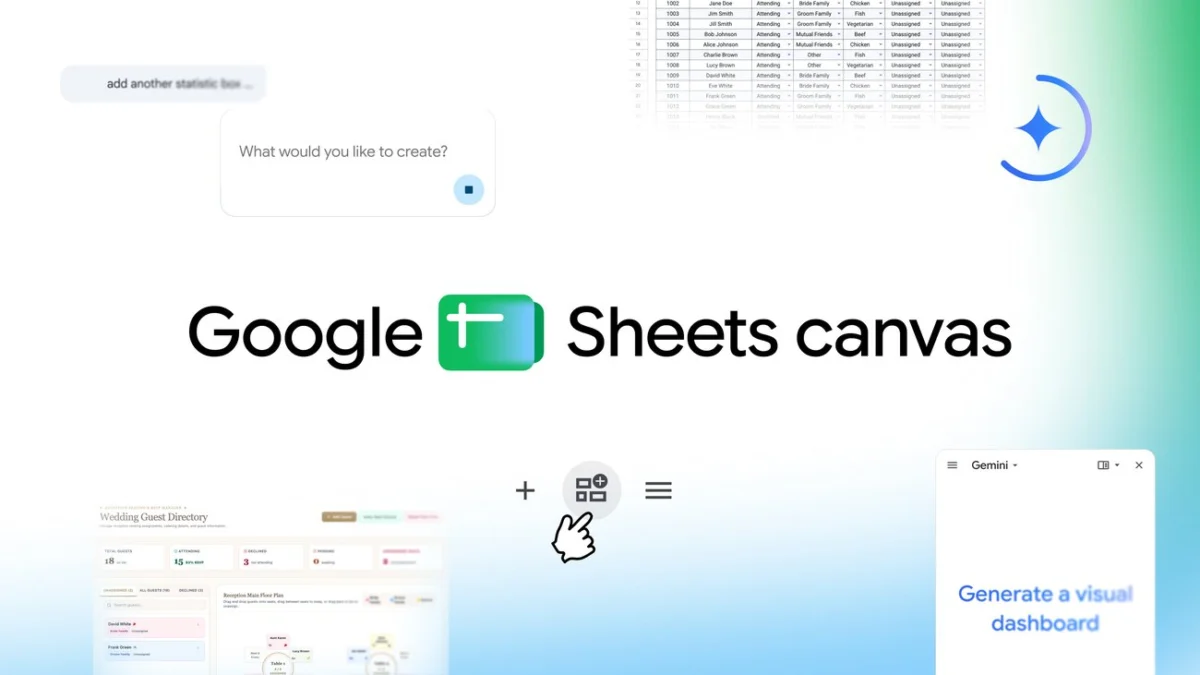
In the modern digital landscape, the humble spreadsheet has long served as the bedrock of organizational productivity. From the corner office of a Fortune 500 company to a student’s dorm room, Google Sheets has been the go-to tool for crunching numbers, tracking budgets, and managing complex datasets. However, as the volume of information we manage grows, so does the friction of traditional row-and-column navigation. Today, Google is addressing this challenge with the launch of "Sheets canvas," a transformative AI-powered feature designed to turn stagnant data into dynamic, interactive digital environments.
The Evolution of the Spreadsheet: From Cells to Canvases
The fundamental limitation of the traditional spreadsheet is its rigid, two-dimensional structure. While effective for data storage, it often lacks the visual intuitive nature required for high-level decision-making. Users frequently find themselves squinting at hundreds of rows, struggling to identify patterns or manage complex workflows.
Google’s latest innovation, Sheets canvas, acts as a sophisticated, read-write layer built directly atop existing spreadsheet data. By leveraging Gemini, Google’s advanced generative AI, Sheets canvas interprets the underlying information and, through a simple natural language prompt, translates it into a custom "mini-app." This interface is designed to be more than a static chart; it is an interactive dashboard that allows users to manipulate data, set reminders, and visualize progress without ever needing to write a single line of code or build a complex formula.
The Core Mechanism: Gemini-Powered Transformation
At the heart of this feature is the integration of Gemini. When a user prompts the system, the AI analyzes the schema of the spreadsheet—understanding the relationships between different columns and data types—and generates a layout optimized for that specific content. Whether it is a seating chart, a project timeline, or a fantasy sports leaderboard, the AI intelligently decides how best to represent that data visually, prioritizing accessibility and ease of interaction.
A Chronology of Integration: The Path to Sheets Canvas
The journey toward Sheets canvas is the latest milestone in Google’s long-term strategy to infuse AI into the Google Workspace ecosystem.
- Early 2023: Google announces the integration of generative AI into Workspace, starting with "Help me write" in Gmail and Docs.
- Late 2023: Initial iterations of AI-assisted data analysis begin appearing in Sheets, primarily focused on helping users write complex formulas through natural language prompts.
- Early 2024: Google begins testing "Smart Canvas" features, which started to blur the lines between document types, allowing users to embed project trackers and people chips directly into Docs.
- August 2026 (Launch Date): Google officially rolls out Sheets canvas. This release marks a significant leap from simply assisting with formulas to reimagining the entire interface of the spreadsheet.
This progression reflects a clear shift in Google’s philosophy: moving away from a "document-centric" view of productivity toward an "outcome-centric" view. The goal is no longer just to store data, but to interact with it in a way that aligns with the specific needs of the project.
Supporting Data: Why Visual Interaction Matters
Research in cognitive psychology and data science consistently demonstrates that human beings are "visual learners." When data is presented in a structured, visual format—such as a dashboard or a kanban board—the speed at which users can make decisions increases significantly.
According to internal Google case studies during the development phase of Sheets canvas:
- Time Efficiency: Users tasked with managing project assignments reported a 40% reduction in time spent navigating through large datasets when using canvas-based views compared to traditional sheets.
- Accuracy: Error rates in data entry decreased as the visual "mini-app" interface provided clearer context for where information belonged, reducing the likelihood of manual input errors in the wrong cell.
- Adoption: Early testing showed that non-technical users, who were previously intimidated by complex spreadsheets, were 60% more likely to utilize the data for project management once it was rendered in a visual canvas format.
These metrics highlight a critical implication: by lowering the barrier to entry for data visualization, Google is democratizing access to data-driven decision-making.
Official Responses and Strategic Vision
Eric Birnbaum, Director of Product Management for Google Sheets, emphasizes that the goal of Sheets canvas is to empower, not replace, the spreadsheet. "Spreadsheets are powerful, but they shouldn’t be a barrier to understanding your information," Birnbaum noted. "With Sheets canvas, we are essentially giving every user the ability to build their own custom application for their data, using nothing more than their own words."
Google’s strategic vision here is clear: they are positioning Google Workspace as the "operating system" for the modern knowledge worker. By bridging the gap between raw data and actionable dashboards, Google is directly challenging specialized project management software (like Airtable or Monday.com) by offering a high-utility alternative that remains tethered to the familiar and ubiquitous environment of a Google Sheet.
Practical Implications for Users
The real-world applications of Sheets canvas are as varied as the users themselves.
For the Academic Environment
Students juggling multiple syllabi can now take a simple list of assignments and, via a prompt like "Create a study tracker for my biology class," turn that list into an interactive board. They can drag and drop assignments into "Complete," "In Progress," and "To-Do" columns, set automated due-date reminders, and visualize the density of their workload across the semester.
For the Sports Enthusiast
Fantasy sports leagues, which often rely on complex, manual spreadsheets to track player performance, can now be transformed into "command centers." Users can visualize player stats, compare head-to-head performance metrics side-by-side, and track their league standing through custom-built dashboards that update in real-time as the underlying spreadsheet data is refreshed.
For Event Planning
The manual labor of wedding planning—specifically managing guest lists and meal preferences—has long been a notorious use case for spreadsheets. With Sheets canvas, planners can transition from a list of names to a visual seating chart. By simply asking the tool to "create a seating arrangement," the system generates a layout where guests can be dragged to specific tables. The beauty of this is that the "source of truth" remains the original spreadsheet; any update to the seating chart is automatically reflected in the guest database.
The Future of Work: Looking Ahead
The release of Sheets canvas is not the end of the road; it is an inflection point. As AI continues to evolve, the interaction between human and data will likely become even more fluid.
Privacy and Security Considerations:
As with all AI-driven features in Google Workspace, data privacy remains paramount. Google has confirmed that the data used to power Sheets canvas is treated with the same enterprise-grade security protocols as the rest of the Workspace suite. The AI does not use user data to train its public models, ensuring that sensitive personal or business information remains confidential.
Availability:
Sheets canvas is currently rolling out globally. It is available to Google AI Pro and Ultra subscribers, as well as Google Workspace customers on Business or Enterprise Standard and Plus plans. Additionally, it is being made available to subscribers of the Google AI Pro for Education add-on.
For those ready to get started, the process is intentionally low-friction. Users can simply open an existing spreadsheet, navigate to the "Ask Gemini" side panel, and select the "Create canvas" option. From there, the prompt box becomes the gateway to a more intuitive way of working.
As we move forward, the definition of a "spreadsheet" will inevitably change. It will no longer be viewed as a rigid grid, but as a flexible foundation upon which any number of interactive, visual, and intelligent experiences can be built. By moving beyond the grid, Google is ensuring that the most valuable asset of the digital age—our data—is finally as accessible and dynamic as our imaginations require it to be.


 Nana
Nana
 Siti Muinah
 Raul Delapena Setiawan
 Reynand Wu
 Sagoh
Sagoh

 Azzam Bilal Chamdy
 Ali Ikhwan