
 Pevita Pearce
At a cursory glance, the web form is a mundane, utilitarian artifact of the digital age. We encounter them daily: contact forms, login portals, and newsletter sign-ups. For years, these elements were treated as "set it and forget it" features—necessary, yet entirely uninspired. However, a quiet revolution has been occurring within the WordPress ecosystem, led by Gravity Forms and a robust community of developers who refuse to view the form as a static input field.
Gravity Forms has effectively dismantled the stereotype that forms are merely for data collection. Today, the plugin serves as a foundational architecture for complex workflows, turning a simple submission box into a Swiss Army knife for site owners. By leveraging a sophisticated library of official and third-party add-ons, developers are now using Gravity Forms to build intricate e-commerce funnels, dynamic appointment schedulers, and secure internal data management systems.
The Architecture of Versatility: A Chronology of Evolution
The evolution of the WordPress form did not happen overnight. In the early days of the CMS, contact forms were often separate, siloed plugins that offered little in the way of integration. The shift began when plugin developers realized that if a form could capture data, it should also be able to "speak" to other parts of the site and external APIs.
- Phase One: The Data Capture Era. Early iterations of form plugins were focused strictly on sending emails. Reliability was the primary KPI.
- Phase Two: The Integration Era. With the rise of APIs, developers began building bridges between form entries and third-party services like Mailchimp or CRM systems.
- Phase Three: The Ecosystem Era. Gravity Forms, in particular, pioneered a modular approach. By providing a deep hooks-and-filters API, they allowed third-party developers to create specialized add-ons, effectively turning the core plugin into a developer-friendly framework rather than a finished product.
Today, we are in the "Workflow Automation" phase. Forms are now used to trigger server-side processes, manage user permissions, and facilitate complex data processing that once required custom-coded solutions.
The Essential Toolkit: Top Add-Ons to Supercharge Your Forms
To understand the sheer power of this ecosystem, one must examine the specific tools that push the boundaries of what is possible. Here is a breakdown of the most impactful add-ons currently shaping the WordPress landscape.
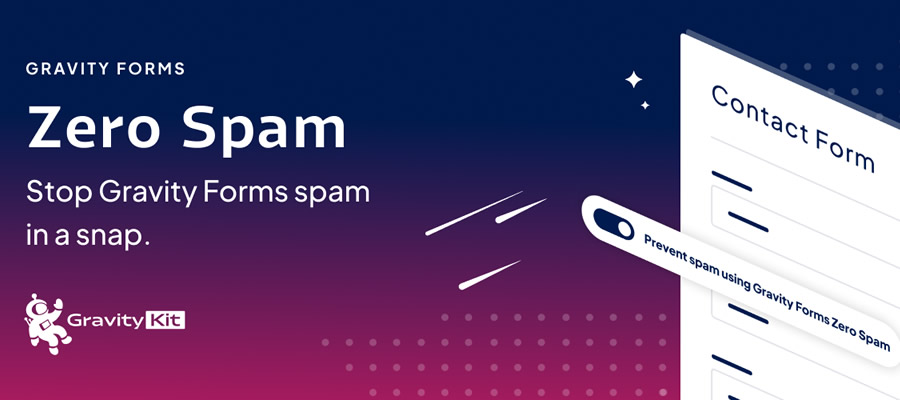
1. Security First: Gravity Forms Zero Spam
Security is the invisible foundation of any successful website. Without proper protection, forms become magnets for bot-driven spam, which clogs databases and degrades user trust. Gravity Forms Zero Spam offers a "set-and-forget" solution that leverages advanced heuristics to identify and neutralize malicious traffic before it ever hits your entries table. By providing granular controls over spam management—such as automatic deletion or periodic summary reports—this plugin provides administrators with much-needed peace of mind.
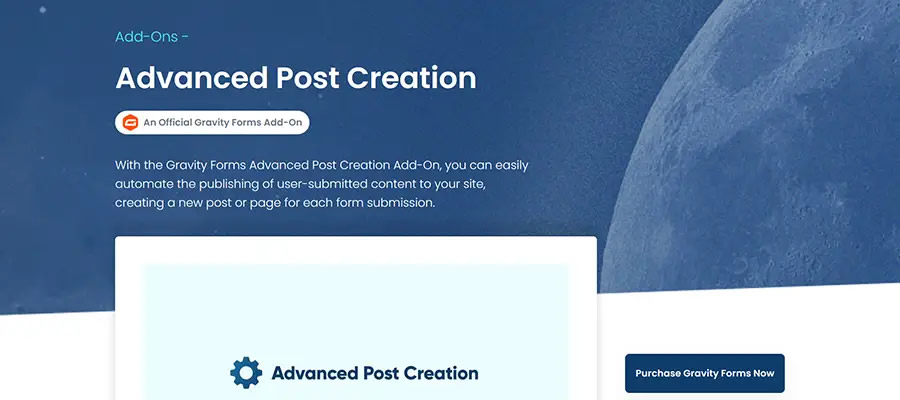
2. Democratizing Content: Advanced Post Creation
One of the most powerful ways to utilize forms is through user-generated content. The Advanced Post Creation add-on allows site administrators to map form inputs directly to WordPress post titles, body content, and custom fields. This is not just a simple submission tool; it is a full-fledged editorial workflow. With the ability to hold posts for manual review, enable front-end editing, and integrate with complex third-party post types (such as those found in WooCommerce or The Events Calendar), it allows users to contribute to your site without ever seeing the WordPress admin dashboard.
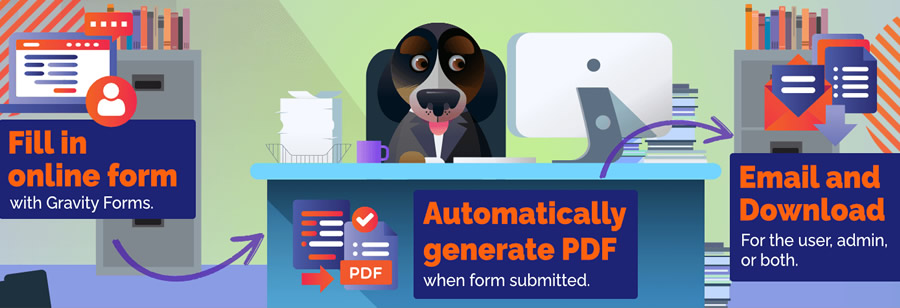
3. Digitizing Workflows: Gravity PDF
The transition from digital input to physical document is a common pain point for businesses. Gravity PDF solves this by converting form entries into professional-grade PDF files. Whether you are generating invoices, printing gift certificates, or creating archival records, this plugin automates the document production process. Its ability to attach these files directly to email notifications makes it an essential tool for transactional business models.
4. Admin Efficiency: Power Boost for Gravity Forms
For power users, the default WordPress backend can sometimes feel restrictive. Power Boost acts as a quality-of-life upgrade, introducing features like the "last entry" column, improved merge tag support in HTML fields, and the ability to resend feeds. These seemingly minor administrative conveniences accumulate, resulting in significant time savings for site managers handling thousands of entries.
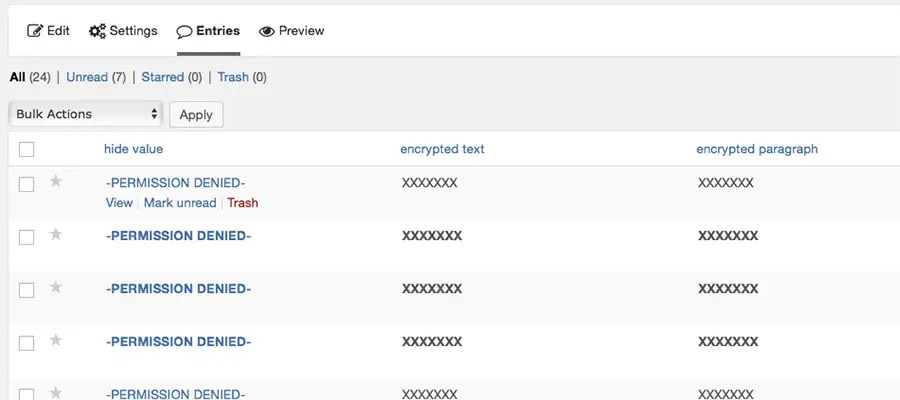
5. Data Privacy: Gravity Forms Encrypted Fields
In an era of stringent data privacy regulations like GDPR and CCPA, handling sensitive user information is a high-stakes responsibility. Gravity Forms Encrypted Fields provides a layer of security that ensures sensitive data remains unreadable to unauthorized eyes. By encrypting chosen fields while maintaining visibility for approved administrators, this plugin allows businesses to collect personal or sensitive information with confidence.
6. Customization at Scale: Advanced Merge Tags
Notifications and confirmations are the primary feedback loop for your users. Advanced Merge Tags allows developers to move beyond static data, offering the ability to transform text cases, perform character conversions, and pull data from parent slugs or custom timestamps. It provides the surgical precision required to create truly dynamic, personalized communication.
7. Operational Logistics: Gravity Booking Plugin
Perhaps the most dramatic shift in functionality is the transition from "data collector" to "service provider." The Gravity Booking plugin transforms standard forms into robust appointment scheduling systems. By integrating Google Calendar synchronization, multi-location support, and payment processing, it eliminates the need for expensive, third-party scheduling subscriptions.
8. Collaborative Workflows: Gravity Forms Trello Add-On
Workflow integration is the hallmark of a modern digital business. By automatically converting form entries into Trello cards, this add-on ensures that no task falls through the cracks. It allows for automated team assignments, the attachment of user-submitted files, and the use of conditional logic to route tasks to specific boards based on the content of the form.
Implications: The Death of the "Generic" Website
The widespread adoption of these add-ons carries profound implications for the web development industry. Historically, building a site with custom functionalities—such as a front-end submission system or an automated scheduling platform—required significant capital investment and custom coding.
Today, the "no-code" or "low-code" movement, facilitated by tools like Gravity Forms, has leveled the playing field. Small businesses and non-profits can now implement features that were once reserved for enterprise-level applications. This democratization of functionality is forcing a shift in how we define a "plugin." No longer are they just small additions to a site; they are the engines that power business operations.
Official Perspectives on Ecosystem Growth
The team behind Gravity Forms has long championed an open-ecosystem approach. By maintaining a clear and stable API, they have encouraged a vibrant marketplace of third-party developers. According to industry experts, this strategy is the primary reason for the plugin’s longevity.
"The goal is not just to build a form," says a lead developer within the WordPress community. "The goal is to provide a blank canvas that developers can paint on. When you provide the tools for users to build their own unique solutions, you create an ecosystem that is virtually impossible to disrupt."
Supporting Data and Trends
Market trends indicate that businesses are increasingly looking to consolidate their technology stacks. A single WordPress installation equipped with Gravity Forms and its associated add-ons can often replace three to four independent SaaS subscriptions.
- Cost Efficiency: Using a WordPress-based booking or ticketing system can save a business upwards of $50–$200 per month compared to third-party services.
- Data Sovereignty: By keeping form entries within the WordPress database rather than a third-party server, businesses maintain total control over their data, a critical factor for compliance.
- Performance: As WordPress hosting environments become more sophisticated, the performance impact of running multiple add-ons has decreased, making complex form-based workflows more viable than ever before.
Conclusion: Rethinking Potential
Gravity Forms serves as a reminder that the tools we use are often more powerful than we realize. By viewing forms as modular building blocks rather than static fields, site owners can unlock new efficiencies and revenue streams.
Whether you are a freelancer looking to streamline your client onboarding, or an agency developer building complex SaaS-like portals, the secret lies in the ecosystem. Do not settle for a basic contact form when you have the capacity to build a system that manages appointments, generates legal documentation, and automates your project management.
The next time you install a form plugin, look beyond the basic settings. Explore the add-ons, experiment with the hooks, and ask yourself: what else can this form do? The answer is likely far more than you ever imagined.

 Sagoh
Sagoh
 Asep Darmawan
 Raul Delapena Setiawan
 Reynand Wu


 Azzam Bilal Chamdy
 Ali Ikhwan