
 Basiran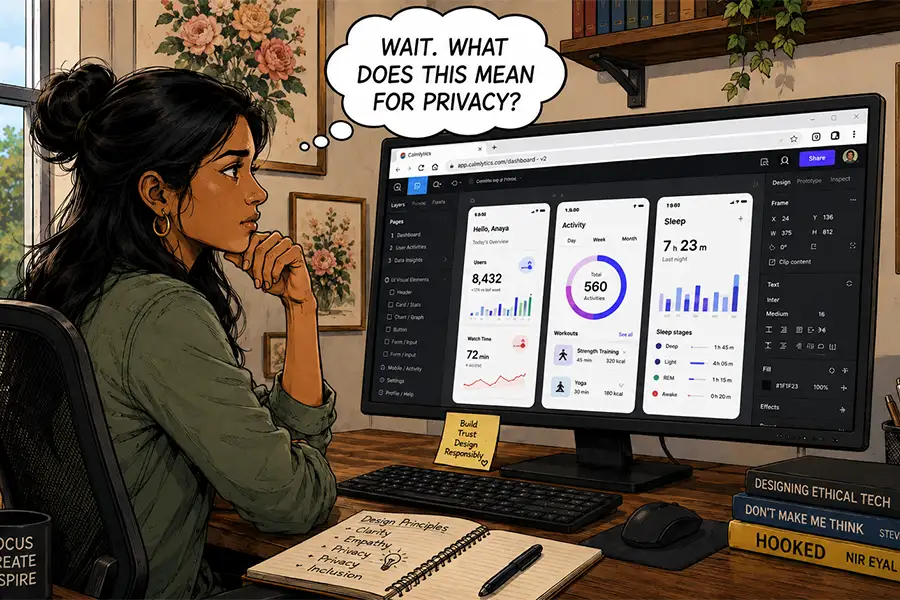
Setting up a new computer is a ritual that occupies a unique space in the professional psyche. For many, it represents a fresh start—a clean slate to optimize workflows and integrate more capable tools. As we unbox the latest hardware, we often do so with the anticipation of performance gains that promise to elevate not just our productivity, but our businesses as a whole.
Historically, this setup process has been defined by the "Great Migration of Apps." From the requisite Adobe Creative Cloud suite and Microsoft Office to a sprawling ecosystem of FTP clients, media converters, and local development environments, the digital toolkit of a web professional has traditionally been heavy, static, and deeply rooted in the operating system.
However, as the current generation of hardware begins to show its age, a provocative realization is taking hold: the vast majority of these tools are increasingly redundant. With the rapid evolution of browser technology, we are approaching a paradigm shift where the browser is no longer just a window to the internet, but the operating system itself.
The Evolution of the Web-Based Workspace
For those whose careers began in the era of Netscape Navigator, the browser was once a source of constant friction. It was a platform defined by limitations—clunky rendering, poor memory management, and a lack of feature parity with native desktop software. Back then, if you needed to perform professional-level work, you needed a "powerhouse" application. You needed Photoshop, Dreamweaver, or Excel installed directly on your local machine to ensure you had the granular control required for professional output.
That narrative has been decisively dismantled. The confluence of advanced web standards (HTML5, WebAssembly, and WebGL) and high-performance server-side technologies has turned the browser into a high-octane engine for creative and analytical work.
The Shift in Capability
Today, the functional gap between a desktop application and its web-based equivalent has narrowed to the point of irrelevance for most users. Platforms like Figma have redefined UI/UX design by moving the entire workflow into the browser, enabling real-time collaboration that was once technically impossible. Similarly, the Adobe Creative Cloud now offers robust web-based versions of its most popular tools, and Google Workspace has become the industry standard for productivity, proving that high-level functionality no longer requires local binaries.

The Core Advantages
- Universal Collaboration: The shift toward cloud-based apps has effectively killed the "version control nightmare." When every stakeholder is accessing the same live instance of a file, the friction of email chains and file transfers disappears.
- Platform Agnostic Efficiency: The modern professional is no longer tethered to a specific OS. Whether you are on a high-end Windows workstation, a Linux machine, or a lightweight Chromebook, the experience remains consistent.
- Resource Optimization: While high-end graphics and RAM are still necessary for local rendering, the need for massive, high-speed local storage is waning. Cloud-based storage allows teams to maintain a lightweight footprint, offloading the burden of data management to service providers.
The Hidden Costs: Trust and Content Ownership
While the transition to browser-based workflows offers unparalleled convenience, it introduces a significant set of risks that are often overlooked in the pursuit of "lean" computing. Moving your entire professional life into the browser means outsourcing your infrastructure to third-party providers, which carries profound implications for data sovereignty.
The Risk of Institutional Dependency
When your tools live in the cloud, you are essentially renting your workflow. If a service provider faces financial insolvency, pivots their business model, or unilaterally changes their terms of service, the impact on your business can be catastrophic. We have seen recent instances where cloud providers have simply "ghosted" clients, leaving them with no access to years of archived data. In a local-first environment, you possess the keys to your kingdom; in a browser-first environment, you are a tenant at the mercy of your landlord.
AI and the Privacy Dilemma
The current fervor surrounding Artificial Intelligence has introduced a new, more insidious layer of risk. Many browser-based tools now integrate AI models that "learn" from user input. This raises critical questions: Are your proprietary designs being used to train a competitor’s model? Is your client’s sensitive data being processed in a way that creates a vulnerability?
Recent security lapses, where private chat logs or proprietary data have been inadvertently indexed by search engines, serve as a stark reminder that the cloud is not a vacuum. Every action taken within a browser-based application is a potential data point in an opaque ecosystem of tracking and model training.
The Resilience of the Desktop Paradigm
Despite the undeniable allure of the browser, we must acknowledge that "control" is not just a preference—it is a competitive advantage. The desktop application remains the gold standard for professionals who require deep integration, offline reliability, and absolute data ownership.
Why the Desktop Still Matters
Consider the high-stakes industries—film production, complex engineering, or large-scale software development. It is difficult to imagine a major motion picture house moving their entire post-production pipeline to a browser. The latency involved in cloud processing, the requirement for local high-speed assets, and the need for deep hardware-level optimization ensure that powerful desktop software will remain a cornerstone of these industries for the foreseeable future.

Furthermore, desktop software allows for a level of personalization and modularity that the browser struggles to match. When you own the binary, you control the environment. You are not subject to the latest "forced update" that might break a critical feature, nor are you limited by the browser’s sandboxed security model.
Implications for the Future of Work
The divide between browser-based tools and desktop software is not a binary choice; it is a spectrum of utility. For the average designer or developer, the browser is likely sufficient for 90% of their daily tasks. The speed, collaboration, and portability of web apps provide a massive ROI in terms of efficiency.
However, we must adopt a "hybrid-aware" mindset. As we move toward a browser-first future, we must be vigilant about:
- Data Portability: Prioritize tools that allow for easy export of data in standard formats. Never allow your work to be held hostage by a proprietary, closed-loop cloud system.
- Risk Assessment: Distinguish between tasks that require the security of local storage and those that benefit from the speed of the cloud. Sensitive client information, raw intellectual property, and long-term project archives should arguably remain on localized, encrypted, and backed-up hardware.
- The "Cloud-Offline" Strategy: Always have a local fallback. If the internet goes down or a provider goes offline, your ability to work should not be paralyzed.
Conclusion: A Balanced Approach
As I prepare to set up my next computer, I find myself in a middle ground. I will certainly be installing fewer apps than I did five years ago. I will embrace the browser for project management, collaborative design, and communication. But I will not be abandoning the desktop entirely.
The "old-school" software still offers a level of stability and independence that the web cannot replicate. We have gained the world in terms of convenience and connectivity, but we must ensure we haven’t traded away the autonomy that makes a professional truly independent. The future of web design and development isn’t just about moving to the cloud—it’s about knowing exactly when to stay on the ground.


 Sagoh
Sagoh
 Asep Darmawan
 Raul Delapena Setiawan
 Reynand Wu


 Azzam Bilal Chamdy
 Ali Ikhwan