
 Rifan Muazin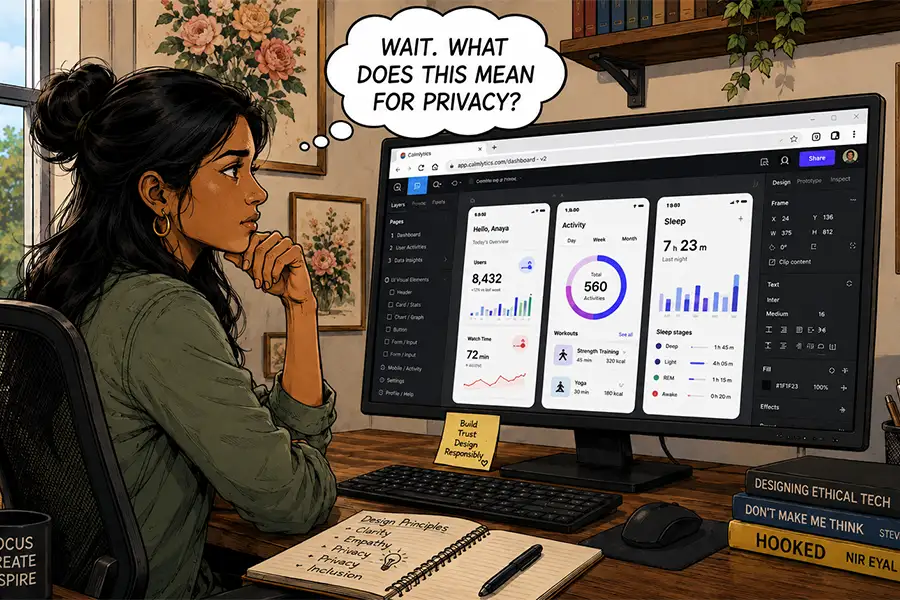
For many professionals, setting up a new computer is a rite of passage. It is a moment of potential—the thrill of unboxing high-performance hardware, reading through the raw specifications, and knowing that your digital infrastructure is about to receive a significant upgrade. For the creative professional, this ritual has historically been defined by a singular, labor-intensive task: the "software dump."
We spend hours installing the foundational pillars of our professional lives: Adobe Creative Cloud for design, the Microsoft Office suite for productivity, FTP clients for server management, media encoders, and local development environments. We treat these installations as mandatory taxes paid to our craft. However, as hardware cycles turn and we look toward our next machine, a provocative question emerges: In an era where the browser has become the most powerful application on our systems, do we still need these traditional desktop "beasts"?
The Evolution of the Web-Based Workspace
The narrative of software development has shifted dramatically. A generation ago, web-based tools were viewed with skepticism. They were "clunky," prone to crashing, and offered only a fraction of the power found in native desktop applications. If you were a professional designer or developer, you used Photoshop or Dreamweaver because the web alternatives were essentially toys.
Today, that hierarchy has been completely dismantled. Modern web standards—supported by advanced APIs, WebAssembly, and high-speed cloud infrastructure—have bridged the gap. Platforms like Figma have redefined UI/UX design by making collaboration the primary feature, not an afterthought. Meanwhile, the professional suite has followed suit; even industry standards like Adobe Photoshop have migrated to the browser, offering robust functionality that was once unimaginable.
A Chronology of the Browser’s Ascent
- The Early Era (1994–2005): The browser was a passive consumption tool. Netscape and early Internet Explorer were built for viewing, not creating.
- The AJAX Revolution (2005–2010): Technologies like Asynchronous JavaScript and XML allowed websites to update content without full page reloads, enabling the first wave of functional web apps like Google Docs.
- The Cloud Maturity Era (2010–2020): The rise of high-speed broadband and standardized HTML5 made heavy-duty media manipulation and real-time collaboration possible.
- The Modern "Desktop-in-a-Tab" Era (2020–Present): With the introduction of WebAssembly, browsers can now run complex, resource-heavy code at near-native speeds, effectively turning the browser into a universal operating system.
The Case for the Cloud: Efficiency and Agility
The primary driver behind the shift to browser-based workflows is not just convenience—it is systemic efficiency. Desktop applications are inherently siloed. If you design a mockup in a native app, you must save it, upload it, email it, or share it through a third-party service to gather feedback. This creates a "feedback loop delay" that hampers productivity.
Browser-based tools eliminate this friction. By existing in the cloud, these tools allow for real-time, multi-user collaboration. When a designer, developer, and client look at the same live URL, the need for long, fragmented email chains evaporates.

Furthermore, the hardware requirements for the modern professional have changed. While a dedicated GPU and high-speed RAM remain valuable for intensive tasks, the need for massive, high-capacity internal storage is diminishing. When your assets live in the cloud and your rendering happens on a remote server, your local machine functions more like a thin client—a portal to your workspace rather than the sole container for it.
The Hidden Costs: Trust and Digital Sovereignty
However, this transition is not without significant peril. Moving our entire workflow into the browser introduces profound questions regarding data ownership and security.
When you install a traditional desktop application, you retain a degree of local control. Your files reside on your hard drive; you can back them up to an external drive, keep them offline, and ensure they are not being scanned by external entities. When you move to a cloud-based browser model, you are essentially "renting" your professional life from a vendor.
The Risks of the "Locked-In" Ecosystem
- Data Vulnerability: As seen in recent cases where cloud storage providers have abruptly shuttered or ghosted clients, users risk losing years of work in an instant. If the server goes down or the company pivots its business model, your access is at the mercy of their uptime.
- AI and Data Harvesting: Almost every modern SaaS tool now integrates Artificial Intelligence. This raises a critical, often-overlooked question: Is your private, proprietary work being used to train the provider’s machine learning models? Without rigorous transparency, your intellectual property could become a component of a competitor’s AI tool.
- Third-Party Tracking: Working entirely in a browser means your activity is subject to the browser’s tracking mechanisms. While these are often used for "analytics," they also open the door for ad networks to profile your professional habits, creating a privacy footprint that is difficult to erase.
Professional Perspectives: The "Hybrid" Future
Despite the allure of the cloud, industry veterans argue that the "death" of the desktop app is premature. There is a fundamental difference between a "work-from-anywhere" tool and a "control-everything" tool.
Professional creators—film editors, high-end developers, and motion graphic artists—require a level of granular control that the browser cannot yet provide. There is a tactile, responsive nature to native software that relies on direct communication with the operating system’s kernel and hardware drivers. A browser is an abstraction layer; it is, by definition, a mediator between the user and the computer. When performance is measured in milliseconds—as it is in high-end post-production or complex code compilation—that layer of abstraction can become a bottleneck.
Moreover, the psychological aspect of local storage cannot be ignored. Storing files locally offers a sense of permanence. When you own the file on your disk, you aren’t subject to a subscription paywall or a TOS update that suddenly restricts your access to your own output.

Implications for the Future of Web Design
For the web design industry, the implications are clear: we are entering a bifurcated market.
For the average creative task—mockups, document editing, communication, and simple project management—the browser is not just an alternative; it is the superior choice. It offers unmatched agility and collaboration capabilities that are essential for the modern, fast-paced agency environment.
However, for the "heavy lifting" of the digital age, the desktop app remains the sanctuary of the professional. As we look at the next generation of computing, the most successful designers will likely be those who adopt a hybrid strategy. They will use browser-based tools for the collaborative and iterative parts of the process, while maintaining a lean, high-performance local environment for the heavy, proprietary work that requires absolute control, privacy, and speed.
Ultimately, the goal is to stop being a "collector" of apps and start being a curator of workflows. Whether that workflow lives in a Chrome tab or on a local NVMe drive matters less than the security of your data and the reliability of your tools. As we configure our next machines, perhaps the most important software to install isn’t the one that does the most, but the one that ensures you—and only you—truly own what you create.


 Sagoh
Sagoh
 Asep Darmawan
 Raul Delapena Setiawan
 Reynand Wu


 Azzam Bilal Chamdy
 Ali Ikhwan